Home - mbucchia/Quad-Views-Foveated GitHub Wiki
Warning
IF YOU ARE READING THIS IN 2025 OR AFTER - THIS TOOL IS CAUSING ISSUE WITH MODERN UNREAL ENGINE D3D12 GAMES.
There are versions of Unreal Engine that incorrectly enable Quad Views without game developer's knowledge. Without the ability to QA their games with Quad Views (because most developers are not aware of what OpenXR Quad Views is), these developers will release games that completely break with Quad-Views-Foveated.
This will manifest with a hang or a black screen, with the log reading (see Troubleshooting):
2025-12-06 12:31:32 -0800: Session is using an unsupported graphics API
2025-12-06 12:31:32 -0800: xrBeginSession failed with XR_ERROR_VIEW_CONFIGURATION_TYPE_UNSUPPORTED
Avoid this problems by disabling Quad-Views-Foveated or using the configuration file to unadvertise with certain apps (see Advanced Configuration).
In layperson's terms:
This software lets you use Eye-Tracked Foveated Rendering (sometimes referred to as Dynamic Foveated Rendering) with your Pimax Crystal, Meta Quest Pro, and other headsets supporting eye tracking via OpenXR in games using the quad views rendering technique like Digital Combat Simulation (DCS) and Pavlov VR. If your headset does not embed an eye tracking device, you will be getting Fixed Foveated Rendering instead.
THIS IS NOT A UNIVERSAL INJECTOR TO ADD FOVEATED RENDERING TO APPLICATIONS THAT DO NOT IMPLEMENT IT. This software can only be used with applications that implement quad views rendering.
In technical terms:
This software enables OpenXR apps developed with XR_VARJO_quad_views and optionally XR_VARJO_foveated_rendering to be used on platforms that do not typically support those extensions. It composes each quad view projection layer into a stereo projection layer, and uses the eye tracking support on the device to make the inner projection views follow the eye gaze.
Read more about it: What is Quad Views rendering?.
DISCLAIMER: This software is distributed as-is, without any warranties or conditions of any kind. Use at your own risks.
Before installing, check the compatibility tables below for both hardware and application support.
| Headset | I use... | Support eye tracking? | Notes |
|---|---|---|---|
| Bigscreen Beyond 2e | SteamVR OpenXR | Yes | |
| HP Reverb G2 Omnicept Edition | SteamVR with Oasis | Yes | |
| HP Reverb G2 Omnicept Edition | WMR OpenXR | Yes | Requires OpenXR-Eye-Trackers |
| HP Reverb G2 Omnicept Edition | SteamVR with WMR | Yes | Requires OpenXR-Eye-Trackers |
| Meta Quest Pro | Oculus OpenXR | Yes | |
| Meta Quest Pro | VirtualDesktopXR (VDXR) | Yes | |
| Meta Quest Pro | SteamVR with Virtual Desktop | Yes | |
| Meta Quest Pro | Steam Link | Yes | |
| Meta Quest Pro | SteamVR with Oculus Link | No [1] | |
| Pico Neo Pro 3/4 | SteamVR OpenXR | No | |
| Pimax Crystal/Crystal Super | Pimax Play OpenXR | Yes | You may also use Pimax's own implementation of quad views (included in Pimax Play) [2] |
| Pimax Crystal | PimaxXR | Yes | |
| Pimax Crystal Super | PimaxXR | No | PimaxXR is too old and lacks Crystal Super support |
| Pimax Crystal/Crystal Super | SteamVR OpenXR | Yes | Requires OpenXR-Eye-Trackers |
| Pimax 5K/8K (w/ Droolon Pi1) | PimaxXR | Yes | |
| Pimax 5K/8K (w/ Droolon Pi1) | SteamVR OpenXR | No | |
| Play For Dream MR | VirtualDesktopXR (VDXR) | Yes | |
| Play For Dream MR | SteamVR with Virtual Desktop | Yes | |
| Play For Dream MR | Steam Link | Yes | |
| Play For Dream MR | PCVR Stream | No | |
| PlayStation VR2 | SteamVR OpenXR | Yes | Requires PSVR2 Toolkit |
| Samsung Galaxy XR | VirtualDesktopXR (VDXR) | Yes | |
| Samsung Galaxy XR | SteamVR with Virtual Desktop | Yes | |
| Samsung Galaxy XR | Galaxy Link | No | |
| Somnium VR1 | Somnium OpenXR | Yes | You may also use Somnium's own implementation of quad views (included in VR tool) [2] |
| Somnium VR1 | SteamVR OpenXR | Yes | |
| Valve Steam Frame | Steam Link | Yes | |
| Varjo Aero | Varjo OpenXR | Yes | You may also use Varjo's own implementation of quad views (included in Varjo Base) [2] |
| Varjo Aero | SteamVR OpenXR | Yes | Requires OpenXR-Eye-Trackers |
| Varjo VR-3/XR-3 | Varjo OpenXR | Yes | This implementation does not support Bionic Display: you may instead use Varjo's own implementation of quad views (included in Varjo Base) [2] |
| Varjo VR-3/XR-3 | SteamVR OpenXR | Yes | Requires OpenXR-Eye-Trackers |
| Vive Pro Eye | SteamVR OpenXR | Yes | Requires Vive Console for SteamVR |
[1] Support in SteamVR for Oculus would require Oculus to provide a public OVR API to retrieve eye tracking data, which they currently do not offer.
[2] Why using Quad-Views-Foveated (this project) instead of Pimax/Somnium/Varjo's own implementation?
Both Quad-Views-Foveated and the platform software for Pimax, Somnium and Varjo provide similar functionality, however Quad-Views-Foveated has advantages over the other implementations:
- It allows the peripheral/focus resolutions to be fully customized;
- It forces applications with quad views rendering but not foveated rendering support to use foveated rendering. This was originally achieved through Varjo-Foveated;
- It provides AMD Contrast Adaptive Sharpening (CAS) for the focus region for a crisper image;
- It provides customizable transition (alpha-blending) from the focus region to the peripheral region.
The program will operate in Fixed Foveated Rendering mode.
| Headset | Tested? |
|---|---|
| Bigscreen Beyond | Yes |
| HP Reverb G2 | Yes |
| HTC Vive | Yes |
| HTC Vive Cosmos | Yes |
| HTC Vive Focus | Yes |
| HTC Vive Pro | Yes |
| MeganeX Superlight | Yes |
| Oculus Quest 2/3 | Yes |
| Oculus Rift | Yes |
| Pico Neo 3/4 | Yes |
| Pimax 4K/5K/8K | Yes |
| Pimax Crystal Light | Yes |
| Valve Index | Yes |
This software works with any GPU. Unlike the more traditional foveated rendering techniques based on Variable Rate Shading (VRS) and requiring Nvidia cards, the quad views method works with any GPU.
| Application | Supported? | Notes |
|---|---|---|
| DCS World | Yes | Must use OpenXR; See application notes below for quirks |
| Pavlov VR | Yes | Nothing special - works out-of-the-box |
Other OpenXR tools are supported as well. List of what is known to work or not work so far:
| Application | Supported? | Notes |
|---|---|---|
| OpenKneeboard | Yes | |
| Hand Tracking Cockpit Clicking | Yes | |
| OpenXR OBSMirror | Yes | |
| XRNeckSafer | Yes | |
| OpenXR-MotionCompensation | Yes |
Note that the order of loading of the API layers often matter. Please use OpenXR-API-Layers-GUI to reorganize API layer in a convenient way!
See the very specific instructions DCS World.
PLEASE DO NOT HOTLINK TO THE DOWNLOAD LINK BELOW - INSTEAD LINK TO THIS PAGE THAT COMES WITH BOTH THE DOWNLOAD LINK AND ALL THE NECESSARY INSTRUCTIONS! THANK YOU
YOU MUST COMPLETE ALL THE STEPS BELOW - IN ADDITION TO INSTALLING THE TOOL, YOU MUST FOLLOW THE INSTRUCTIONS SPECIFIC TO YOUR HEADSET AND SPECIFIC TO YOUR APPLICATION (IF ANY)
Quick download link: Quad-Views-Foveated-1.1.3.msi
Download the latest version from the Releases page. Find the installer program under Assets, file Quad-Views-Foveated-<version>.msi.
You might need to install the latest Visual C++ Redistributable.
Run the installer and follow the instructions to complete the installation.
Follow the additional steps specific to your headset in order to enable eye tracking (when applicable):
- Bigscreen Beyond 2e
- HP Reverb G2 Omnicept Edition
- Meta Quest Pro
- PlayStation VR2
- Pimax Crystal
- Pimax 5K/8K (w/ Droolon Pi1)
- Play For Dream MR
- Samsung Galaxy XR
- Somnium VR1
- Valve Steam Frame
- Varjo Aero/Varjo VR-3/XR-3
- Vive Pro Eye
Take a look at additional notes specific to your applications, such as recommended settings or incompatible settings.
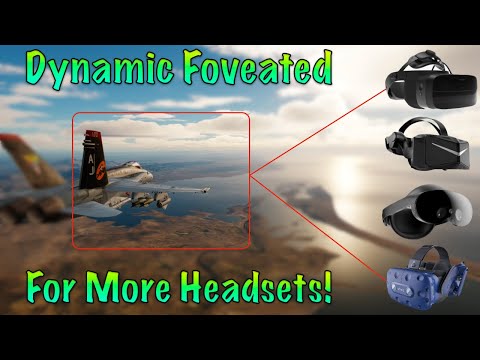
You may watch Str][kerTV's tutorial video for a visual walkthrough for Digital Combat Simulator:
THESE STEPS WILL WORK EVEN IF YOU ARE NOT USING OPENXR THROUGH STEAMVR!
You can temporarily disable (without uninstalling) the software. Open SteamVR, then in the 'SteamVR Settings', go to the 'OpenXR' tab, then click 'Manage OpenXR API Layers'. Find the 'Emulate quad views foveation support' entry and toggle it off. You may re-enable it at any point by toggling it back on from the same menu.


You can use 'Add or remove programs' (available from the Start Menu) and uninstall 'OpenXR-Quad-Views-Foveated' from there.

The default configuration should be sufficient for most users. You probably do not need to modify the configuration file.
Please refer to this page for advanced configuration.
Please refer to this page for troubleshooting issues.
Thanks to my beta testers for helping throughout development and release (in alphabetical order):
- BARRACUDAS
- edmuss
- MastahFR
- mfrisby
- Omniwhatever
- xMcCARYx
Donations are welcome and totally optional. You may use GitHub sponsorship or Ko-fi to make a donation.
Thank you!