Servers and Clients - syue99/Lab_control GitHub Wiki
In Labrad all submodules are divided into servers and clients. This classification is not 100% clear, but in a simple word, servers provide services (e.g. drive instruments, keep track of Data pipeline, monitoring experiment) while clients use services provided by servers (e.g. run an experiment, display data got from data pipeline). All servers and clients service/request are handled by the manager (also a server but written in Scala) and processed asynchronously.
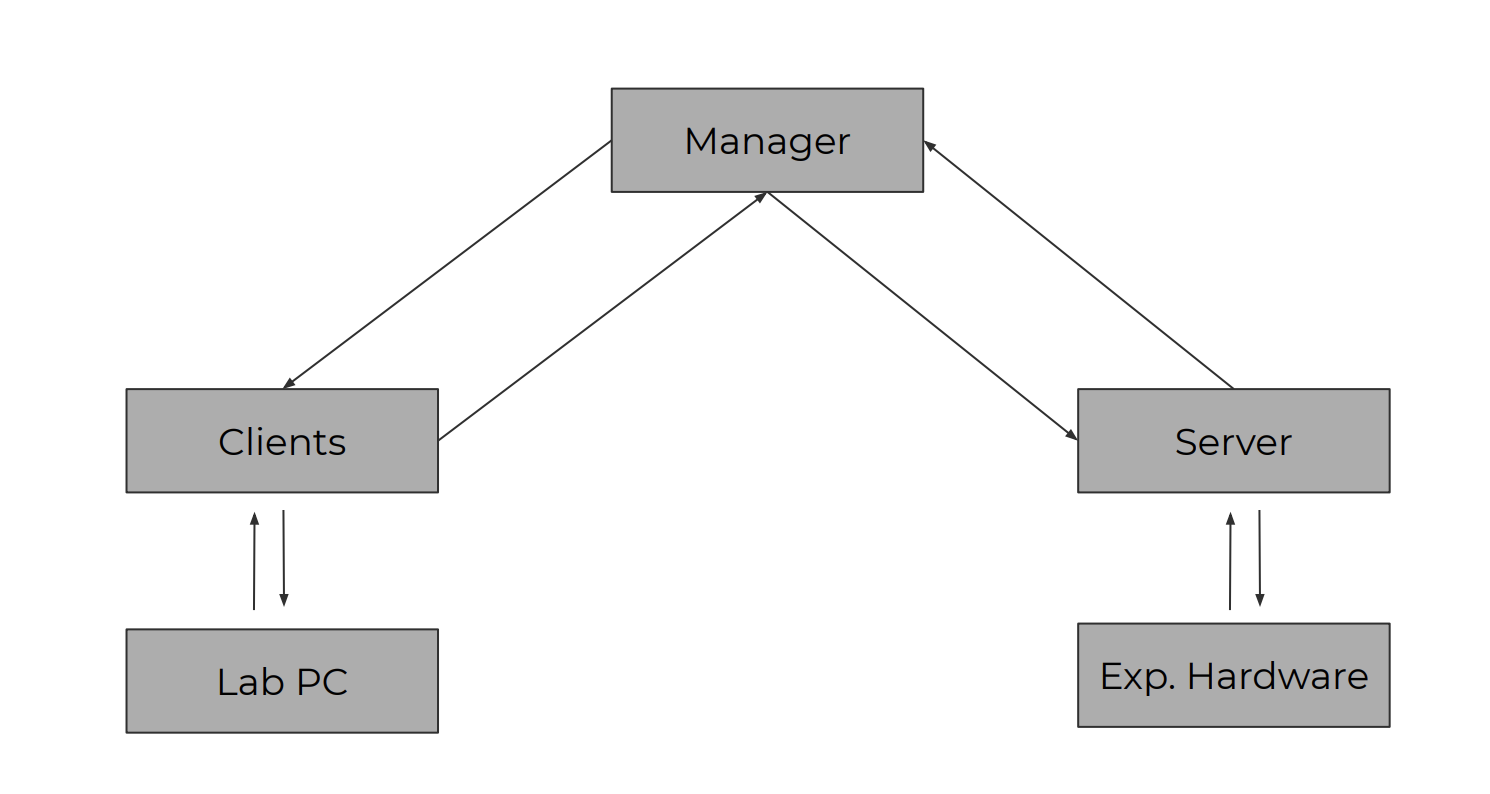
Servers provide services that user used in experiments. We can categorize servers into three types:
These are servers for devices from companies, or in a few specific cases homebuilt scientific equipment. We also referred them as control_instrument_servers. (e.g. Camera, Pulser, AWG, etc.)
These are servers that are not associated with a specific piece of hardware, but handle tasks such as loading initial values, or running experiments, etc.(e.g. Manager, Datavault, ParameterVault, etc.)
These should be in the device servers but here in order to make it more general and user-friendly to all GPIB devices, Haffman people make some abstract device manager out from it. Although I(Fred) have never used them. But it might be useful for later development. Framework:
- GPIB Bus Server
- GPIB Device Manager
The flexibility provided by LabRAD makes users can run arbitrary numbers of servers and clients programs simultaneously in the system, and most of the time servers run by themselves so when debugging a server program you only need to focus on the server file itself. However this is not always true. Some servers (e.g. Camera) will need to run sub-client programs(e.g. accessing the datavault server) within the servers for purposes such as data-pipelining. And some servers (e.g. PMT) are incorporated within some other servers (in this case pulser), and thus also need sub-client programs to access other servers. So debugging them can be hard (luckily all these servers run perfectly now), and running these servers(e.g. PMT, Camera) required running other servers (e.g. DataVault, Pulser) first. Otherwise we would get errors like
Traceback (most recent call last):
  File "<stdin>", line 1, in <module>
  File "C:\ProgramData\Anaconda3\envs\code3\lib\site-packages\labrad\client.py", line 250, in __getattr__
    raise AttributeError(key)
AttributeError: pulser
There will be a list of required-server-dependencies for running different clients and servers later in this page(?).
For our current system, all servers are in the server folder. We have the following servers available:
- Data_vault_tables (modified by us),
- Paraneter_vault,
- iXon_server(Andor Servers),
- Script_Scanner,
- AWG,
- Pulser,
- PicoScope
- SilverPack 17 Stepper_motor
- APT-Motor-Server
- PMT
If we want to provide new services, we need to write a new server file that inherits from LabradServer class. Tutorials on how to write a servers can be found here.
Contrary to the Servers, Clients uses services provided by the Servers to run tasks (e.g. Run an experiment). We can run multiple clients at the same time just like servers, but we need to get the required servers running first to run a client. Otherwise we would expect error messages like. Clients can be initiated both by a script/command line or a program. The later is used more often as many clients programs are written for the GUI of different instruments (they definitely communicate with the servers of the instruments).
In our system client programs are located in the pyqt4_clients and pyqt5_clients. The programs in the first folder use the old Pyqt4 GUI interface and includes most GUI of the instruments:
The programs in the later folder use the newer Pyqt5 GUI interface and includes two big programs:
- RealSimpleGrapher: real-time data display. Also modified by us
- Script_Scanner_GUI: a GUI for running experiment scripts, not really working now but should be useful
We highly recommend writing the new GUI programs using the Pyqt5 interface even though the tutorial used Pyqt4 as they have more features and look nicer. But it's really up to you.
Check this (page)[Run-an-experiment]
Labrad also support multiple computers logged in at the same time, they can communicate via internet (ssh)
In order to utilize the full server/client functionality of LabRAD you want to set your computers to have static IP addresses. This is not necessary if you are not using multiple computers in your experiment.