Switch Control GUI - syue99/Lab_control GitHub Wiki
Introduction
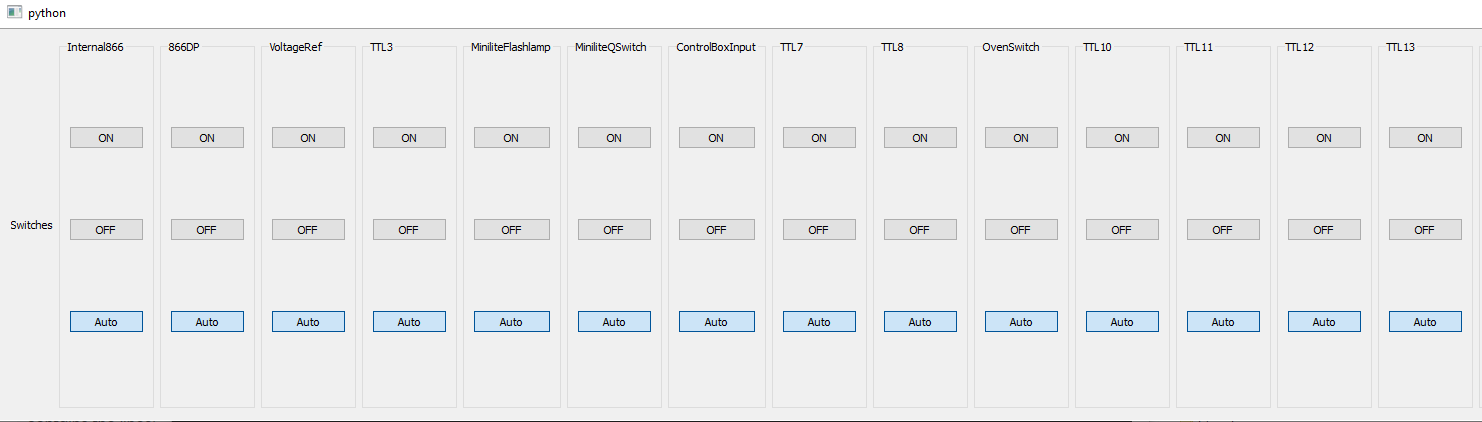
The Switch Control GUI lets the user control the TTL channels of the Pulser. It connects with the time sequence of experiment such that when executing an experiment, the status of the TTL channel also changed in the GUI.
Running the GUI
To run it, execute python PATH-TO\pyqt4_clients\SWITCH_CONTROL.py. Also you have to make sure that the pulser server is running.
Configuration
The first time the client is launched, it will display all of the available TTL channels. The list of channels to display can be provided in the Registry in /Clients/Switch Control/display_channels. The order of the displayed channels can also be changed there.
GUI Layout
Version Tracking
Version 1.0
Loads settings from the registry instead of a locally stored file. Please delete the separate configuration files.