YouTube Videos - kirodubes/kiro-discussions GitHub Wiki
YouTube Videos
KiroTux videos are posted on the Erik Dubois YouTube channel.
Newest first. Total running time: 44:51.
KIROTUX 006: Niri scrolling tiling on KiroTux (1:18)
A short look at the second KiroTux edition: niri's scrolling tiling, DankMaterialShell, and Kirotux Niri Premium, the settings app for this desktop. See Edition: Niri DMS and get it on Ko-fi.

https://www.youtube.com/watch?v=3NOkXQFlZxY
KIROTUX 005: Rice Hyprland with DankMaterialShell (17:19)
Theming the desktop without touching a config file. It covers the lean 4 GB ISO and its essential apps, Variety wallpaper keys (Alt + N, Alt + P, Alt + F) and the keybindings list (Super + Ctrl + S). In DMS it shows bar styles, wallpapers per monitor and per light/dark mode, transitions, Material You colors from your wallpaper, blur and animations, cursors, weather, workspaces, the dock and the launcher. It ends with where the premium app fits next to DMS. For DMS questions, see the Dank Linux documentation.

https://www.youtube.com/watch?v=8wZdRvPMFXQ
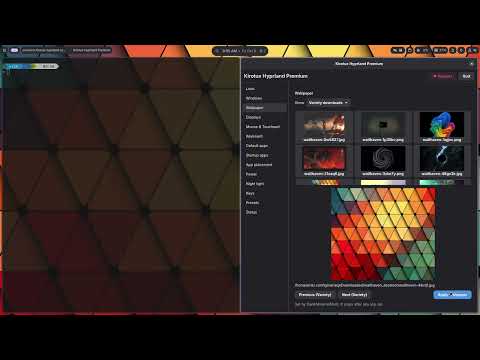
KIROTUX 004: Hyprland settings app tour (9:00)
A menu-by-menu tour of the premium settings app, the main reason to get the ISO. It covers the look (GTK and Qt theming, icons, cursors, fonts), window borders and gaps, wallpapers, a dual-monitor layout that reverts itself if something goes wrong, mouse and keyboard, default and startup apps, app placement per screen, power, night light, keys and one-click presets. See Premium Settings App.
https://www.youtube.com/watch?v=3MFVJs5AXYY
KIROTUX 003: KiroTux Hyprland DMS first look (6:21)
The first login after the install. It shows the lean, Wayland-only app list, the welcome screen and the DMS settings (plugins, displays, colors, notifications, bar style). It also shows Variety wallpapers (Alt + N), the DMS panels (Super + S, Super + Shift + S) and the premium app (Ctrl + Alt + H). DMS is made by another developer, so check its GitHub page for DMS features. See First Boot.

https://www.youtube.com/watch?v=eARHii6V8t0
KIROTUX 002: How to install KiroTux Hyprland DMS (6:19)
The full install, start to finish. It explains each boot menu line (AMD/Intel/VMs, NVIDIA, older NVIDIA, linux-lts) and boots straight into a default Hyprland DMS desktop. From there it runs the familiar Calamares install, which works completely offline. For testing in a VM, use virt-manager with QEMU rather than VirtualBox. See Installation.

https://www.youtube.com/watch?v=u4LRuC3Y8Vk
KIROTUX 001: Meet KiroTux (4:34)
The launch video. KiroTux is Kiro on Wayland: an Arch ISO with Hyprland and DankMaterialShell, its own theming and a desktop that's finished on first boot. Each KiroTux ISO ships a premium settings app that makes things like a dual-monitor setup a few clicks. Kiro itself stays free; KiroTux is a donation on Ko-fi, see Donate and Download.
