Alerting - hugalafutro/model-hotel GitHub Wiki
Model Hotel can push outbound notifications for noteworthy operational events (a provider going down, a circuit breaker tripping, a failover group failing to sync) to wherever you want them: Telegram, email, Discord, Slack, Matrix, a raw webhook, and ~80 other destinations.
It does this through Apprise: you run a small, stateless apprise-api container, Model Hotel POSTs a short event summary to it, and Apprise fans the notification out to your chosen service. Model Hotel writes no per-service integration code, ships no Python in its image, and (consistent with its Privacy stance) never sends request or response content, only the event summary (e.g. "Provider openai circuit breaker: open for model gpt-5: upstream status 503").
- How it works
- Setup
- Choosing which events fire
- Notification targets
- Phone push (ntfy and Bellhop)
- Security
- Reliability
 events bus  ──►  internal/alert dispatcher  ──►  POST  ──►  apprise-api  ──►  your service
 (circuit breaker,     (filter ∩ your picker,                 (you run it)      (Telegram, …)
  failover, discovery)  debounce, single POST)
The dispatcher is a single consumer of Model Hotel's internal event bus. For each event it checks: is this event in the catalog, is alerting enabled and configured, did you select this event, and has an identical alert not just fired (debounce). If all pass, it sends one POST to {apprise_api_url}/notify with a title, body, and severity. Everything else (the 80+ service integrations) lives in the Apprise container, maintained upstream.
-
Run an
apprise-apicontainer. The bundleddocker-compose.ymlships a commentedappriseservice; uncomment it:apprise: image: caronc/apprise:latest restart: unless-stopped expose: - "8000"
It is not exposed to the host; only Model Hotel needs to reach it on the internal network.
-
Point your alert surface at it. The Model Hotel dashboard and High Availability's Front Desk carry the same guided wizard (below), and both keep the individual fields under a Manual configuration (advanced) disclosure for anything the wizard does not cover.
Settings → Alerts carries exactly one guided button on either surface once alerting is switched on (Enable alerting on the dashboard, Send outbound alert notifications on Front Desk): Set up alerts while nothing is stored, and Add destination once a destination is saved. It opens a seven-step wizard (Add destination enters at step 2 and skips the Apprise API URL, which is already stored). Steps 1 and 4 verify against the real container before Next unlocks; the other steps unlock on their own input (a chosen tile, a valid, not-yet-used destination, a non-empty list). Nothing is written until Finish, so Cancel at any point leaves your settings exactly as they were.
The two runs differ in two places. Front Desk offers a Bellhop tile and Model Hotel does not: Bellhop notifies from Front Desk's own fleet poll, so the gateway's events never reach it. And on a Model Hotel member whose settings are managed fleet-wide by config sync the events step shows a note in place of the picker, because Front Desk owns the event selection there and there is nothing to choose; that run writes the Apprise API URL and the destinations and leaves the alert switches alone.
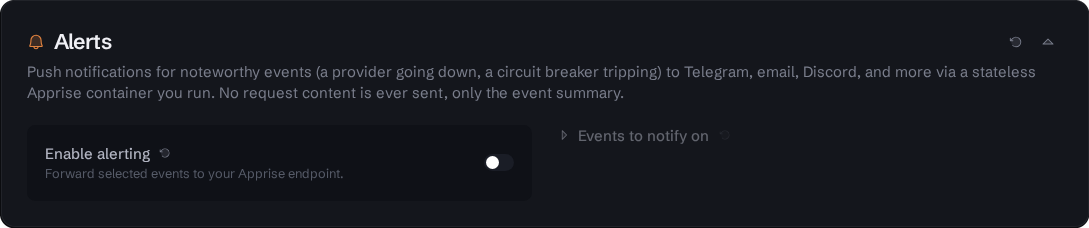
Model Hotel dashboard - Alerts with alerting on: the "Events to notify on" picker unrolled, the plaintext Destinations list with its reachability indicator and per-row Copy, Test and Remove, the single guided button (Add destination on a configured card, Set up alerts on a fresh one), and the individual fields folded into "Manual configuration (advanced)".
With alerting off, the destinations list, the guided button and the manual fields are hidden and the event picker cannot be unrolled. The toggle stays, and so does a warning about a stored destination list that cannot be read. A managed member keeps the delivery settings visible in both states, because it cannot switch alerting on itself.

Front Desk Settings - Alerts: the same card in Front Desk's styling, which folds the event routing into the manual block; shown with "Manual configuration (advanced)" opened so the Apprise API URL, the target list, the phone push fields and the Notify on groups are visible.
-
Apprise. The Apprise API URL, prefilled
http://apprise:8000, which is theappriseservice of the stack the surface runs in: the gateway's owndocker-compose.ymlabove, ordeploy/ha/docker-compose.ymlfor Front Desk (both ship it commented out). Front Desk sends its own fleet and member alerts, so a Front Desk stack gets a container beside it rather than borrowing the gateway's. Check probes the container and the step unlocks on "apprise-api reachable and healthy". A red result names the reason: nothing answered at that address, the container answered but reports a problem, or the URL is not valid. - Where should alerts go? Tiles for Phone (ntfy app), Telegram, Discord, Email and Other (Apprise URL), plus Bellhop on Front Desk.
- Details. Plain fields for the tile you picked, with the composed Apprise URL rendered in clear underneath. You never type an Apprise URL yourself. A destination that is already stored, or already added earlier in this run, stops here: it cannot be added twice.
- Test this destination. Send test posts one notification through the step-1 container to this destination only, and nothing is saved. A success is required before the wizard moves on. A failure says which part failed: apprise-api rejected the destination URL, apprise-api could not deliver it (check the server and topic, or the bot token), or nothing answered at that address. A Bellhop destination answers the test with a "push test received" notification on the phone (needs Bellhop 0.9.10 or newer); real alerts only wake it.
- Destinations. The destinations this run adds; anything already saved stays as it is. Add another returns to step 2. The wizard only appends; it never drops a destination you already had.
- Events. The event picker. A run on a surface with no saved selection starts from the recommended set; a run where you already saved one starts from that selection, including an empty one. Reset to recommended is always there to tick the recommended set again. On a managed member the step shows a note instead of the picker, because there is nothing to choose there, and Next carries on.
- Finish. One write covering the API URL, the destinations, the events and the enable toggle, so a failure leaves nothing half-applied. The final screen offers Send test to everything.

Step 1 on the Model Hotel dashboard: the Apprise API URL after a successful Check. Next stays locked until the container answers.

Step 3 for the Phone (ntfy app) tile: server and topic as plain fields, Generate for a random topic, the subscribe instructions for the phone with copy buttons, and the composed Apprise URL underneath. Whether the server is reachable is settled by step 4, which sends from the gateway rather than from the browser.

Step 4: one test to the destination being added, through the step-1 container. Still nothing saved.

The same step 1 on Front Desk, against the apprise container of the Front Desk stack.

Front Desk step 3 for the Phone (ntfy app) tile.

Front Desk step 4: the per-destination test, sent by Front Desk.
Both surfaces keep the individual fields under Manual configuration (advanced), below the Destinations list, for adjusting a saved setup without walking the wizard again. On the Model Hotel dashboard, under Settings → Alerts:
- Turn Enable alerting on.
- Open Manual configuration (advanced) and set Apprise API URL to
http://apprise:8000(the service name in the gateway's own compose block above). - Paste your Notification target: one or more Apprise URLs separated by
;, e.g.tgram://<bot_token>/<chat_id>. Stored encrypted (see Security) and shown back to admins in clear. - Click Send test notification to verify the whole chain end to end.
Above that disclosure the saved targets render as a readable Destinations list, one row per destination with Copy, Test and Remove, so what is stored is legible without picking the joined string apart.
A live reachability indicator beside the Destinations list shows whether the surface can reach the apprise-api container: green (reachable), amber (reachable but the container reports an issue), or red (unreachable, e.g. wrong URL or the container isn't running), so a misconfiguration is visible immediately rather than only when an event later fails to send. Use Re-check to re-probe.
The event picker (step 6 of the wizard, or on the card itself) lists every event you can subscribe to, grouped by category, each with a severity dot. Toggle individual events or whole categories. The list is served by the backend catalog (GET /api/alert/events), so it always reflects exactly what the running version can emit. The dashboard heads it Events to notify on and Front Desk heads it Notify on; the dashboard card's button is Reset to defaults (the Front Desk card has none), both wizards' is Reset to recommended, and each ticks the same default-on set.
Each surface has its own catalog, because each emits its own events: the gateway alerts on routing and discovery, Front Desk on the fleet it watches.
| Event | Category | Default | Fires when |
|---|---|---|---|
| Provider down (circuit breaker opened) | Failover | ✅ on | a provider's breaker trips |
| Provider recovered (circuit breaker closed) | Failover | ✅ on | the breaker recovers |
| Model keeps breaking (circuit reopened repeatedly) | Failover | ⬜ off | one model's circuit opens three times inside 24 hours. Reported once per window, so a model failing every cooldown cannot repeat it. Off by default: an instance upgrading with a provider that has been flaky for weeks would otherwise be told on the third open about a condition its operator already lives with |
| Failover group sync failed | Failover | ✅ on | a failover group fails to sync |
| Provider disabled as scheduled | Failover | ✅ on | a provider reaches the disable date you set for it and the background sweep switches it off |
| Provider failed during discovery | Discovery | ⬜ off | a provider errors during model discovery |
| Model discrepancies left unaddressed | Discovery | ⬜ off | the Models badge has been asking for attention for longer than your threshold (discovery_claim_alert_days, 7 days by default) |
| Model disabled (provider no longer serves it) | Discovery | ✅ on | the retirement probe confirms a provider has stopped serving a model, so the gateway disables it |
| Front Desk ownership conflict | High Availability | ✅ on | a second Front Desk tries to claim a member that another Front Desk already owns (debounced to once/hour per rejected Front Desk id) |
| SSO identity bound to an account | Security | ⬜ off | an external identity is bound to an admin account for the first time |
| Budget warning | Budgets | ✅ on | a virtual key or a user reaches 80% of its dollar budget for the period. Once per period per key or user |
| Budget exceeded | Budgets | ✅ on | a virtual key or a user has spent its dollar budget and its next request was refused with 429. Once per period per key or user; the text says when the period ends |
| Provider changed its quota response shape | Quota | ✅ on | a provider changes the shape of its quota response (a key path appears or disappears). Carries the added and removed paths. Alert-only: nothing about routing or failover changes, but a normalizer written against the old shape may now be reporting the wrong numbers silently, which is why it defaults on |
| Provider quota reading lost (no plan or key rejected) | Quota | ✅ on | a provider's stored quota reading goes from 200 to anything else: a subscription lapsed (204) or the key was rejected (424). The dashboard badge disappears at the same moment. On a fleet member the flip is dashboard-only when it lands on a provider the primary is feeding (the primary fetched its pushed row less than one refresh interval ago), so a lapse usually alerts once, from the primary; any other flip a member finds it alerts itself, which can duplicate the primary's alert. One case is lost: a flip a member deferred in the last interval before the primary went away is not re-alerted when the member later polls it itself |
| Provider quota reading restored | Quota | ✅ on | the reading answers 200 again; the badge is back |
Front Desk's picker carries its own set, about the fleet rather than about routing:
| Event | Category | Default | Fires when |
|---|---|---|---|
| Member went down | Health | ✅ on | a member stops answering its health check |
| Member recovered | Health | ✅ on | it answers again |
| Drained member health change (maintenance) | Health | ⬜ off | a member that is drained (out of the routing pool, as the fleet rebuild tool does before recreating one) stops answering or answers again, or is drained and re-activated with the maintenance reason the rebuild tool sends; these are maintenance notes, not an outage, so a planned rebuild pages nobody through this row or the membership row, while an active member going down still does. "Fleet state changed" below still notes the pool shrinking and refilling once each, since routing capacity really is reduced while a member is out |
| Fleet state changed | Health | ✅ on | the fleet crosses an ok/degraded/faulty boundary, including a forgotten drain |
| Config sync failed | Config Sync | ✅ on | a push to a member is refused |
| Config synced to a member | Config Sync | ⬜ off | a manual push lands |
| Auto-sync applied to the fleet | Config Sync | ⬜ off | an automatic push lands |
| Auto-sync off, fleet not synced | Config Sync | ✅ on | auto-sync is off and the fleet has not been synced in a day, so replicas are drifting silently |
| Sync held (version skew) | Config Sync | ✅ on | a member runs a different build than the primary, so auto-sync holds it rather than risk deleting settings the newer build legitimately has |
| Sync unverified (member not confirmed) | Config Sync | ✅ on | a member committed a sync but could not build every custom failover group, so it serves 404 for those hotel/ models until it converges |
| Sync complete again | Config Sync | ⬜ off | a held or failed member is back in sync |
| Member version unreadable | Member Reads | ✅ on | a member's URL keeps failing the version read |
| Member version readable again | Member Reads | ⬜ off | that read recovers |
| Traefik config stale | Routing | ⬜ off | the Traefik dynamic config is out of date |
| Member added | Membership | ⬜ off | a member joins the fleet |
| Member removed | Membership | ⬜ off | a member leaves |
| Member activated or drained | Membership | ⬜ off | a member is drained or brought back by hand (from the dashboard or Bellhop); a drain the rebuild tool marks as maintenance is recorded under the maintenance row above instead |
| Fleet disbanded | Membership | ⬜ off | removing a member of a two-member fleet disbands the fleet (a fleet below two members cannot exist) and switches auto-sync off fleet-wide |
| Member has no recent backup | Backups | ✅ on | a member's newest scheduled database dump is older than its own backup_interval (judged as at least a day and at most a week) plus an hour of grace, since each dump lands a little over one interval after the last. A daily member alerts past 25 hours, a weekly one past 7 days and an hour. Front Desk takes no snapshot of its own, so a member's scheduled dumps are the only copy of its config |
| Member backups healthy again | Backups | ⬜ off | a fresh dump appears |
On first run the default-on events are pre-selected on either surface. Deselecting everything means nothing fires.
The target is any Apprise URL. The Alerts section shows copyable examples for popular services; a few:
| Service | URL shape |
|---|---|
| Telegram | tgram://{bot_token}/{chat_id} |
| Discord | discord://{webhook_id}/{webhook_token} |
| Slack | slack://{tokenA}/{tokenB}/{tokenC} |
mailto://{user}:{password}@gmail.com |
|
| Webhook (JSON) | json://{host}/{path} |
Send to multiple destinations at once by separating Apprise URLs with ;. The wizard composes and appends them for you; the manual field takes the joined string.
On both surfaces the saved targets also appear above the manual fields as a Destinations list, one row per destination with its kind, host and secret segment in clear, plus Copy, Test (sends to that one destination) and Remove. The list is admin-only, and it is plaintext on purpose: anyone who can read the page can already change what it holds, so hiding the string behind asterisks only makes it harder to check what is actually stored.
Alerts can reach your phone with no Google services, using ntfy as the delivery channel. This is also what powers real-time push in Bellhop. It is the same Apprise pipeline as any other target, with two extra pieces: an apprise-api container for the sending side to POST to, and an ntfy topic your phone subscribes to.
The steps below set this up from Front Desk, because that is where the fleet and Bellhop alerts come from. The Model Hotel dashboard carries the same Phone (ntfy app) tile for the gateway's own events; only the Bellhop tile is Front Desk's alone.
You pick the ntfy server. Self-host one (see below) or use the public ntfy.sh; neither is assumed, and nothing prefills a server for you. Either way the only container you add is apprise-api: ntfy.sh is a hosted service, and a self-hosted ntfy is a container of its own. The chain is:
Front Desk event ──► apprise-api ──► <your ntfy server>/<your-topic> ──► phone (ntfy app / Bellhop)
1. Add apprise-api to the Front Desk stack. The deploy/ha/docker-compose.yml stack ships it commented out; uncomment it:
services:
  frontdesk:
    # ... existing Front Desk service ...

  apprise:
    image: caronc/apprise:latest
    restart: unless-stopped
    # Internal only; Front Desk reaches it as http://apprise:8000. No host port needed.
    expose:
      - "8000"
2. Run the wizard for the ntfy app. In Front Desk → Settings → Alerts, switch Send outbound alert notifications on and press Set up alerts (or Add destination if alerts are already configured), then:
- Wizard step 1: Apprise API URL
http://apprise:8000, then Check until it reports the container reachable and healthy. - Wizard step 2: pick the Phone (ntfy app) tile.
- Wizard step 3: enter your ntfy server (yours, or
https://ntfy.sh) and press Generate for a random 20-character topic. The topic is the only access control on a public server, so treat it like a password; Generate exists so you do not invent a weak one. The step also prints the exact phone-side steps ("Subscribe to topic, Use another server", then the server and topic with copy buttons) and shows the composedntfys://<server>/<topic>underneath. - Wizard step 4: Send test. Subscribe on the phone first (part 3 below) and the test lands there.
- Wizard steps 5 to 7: add more destinations if you want, pick events, Finish.
3. Subscribe on the phone. Install the ntfy Android app and subscribe to the same server and topic, or use Bellhop's real-time push, which generates the topic on the phone instead; the wizard's Bellhop tile then takes it as a single paste (see the Bellhop page for the phone-side steps).
Bellhop instead of the ntfy app. Bellhop generates its own topic on the phone, so there is nothing to invent on the Front Desk side. Turn on Real-time push in Bellhop, copy the Push topic for Front Desk it shows, and paste that one string into the wizard's Bellhop tile: Front Desk splits it into server and topic and composes the Apprise URL. A test through that destination shows a "push test received" notification in Bellhop, so you can see the pipeline works end to end. Real alerts only wake Bellhop: it runs a fresh fleet poll and notifies from that rather than from the push payload, covering its own checks (a member going down or recovering, auto-sync drifting) plus every Front Desk event you have switched on, read back from the event log with Front Desk's own wording.
Self-hosting ntfy. If you would rather not use the public server, run your own ntfy container. Unlike apprise-api, it must be publicly reachable (the phone connects to it from anywhere), so put it behind your TLS reverse proxy. Then enter your server's URL (e.g. https://ntfy.example.com) in the wizard or in the manual ntfy helper: https servers compose to ntfys://…, plain http to ntfy://….
The notification target typically contains a credential (a bot token, an SMTP password). Both surfaces encrypt it at rest with the same MASTER_KEY-derived scheme used for provider API keys (Front Desk with its own FRONTDESK_MASTER_KEY), and both show the saved destinations in clear to signed-in admins, for the reason given under Notification targets: an admin can already rewrite the targets and fire a test at them, so masking hides nothing from them and only makes it harder to check what is stored.
GET /api/alert/targets is the one endpoint that returns the decrypted destinations, and it is admin-only on both surfaces. It is what the Destinations list and the manual Notification target field read; the encrypted string itself never leaves the database. (A test send decrypts the stored target too, but only to hand it to apprise-api, never back to the browser.)
A database backup carries the encrypted string, not the plaintext, so a restore onto an instance with a different MASTER_KEY cannot read it. The card says so rather than failing quietly: "Stored destinations cannot be read (master key rotated?). Remove them below and set them up again."
Alerting is strictly best-effort and non-blocking. A missing, misconfigured, or failing apprise-api never affects request serving and never fails a proxied request; failures are logged and dropped. Each POST is bounded at 5 seconds and is made on its own goroutine, so a hanging container cannot stall the event bus.
A 5-minute debounce window suppresses repeats so a flapping circuit breaker cannot spam you. It is scoped per event type and per entity, and the entity is the most specific identifier the event carries: the model where the event names one (a breaker charges one model circuit at a time), otherwise the provider. Two providers failing inside the same window therefore still produce two alerts. A recovery carries a different event type from the failure it clears, so an "all clear" is never swallowed by the failure that preceded it; a second identical recovery inside 5 minutes is. The window is counted from the attempt rather than from a success, so a broken apprise-api is not hammered on every event.
Each notification is titled with its source and event type, Model Hotel: circuit_breaker.open from the gateway and Front Desk: health.down from Front Desk, so a shared destination shows at a glance which surface spoke.
A dropped alert is not retried. The dispatcher dials apprise-api through the netguard client, which allows the private and loopback addresses a notification container actually lives on and blocks link-local/metadata ones. The pre-connection retry the SSO login paths use is deliberately not applied here: nobody is waiting inside a notification, and the next event will alert anyway.
See also: Failover and Hotel Routing · Request Logging · Privacy