Home - TheThinkingHome/device_sentinel GitHub Wiki
Device Sentinel
A smart home relies on its sensors, but Home Assistant can't tell the difference between a sensor that is quiet and a sensor that is dead. If a device drops off your network or its battery fails without an error, the last reported value stays on your dashboard forever. Everything looks fine, but nothing is.
Device Sentinel changes that.
Instead of waiting for an automation to fail or your freezer to thaw, Device Sentinel actively monitors your home's hardware. It catches frozen devices, unavailable sensors, weak radio links, and falling batteries before they cause problems.
Getting Started
If you are new to Device Sentinel, start here:
- Installation and Setup: How to install the integration, the initial steps required, and what to expect during its first week.
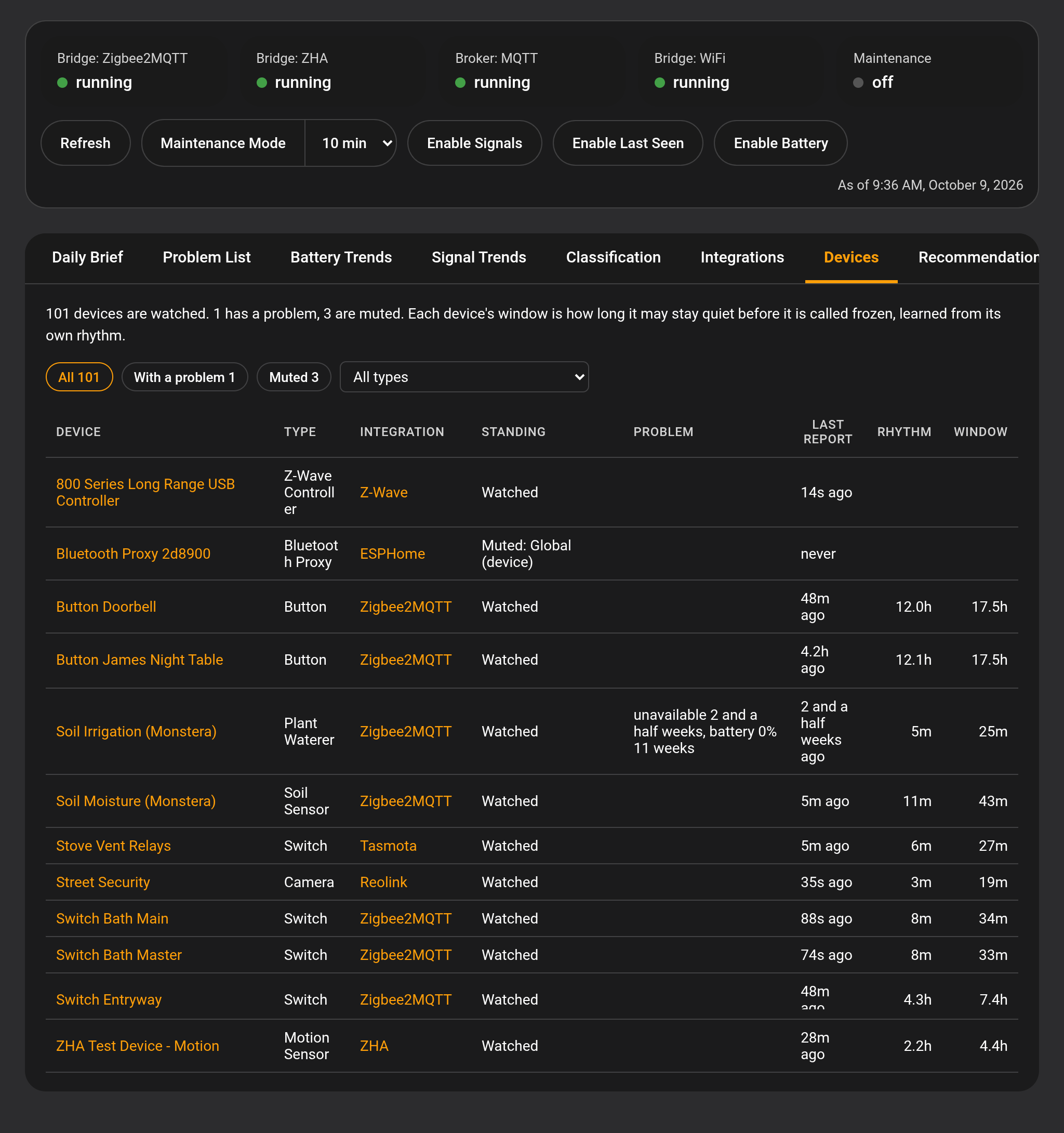
- The Dashboard: The Device Sentinel page in your sidebar, with the daily brief, the problem list, battery and signal trends, every device sorted by type, and each device's and integration's own page.
- Screenshots: A tour of the dashboard, the device page, the settings screens and the daily brief, one picture at a time.
Configuration
Device Sentinel is designed to work out of the box with sensible defaults, but you can tailor it to your specific home.
- The Device Page: An overview of the main integration page, including the sensors and controls it creates.
- Notifications and Daily Brief: Configure where alerts are sent, set quiet hours, schedule your daily brief, and choose whether device names in the daily brief open their pages on the dashboard.
- Exclusions and Muting: Tell Device Sentinel what not to watch. Exclude entire integrations or mute specific devices from reports.
- Low Battery: Adjust the low battery threshold and configure warnings for cells that are dropping quickly.
- Signal Strength: Define what constitutes a bad signal day for your devices.
- Freeze Detection: Fine-tune the grace periods the system gives a device before declaring it frozen.
- WiFi: Monitor the availability of your Wi-Fi network to detect home-wide outages instead of individual device failures.
- Advanced: The repeat offender threshold, how much history to keep, how often data is written to disk, the maintenance window, and the data trim tool.
- Extended Diagnostics: Help build support for new hardware by providing raw readings to the developers.
The Reports
Device Sentinel writes reports that tell you what needs attention and what happened.
- The Problem List: The live Home Assistant To-Do list where active faults are tracked and acknowledged.
- The Daily Brief: A plain-English summary of what needs your attention right now and what happened in the last 24 hours.
- The Diagnostic Reports: The raw data detailing exactly what rhythm Device Sentinel learned for each sensor.
Automations
- Automation Events: Learn how to trigger your own Home Assistant automations based on Device Sentinel's detections.
Understanding How It Works
What Device Sentinel watches for you, and why knowing it is important.
- How Device Sentinel Learns: Discover how the integration establishes a unique reporting rhythm for every device.
- Maintenance Mode: Learn how to prevent your manual battery swaps and repairs from polluting the system's learned statistics.
- The Bridge and Broker Sensors: Understand what the coordinator and MQTT broker sensors mean.
- What Is Recorded About Your House: How Device Sentinel tells one outage behind many silent devices from the devices themselves failing.
- Built to Be Efficient: How Device Sentinel minimizes disk writes to protect your server's storage hardware.
Coordinator Stacks
See what Device Sentinel can read from specific network coordinators.
Help and Support
- Repairs: Troubleshoot issues with Device Sentinel itself.
- FAQ and Troubleshooting: Answers to the most common questions.
- Report an Issue: Open a ticket on GitHub if you need support.