How to Write Text Files en - yktsr/Text2Frame-MV GitHub Wiki
日本語 | English
Messages are separated by blank lines. For example:
やめて!ラーの翼神竜の特殊能力で、
ギルフォード・ザ・ライトニングを焼き払われたら、
闇のゲームでモンスターと繋がってる城之内の精神まで燃え尽きちゃう!

お願い、死なないで城之内!あんたが今ここで倒れたら、
舞さんや遊戯との約束はどうなっちゃうの?
ライフはまだ残ってる。
ここを耐えれば、マリクに勝てるんだから!

次回、「城之内死す」。デュエルスタンバイ!
In this case, it will be converted and imported as three "Show Text" event commands. The behavior is the same no matter how many blank lines you insert. When executed with the above method, the "Background" and "Window Position" of the message window will reflect the values set in the plugin parameters "Default Position Value" and "Default Background Value".
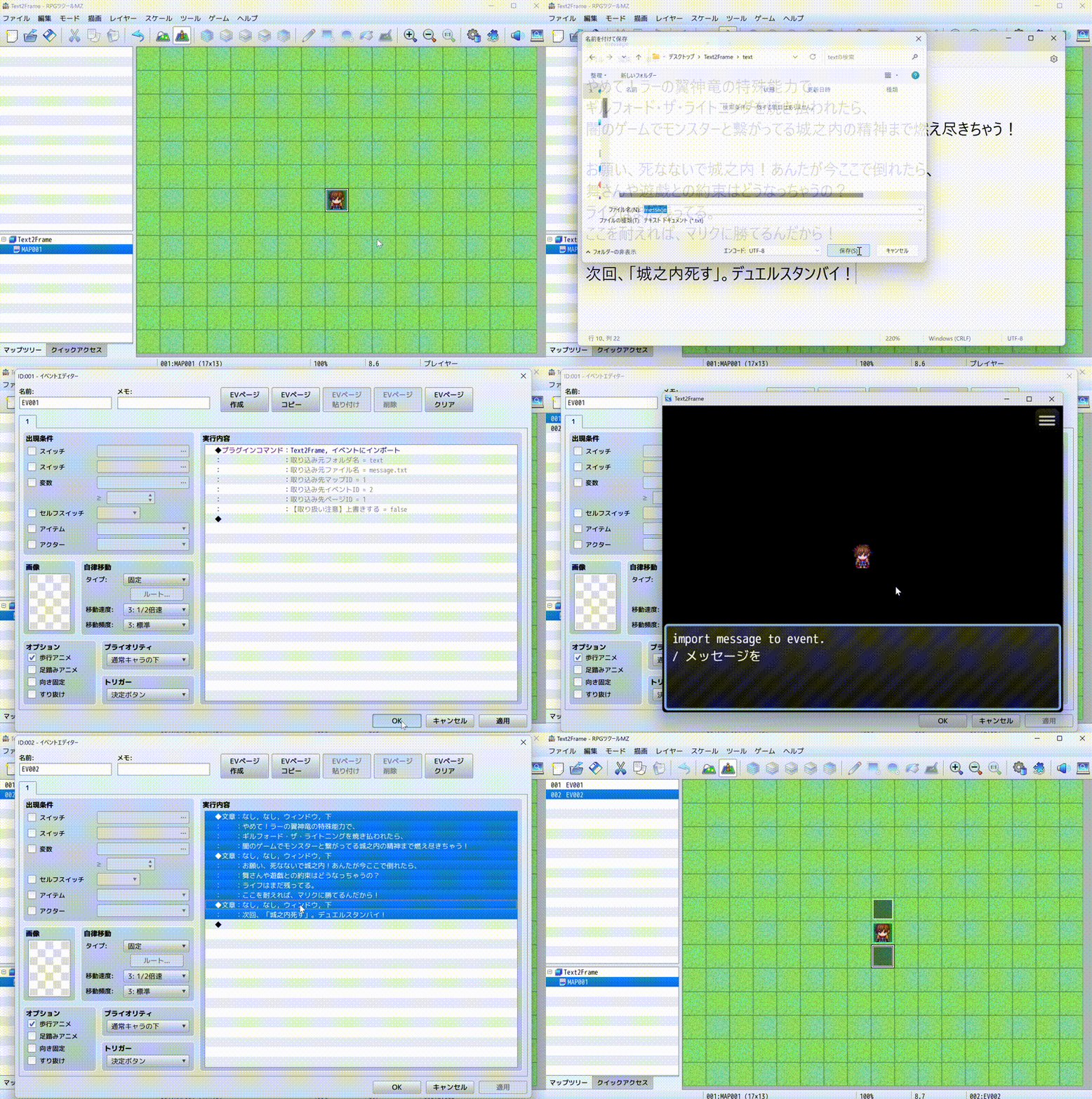
Text2Frame not only simply incorporates text, but also allows for more flexible settings by inserting tags. For example, you can change the face, background, and window position of messages, set names (MZ only), and insert event commands other than messages. Please see the explanations below for details on each tag. Tags have the following characteristics:
-
Tag and value case is not distinguished.
For example,
faceandFACEhave the same meaning. However, filenames are an exception. -
Multiple tags can be placed on the same line.
-
The basic specification is in English, but abbreviated forms and Japanese can also be specified in some cases.
For each message's "Face", "Background", "Window Position", and "Name", you can specify them by writing tags before the message. If not specified as in the example above, the settings configured in the parameters will be applied.
For example:
<Face: Actor1(0)><WindowPosition: Bottom><Background: Dim><Name: 真崎杏子>
やめて!ラーの翼神竜の特殊能力で、
ギルフォード・ザ・ライトニングを焼き払われたら、
闇のゲームでモンスターと繋がってる城之内の精神まで燃え尽きちゃう!

<WindowPosition: Top><Name: 真崎杏子>
お願い、死なないで城之内!あんたが今ここで倒れたら、
舞さんや遊戯との約束はどうなっちゃうの?
ライフはまだ残ってる。
ここを耐えれば、マリクに勝てるんだから!

次回、「城之内死す」。デュエルスタンバイ!
In this example, the first message (やめて!〜) displays the face at position 1 of the Actor1 file (details later), position is bottom, background is dim message window. The name displays "真崎杏子".
The second message (お願い、〜) only specifies the position as top and the name. For other unspecified face and background, those set in the plugin parameters will be applied. Here too, the name displays "真崎杏子".
The third message (次回、〜) has nothing specified. Therefore, as in Example 1, those set in the plugin parameters will be applied. Here, no name will be displayed.
Please see below for details on tags.
Face specification uses one of the following three notations:
<Face: Filename(Face Index Number)><FC: Filename(Face Index Number)><顔: Filename(Face Index Number)>
The filename references files in the img/faces folder.
The face index number specifies the position to reference within the file.
The numbering follows RPG Maker MV specifications. The upper left is 0, and the lower right is 7.
Message window position specification uses one of the following three notations:
<WindowPosition: Desired Position><WP: Desired Position><位置: Desired Position>
The desired position can be specified with the following three types:
TopMiddleBottom
Top means "up", Middle means "middle", and Bottom means "down".
Case is not distinguished. In other words, TOP, top, toP, etc. are the same as Top.
You can also specify in Japanese like <WindowPosition: 上>.
Message window background specification uses one of the following three notations:
<Background: Background Specification><BG: Background Specification><背景: Background Specification>
The background specification can be written with the following three types:
WindowDimTransparent
Window means "window", Dim means "darken", and Transparent means "transparent".
Case is not distinguished for each.
You can also specify in Japanese like <Background: ウィンドウ>.
Name setting for message windows uses one of the following three notations:
<Name: Name to Set><NM: Name to Set><名前: Name to Set>
For example, by setting <Name: Reid>, you can set Reid in the name field.
Please note that name display is a feature from RPG Maker MZ.
There is also a notation for comment-out, which prevents text files from being imported as event commands. This can be used for notes, etc.
It can be achieved by writing % at the beginning of a line.
% In a cute way
今日も一日がんばるぞい!
By writing this way, only 今日も一日がんばるぞい! will actually be imported.
かわいい感じで will not be imported as a message.
Note that the comment-out symbol can be freely changed from the plugin parameters. % is just the default value.
