Step 11 - gunjandatta/sp-dashboard-vue GitHub Wiki
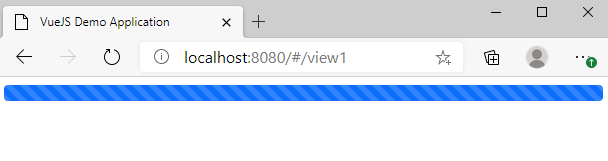
- Progress Bar
- Rendered if the list form information hasn't been loaded
- Forms
- Renders the display form if the readOnly property is true
- Renders the edit form if the readOnly property is false
- Buttons
- A back button will go back to the dashboard
- A cancel button will go back to the view item form
- An edit button will be rendered if we are viewing an item
- A save button will be rendered if we are editing an item
<template>
  <div>
    <Progress v-if="formInfo == null" v-bind="progressProps" />
    <div v-if="formInfo != null" class="card">
      <div class="card-title"></div>
      <div class="card-body">
        <Alert v-if="errorMessage != null" v-bind="alertProps" />
        <ListDisplayForm v-if="readOnly" v-bind="displayFormProps" />
        <ListEditForm v-if="!readOnly" v-bind="editFormProps" />
      </div>
      <div
        class="btn-group justify-content-between"
        role="group"
        aria-label="Form Buttons"
      >
        <Button v-bind="btnCancelProps" />
        <Button v-if="readOnly" v-bind="btnEditProps" />
        <Button v-if="!readOnly" v-bind="btnSaveProps" />
      </div>
    </div>
  </div>
</template>

<script src="./itemForm.ts"></script>- props
- A custom readOnly property will be used to determine the mode of the form
- data
- The alert type will reference an enumerator
- The cancel button text will be determined by the readOnly property
- The save button text will be determined by the readOnly property
- The button types will be determined by the readOnly property
- methods
- The cancel button click event will go back to the view item form or dashboard
- The edit button click event will make the form editable
- The save button click event will save the item information
- The setForm method will save a reference of the form object
- components
- The edit form properties
- The display form properties
- mounted
- The form information object will be loaded the first time the form is loaded
import { Components, Helper } from "gd-sprest-bs";
import { Alert, Button, ListDisplayForm, ListEditForm, Progress } from "gd-sprest-bs-vue";
import { Views } from "../router";
import Strings from "../strings";
export default {
    components: { Alert, Button, ListDisplayForm, ListEditForm, Progress },
    props: {
        readOnly: Boolean
    },
    data() {
        return {
            alertProps: {
                header: this.errorMessage,
                type: Components.AlertTypes.Danger
            } as Components.IAlertProps,
            btnCancelProps: {
                text: this.readOnly ? "Back" : "Cancel",
                type: Components.ButtonTypes.OutlineDanger,
                onClick: () => {
                    // See if this is an existing item that is being edited
                    if (!this.readOnly && this.$route.params.id > 0) {
                        // View the item
                        Views.ViewItem(this.$route.params.id);
                    } else {
                        // Go back to the main dashboard
                        Views.Home();
                    }
                }
            } as Components.IButtonProps,
            btnEditProps: {
                text: "Edit",
                type: Components.ButtonTypes.OutlinePrimary,
                onClick: () => {
                    // Edit the item
                    Views.EditItem(this.$route.params.id);
                }
            } as Components.IButtonProps,
            btnSaveProps: {
                text: this.formInfo && this.formInfo.item ? "Update" : "Save",
                type: Components.ButtonTypes.OutlineSuccess,
                onClick: () => {
                    let form = this.form as Components.IListFormEdit;

                    // Ensure the form is valid
                    if (form.isValid()) {
                        // Display a loading message
                        Helper.SP.ModalDialog.showWaitScreenWithNoClose("Saving the Item").then(dlg => {
                            // Save the item
                            form.save().then(
                                // Success
                                item => {
                                    // Close the dialog
                                    dlg.close();

                                    // View the item
                                    Views.ViewItem(item.Id);
                                },
                                // Error
                                () => {
                                    // Set the error message
                                    this.errorMessage = "Error saving the item. Refresh the page and try again.";

                                    // Close the dialog
                                    dlg.close();
                                }
                            );
                        });
                    } else {
                        // Set the error message
                        this.errorMessage = "The form is not valid. Please review the entries.";
                    }
                }
            } as Components.IButtonProps,
            progressProps: {
                min: 0,
                max: 100,
                size: 100,
                isAnimated: true,
                isStriped: true
            } as Components.IProgressProps,
            errorMessage: null,
            form: null,
            formInfo: null
        }
    },
    computed: {
        displayFormProps() {
            return {
                info: this.formInfo,
                rowClassName: "mb-3"
            } as Components.IListFormDisplayProps;
        },
        editFormProps() {
            return {
                assignTo: form => { this.form = form; },
                info: this.formInfo,
                rowClassName: "mb-3"
            } as Components.IListFormEditProps;
        }
    },
    mounted() {
        // See if the form information hasn't been loaded
        if (this.formInfo == null) {
            // Load the form information
            Helper.ListForm.create({
                listName: Strings.Lists.Main,
                itemId: this.$route.params.id
            }).then(info => {
                // Update the form information
                this.formInfo = info;
            });
        }
    }
}Since we are still in the local dev environment, the "dummy" data will be displayed.