Mockups - bparlaker/cmpe-git-practice GitHub Wiki
Mockups
Three screens. All three show the main idea from class: the craft type decides the fields. Each mockup lists its use case and requirement IDs at the top.
M1: Add a craft entry
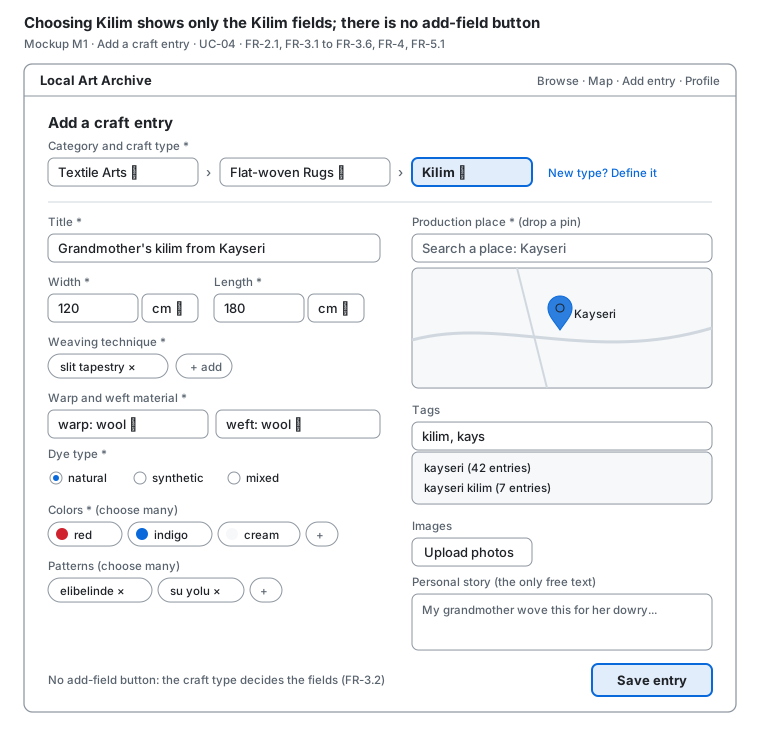
- When the user chooses Kilim, only the Kilim fields appear.
- Measurements have units, colors and patterns allow many values, the production place is a map pin, and tags show suggestions.
- There is no "add field" button (FR-3.2). The only free text is the personal story (FR-3.6).
- Related: UC-04, FR-2.1, FR-3.1 to FR-3.6, FR-4, FR-5.1
M2: Entry detail
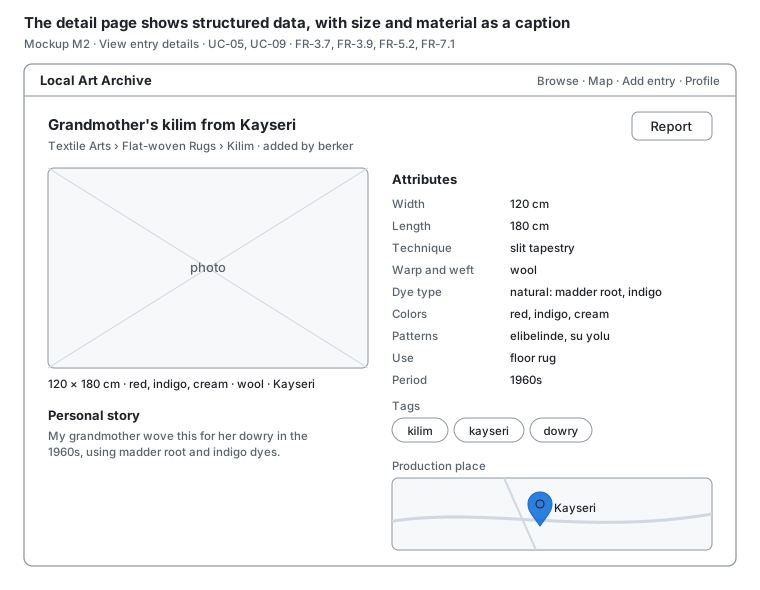
- Under the photo, size, colors, material and place are shown as a caption (FR-3.7).
- All attributes are listed with units, then tags and the map pin.
- The Report button sends a report to the admin only (FR-7.2).
- Related: UC-05, UC-09, FR-3.7, FR-3.9, FR-5.2, FR-7.1
M3: Define a craft type
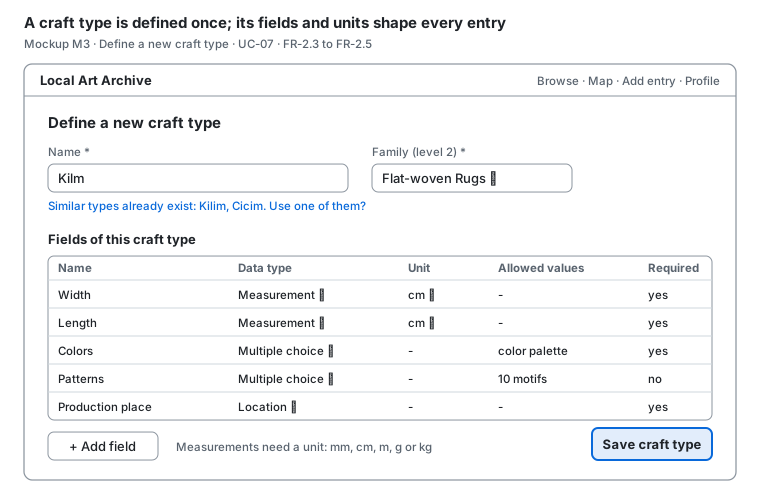
- While the user types a name, similar existing types are suggested (FR-2.5).
- Each field gets a data type, a unit and allowed values once, here (FR-2.4).
- Related: UC-07, FR-2.3 to FR-2.5