Spin the Wheel - UQcsse3200/2026-studio-2 GitHub Wiki
Spin the Wheel is a minigame where the player spins a wheel and is awarded whatever item the pointer lands on.
-
Wheel Item - A single segment on the wheel, holding the item awarded and the amount:
WheelItem. -
Wheel Config - The wheel's contents and the assets they need:
WheelConfig. -
Wheel Logic - Picks the winner and calculates the wheel's angles, with no rendering:
WheelLogic. -
Wheel Display - Builds the wheel, animates the spin and shows the prize:
SpinTheWheelDisplay, extendsUIComponent. -
Wheel Actions - Returns the player to the minigame select menu:
SpinTheWheelActions. -
Wheel Screen - Loads the wheel's textures and builds its UI entity:
SpinTheWheelScreen, extendsMinigameScreen. -
Wheel Overlay - Shows the wheel over the paused game instead of on its own screen:
SpinTheWheelOverlay. -
Overlay Actions - Closes the overlay rather than changing screen:
SpinTheWheelOverlayActions. -
Blurred Backdrop - Draws the blurred snapshot behind the overlay:
BlurredBackdropDisplay. -
Screen Blur - Captures and blurs the frame the overlay opened on:
ScreenBlur. -
Wheel Token - A pickup in Level 1 that opens the wheel when collected:
WheelTokenPickupComponent. -
Spin the Wheel Command - A debug terminal command that opens the wheel on any screen:
SpinTheWheelCommand.
Each segment is a record holding the item awarded and the amount. The item is an ItemType, which supplies both the name shown when it wins and the sprite drawn on the segment:
public record WheelItem(ItemType type, int value) {}The wheel is drawn inside two nested groups. The inner group holds the disc, spokes and labels and is the thing that rotates. The pointer sits in the outer container so it stays fixed while the wheel turns beneath it.
container (fixed)
├── wheelGroup (rotates)
│   ├── disc
│   ├── spoke × n        at seg * i
│   └── label × n        at (seg * i) + seg / 2
└── pointer              at 90 degrees (top)
seg = 360 / n degrees
spin() picks the winning index first, then the display asks getTargetRotation() where to
animate to. The wheel always rotates forwards through at least FULL_TURNS whole turns before
settling:
float landing = pointerAngle - getWinningAngle();
float delta = wrap360(landing - currentRotation);
return currentRotation + delta + (fullTurns * 360f);classDiagram
class WheelLogic {
-List~WheelItem~ items
-Random random
-int winningIndex
+spin() WheelItem
+getItems() List~WheelItem~
+getWinningAngle() float
+getTargetRotation(float, float, int) float
}
class WheelItem {
+type() ItemType
+value() int
}
class WheelConfig {
+ITEMS List~WheelItem~
+TEXTURES String[]
}
class SpinTheWheelDisplay {
-WheelLogic wheel
-Group wheelGroup
-Group prizeCard
+texturesFor(List~WheelItem~) String[]
+toFront()
}
class SpinTheWheelActions {
-GdxGame game
}
class SpinTheWheelOverlay {
-Entity overlay
+request()
+afterRender()
}
class SpinTheWheelOverlayActions {
-Runnable onClose
}
class BlurredBackdropDisplay {
-TextureRegion backdrop
+toFront()
}
class ScreenBlur {
+capture() TextureRegion
}
class SpinTheWheelScreen
WheelLogic "1" *-- "*" WheelItem
WheelConfig ..> WheelItem
WheelConfig ..> SpinTheWheelDisplay
SpinTheWheelDisplay --> WheelLogic
SpinTheWheelScreen --> SpinTheWheelDisplay
SpinTheWheelScreen --> SpinTheWheelActions
SpinTheWheelOverlay --> SpinTheWheelDisplay
SpinTheWheelOverlay --> SpinTheWheelOverlayActions
SpinTheWheelOverlay --> BlurredBackdropDisplay
SpinTheWheelOverlay ..> ScreenBlur
| Method | Purpose |
|---|---|
WheelLogic(items) |
Create a wheel from a list of items |
spin() |
Randomly select and return a winning item |
getItems() |
Get a unmodifiable copy of the wheel's items |
getWinningAngle() |
Get the centre angle of the winning segment, in degrees |
getTargetRotation(currentRotation, pointerAngle, fullTurns) |
Get the rotation to animate to so the winner lands under the pointer |
List<WheelItem> items =
    List.of(
        new WheelItem(ItemType.STANDARD_ARROW, 10),
        new WheelItem(ItemType.FIRE_ARROW, 5),
        new WheelItem(ItemType.HEALTH_POTION, 1));

WheelLogic wheel = new WheelLogic(items);

WheelItem result = wheel.spin();
float target = wheel.getTargetRotation(wheelGroup.getRotation(), 90f, 4);The wheel's contents are defined in WheelConfig.ITEMS, in the order they appear around the wheel. Segment sizes, spokes and sprites are all derived from the list size, so adding or removing an item needs no other changes:
public static final List<WheelItem> ITEMS =
    List.of(
        new WheelItem(ItemType.STANDARD_ARROW, 8),
        new WheelItem(ItemType.FIRE_ARROW, 5),
        new WheelItem(ItemType.ICE_ARROW, 5),
new WheelItem(ItemType.HEALTH_POTION, 2));The wheel opens when an event is triggered on the player. Each game screen that owns a SpinTheWheelOverlay listens for it and calls request():
player.getEvents().addListener("spinTheWheel", wheelOverlay::request);| Asset | File | Sprite |
|---|---|---|
| Wheel disc | images/minigames/spinthewheel/wheel-disc.png |
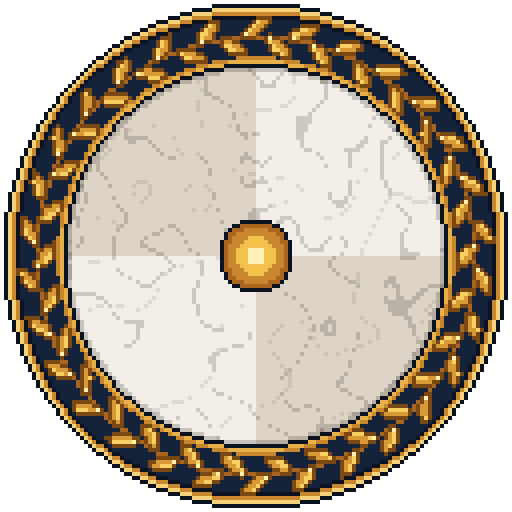 |
| Segment divider | images/minigames/spinthewheel/wheel-spoke.png |
 |
| Pointer | images/minigames/spinthewheel/wheel-pointer.png |
 |
| Spin button | images/Buttons/spin_up_btn.png |
 |
| Spin button, pressed | images/Buttons/spin_down_btn.png |
 |
| Back button | images/Buttons/back_up_btn.png |
 |
| Back button, pressed | images/Buttons/back_down_btn.png |
 |
| Prize glow | images/minigames/spinthewheel/glow-radial.png |
 |
| Prize rays | images/minigames/spinthewheel/glow-rays.png |
 |
| Wheel token | images/minigames/spinthewheel/wheel-token.png |
 |
| Test | Covers |
|---|---|
WheelLogicTest |
Picking the winner, the winning angle and the spin's target rotation |
SpinTheWheelDisplayTest |
Building the wheel, spinning, awarding and showing the prize, the buttons, sounds and closing |
SpinTheWheelOverlayTest |
Pausing the game, opening at the end of the frame, not opening over another minigame, closing and resuming |
SpinTheWheelOverlayActionsTest |
"back" closes the overlay |
SpinTheWheelActionsTest |
"back" returns to minigame select |
SpinTheWheelScreenTest |
The screen loads the wheel's assets and builds its UI |
WheelConfigTest |
The wheel has items, and every sprite and sound exists |
SpinTheWheelCommandTest |
The terminal command opens the wheel on the player |