Viewing Commit History - SmartBear/ready-git-plugin GitHub Wiki
To view the history of commits in the current branch, do the following:
-
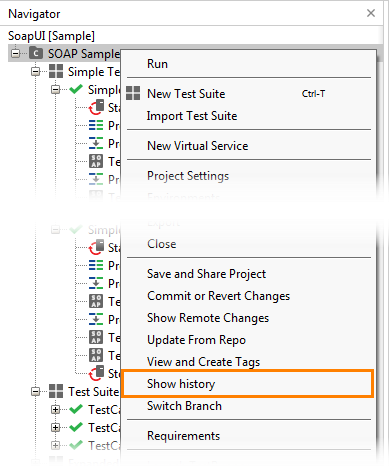
In ReadyAPI, right-click your project in the Navigator panel and select Show History from the context menu:
-
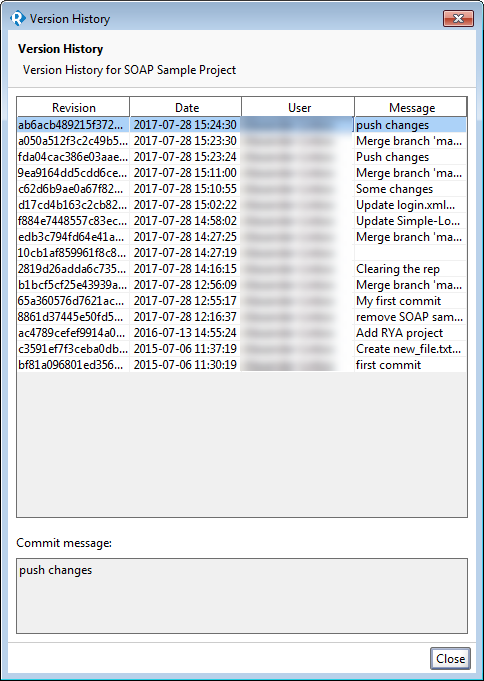
In the subsequent Version History dialog, you can examine the history of commits for the repository. For each commit, you can see the full commit revision hash, date, user who created the commit and the commit message.
To view a commit's message, simply select that commit in the list. You will see the message in the Commit Message box: