Switching Branches - SmartBear/ready-git-plugin GitHub Wiki
When you work with a Git repository, most likely, you have several branches. To switch between the branches within ReadyAPI, do the following:
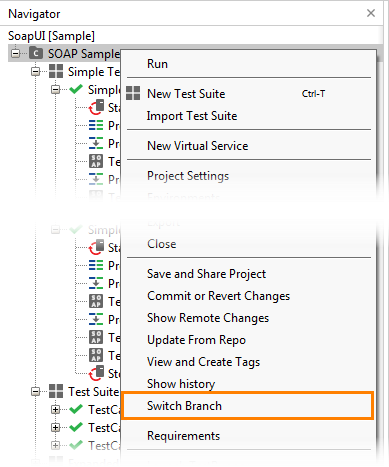
- In ReadyAPI, right-click your project in the Navigator panel and select Switch Branch from the context menu:
- The Switch Branch dialog will appear. In this dialog, you can view all remote and local branches.
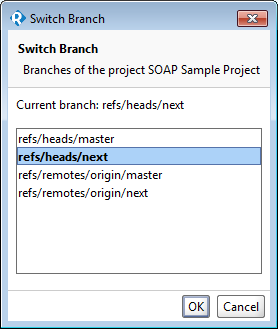
- Select the needed branch from the list and click OK.
Note. You cannot switch to a remote branch that already has a local snapshot. To get recent changes from the remote branch, select a local branch and pull the changes.