Apps and Websites - Riqqqque/Homebase GitHub Wiki
Apps and Websites
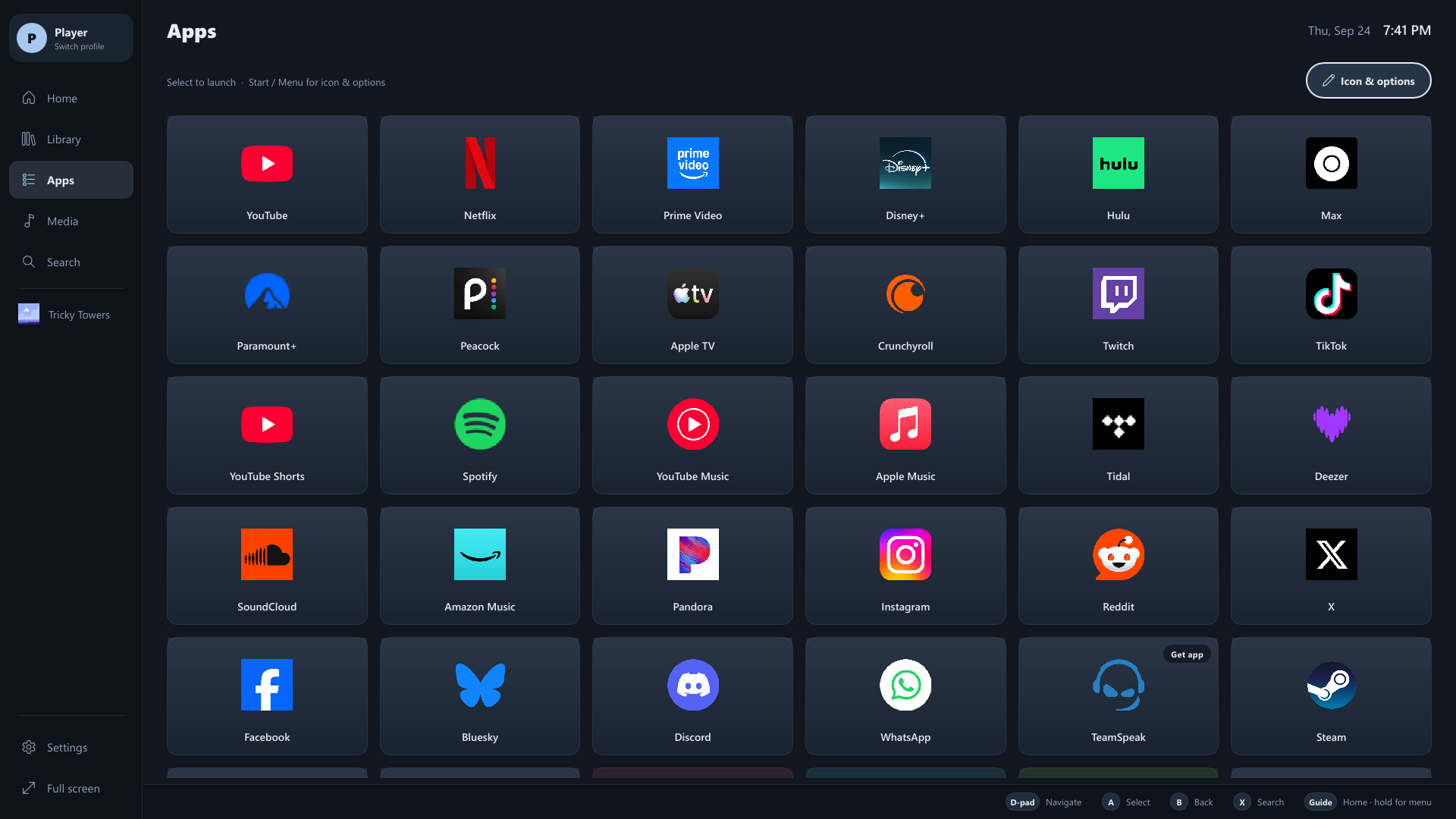
The Apps screen collects streaming services, music, social apps and anything you add yourself. Media shows what's playing on the PC, the volume, and the media apps.
How apps open
- Installed programs (Spotify, Plex HTPC, VLC, Discord and so on) open their own window.
- Web apps (Netflix, YouTube TV, Prime Video, Disney+, Plex on the web and others) open in their own full-screen browser window, separate from your normal tabs. YouTube uses its TV interface, which is built for a controller.
- A service with a desktop app you don't have installed shows Get app, or falls back to its website when there is one.
For adult profiles, web apps use your normal browser profile, so they open instantly and you're already signed in. Child and guest profiles always get a separate browser profile, so they never inherit an adult's sign-ins. You can give adults a separate one too with Settings → Separate browser for apps.
Using an app with a controller
| Control | Does |
|---|---|
| Left stick | Moves the mouse pointer (speeds up the further you push) |
| Right stick | Scrolls smoothly |
| A | Clicks where the pointer is if you just moved it; otherwise selects |
| D-pad | Arrow keys, for apps with their own TV-style navigation |
| View | Opens the on-screen keyboard |
| Start | Homebase menu: back to the app, Go to Homebase, Controls, pointer on/off, Close app |
| Home | Back to Homebase, leaving the app running |
When you select a text box, the on-screen keyboard pops up by itself. It also appears when a page puts the cursor in a box on its own, such as a sign-in code screen.
Pop-ups and dialogs
Sign-in windows, file pickers and other dialogs an app opens get the same controls as the app: pointer, scrolling, A to click or press the highlighted button, B for Esc, and the on-screen keyboard.
Closing an app
- In the app: Start → Close app.
- From Homebase: highlight the app (in Apps, Home or the sidebar), press Start and choose Close.
- Web apps close only their own window; your other browser tabs are never touched.
- When a web app exits on its own (YouTube's Exit button, for example), Homebase closes the window and comes back to the front.
Adding any website or program
Apps → Add app… (the last tile):
- Website or app path: a web address like
plex.tvormusic.apple.com, or a program such asC:\Program Files\App\app.exe. Type it, paste it with Ctrl+V, or press A for the on-screen keyboard (which has a Paste key). - Name (optional): filled in from the address if left empty.
- Icon (optional): an image path or URL, or Choose icon from this PC…. Websites fetch their own icon when this is empty.
- Pick from installed apps… lists programs found on the PC, so you don't have to know the path.
Websites you add get the same pointer, scrolling, keyboard and Close app support as the built-in ones.
Options for an app
Press Start (or right-click) on an app for:
- Open, or Switch to and Close when it's running
- Pin to Home / Pin to sidebar, and move it left or right
- Choose icon and Reset icon
- Customize Home