Race Results - Keenny38/ModernTinyPedals GitHub Wiki
The Results & Replays page shows the results of every session you played: classification, positions lap by lap, the laps of each car and what happened during the session (contacts, penalties, track limits, chat). It reads the results files that Le Mans Ultimate and rFactor 2 write at the end of each session, so it works for online races and single player sessions, and the game does not need to run. With Le Mans Ultimate, the same page lists the replays saved by the game and controls them in the Replay tab: each session is linked to its replay, so an event or a lap of the results opens the replay right there.
Open it with the Results entry of the navigation bar, Tools > Results & Replays, or the command palette (Ctrl+K). It replaces the former Race Results and Game Replays pages (a Replays entry kept in your navigation bar or quick access opens it on the replays list).
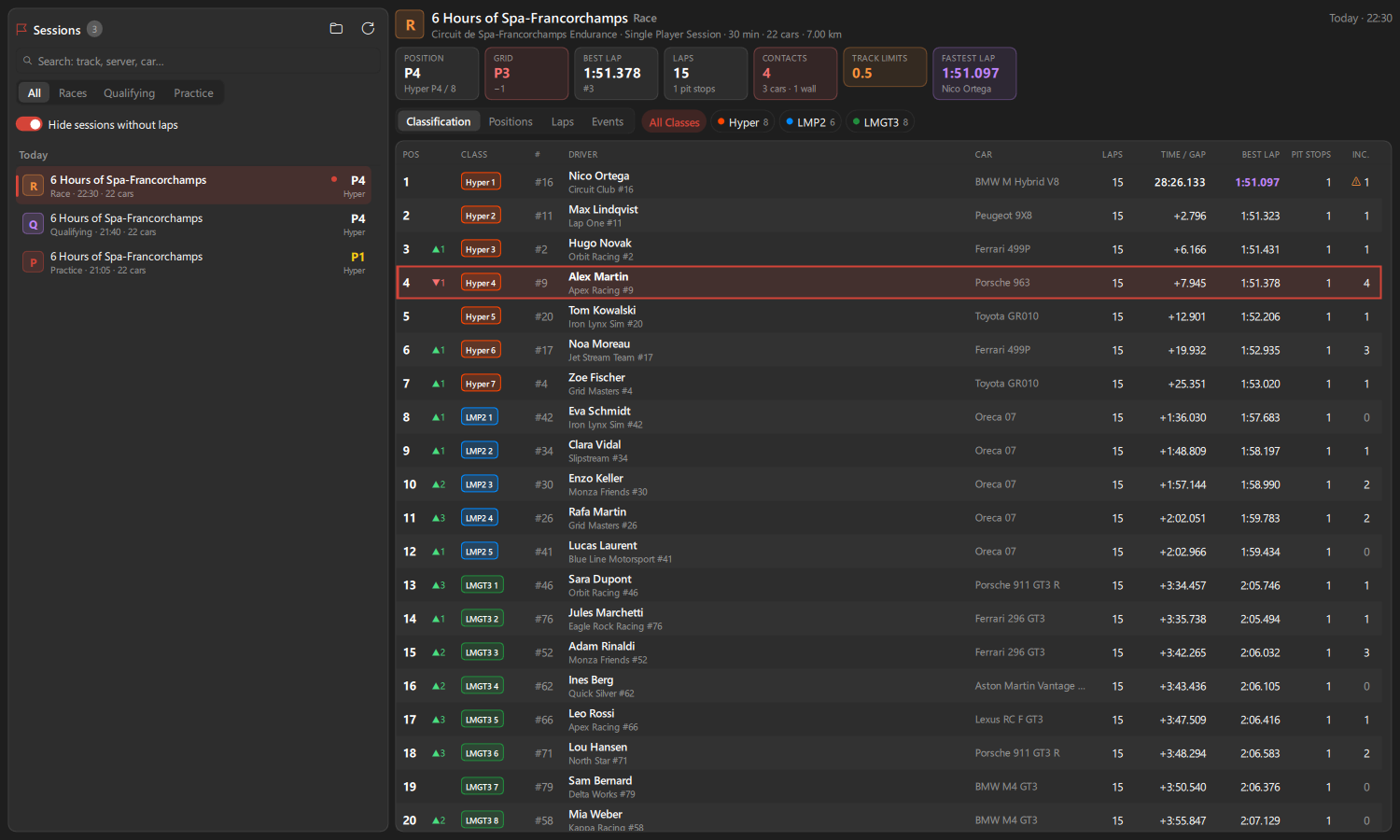
At the end of each session (practice, qualifying, warmup, race), the game writes a file in UserData/Log/Results of its install folder (for example 2026_10_05_22_34_33-70R1.xml: date, then P1, Q1, W1 or R1). The page finds this folder in every Steam library, for Le Mans Ultimate and rFactor 2.
- Folder button (top of the session list): open the folder, choose another folder (game not installed with Steam, results copied elsewhere), or go back to the game folders.
- Files are read in background (about half a second for a hundred files). A session ending while the page is open is added at once; if the newest session was shown, the new one is shown.
F5reads the files again. -
Your car is found by the driver name of your game profile (
UserData/player/Settings.JSON), also when you are one of the drivers of a team car. In single player, it is the only car driven by a person. Online, the game marks every person as a player: the name is what tells your car apart. - When you leave a race before its end, the game writes the classification of that moment, without finish times: the session is marked
Unfinishedand gaps come from the lap times.
The switch at the top of the list shows the sessions of the results files or the replays saved by Le Mans Ultimate (see Game replays for everything the replays list does: watch, add, export, rename, protect, delete, clean up).
- A replay whose session has a results file has a flag icon: pick it and its results are shown on the right. Right-click:
Show Results. - A session with a replay has a camera icon: pick it and its replay is picked in the replays list too.
- The game is asked only while the replays list or the
Replaytab is shown.
Newest first, grouped by day, with the session kind (R, Q, P, W), track, start time, number of cars, Online, and your result: overall position, or class position with several classes, or DNF.
- Search: every word must match the track, layout, server, car or class.
-
Filter:
All,Races,Qualifying,Practice. Sessions where nobody completed a lap are hidden unless you turn offHide sessions without laps. -
Up/Downkeys move from session to session.
The header shows the track and layout, date, online server or single player, session length (minutes or laps), number of cars and track length, with the circuit logo and picture of Le Mans Ultimate (taken from the game once it ran with the app open, kept in the gameimage folder). Below it, your key figures:
- Position (with your class position and the number of cars of your class), Grid with places gained or lost,
- Best lap with its rank in your class (purple when fastest), Laps and pit stops,
- Contacts with cars and walls, Track limits points and penalties,
- Fastest lap of the session when it is not yours, or the winner when you were not in the session.
Class chips (multiclass sessions) show one class: positions and gaps become class positions and gaps.
Watch Replay (Le Mans Ultimate): when the game saved the replay of the session (UserData/Replays/<track> R1 3.Vcr, written a few minutes after the results file), a button in the header opens it in the game and shows the Replay tab, after confirmation (with a warning in a live session). Sessions with a replay have a camera icon in the list. The game must run to play it; if it is closed, the page tells you.
Watch in replay: in the Events tab, the play button of an event (or a double-click) opens the replay of the session Seconds Before that moment, camera on the car concerned (your car when you are in the contact). In the Laps tab, the play button of a lap opens the replay at the start of that lap, camera on that car. A team car is found by any of its drivers. When the replay is already open in the game, it moves there at once, without confirmation.
Position (with places gained or lost from the grid in races), class and class position, car number, car brand logo, driver and team (all drivers of a team car in the tooltip), car, laps, race time of the winner then gap (time, or laps behind; in practice and qualifying, gap to the best lap), best lap (fastest in purple), pit stops and contacts (a warning sign marks penalties). Your row is tinted. Click a car to pick it, double-click to see its laps.
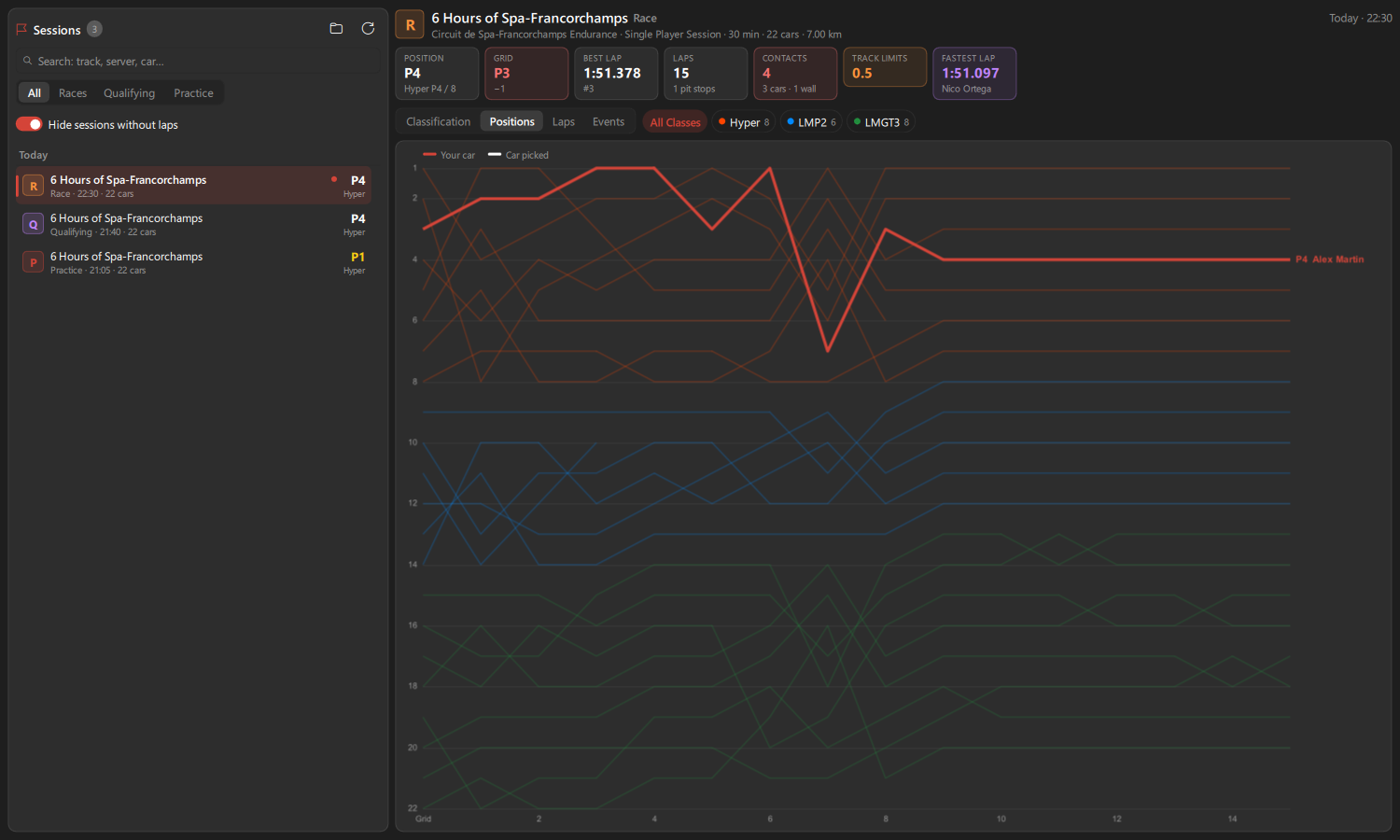
The place of every car at the end of each lap, starting from the grid. Your car is in the accent color, the car you picked in white, the others in their class color. Hover a line to see who it is, click to pick that car.
The laps of the car picked (your car first, any other car from the list): place, lap time (session best in purple, own best in green), gap to its own best, the three sectors (same colors), top speed in your speed unit, front tyre compound and laps through the pit lane. For your car, the virtual energy (or fuel) used on each lap and the tyre tread left. On top: best lap, average and consistency of clean laps (no pit lane, not the first lap), theoretical best from the best sectors, top speed.
The replay open in the game, or the live session: game state, playback (play / pause with Space, speeds, previous / next lap of the car followed), camera and game HUD, then the incidents of the session on a timeline and in a list, the drivers and the track map. Same controls as described in Game replays.
Contacts (a contact reported by both cars is shown once, with its impact strength), penalties (kind, time and reason), track limits (warnings, invalidated laps, points) and chat, with the session time. Filter by kind (with counts), or show only the events of the car picked. Your events are in bold. Game texts such as retirement reasons and penalties are shown in the app language.
-
Driver Stats: your sessions are linked to their results file (class position, contacts, penalties, game version); click one to open it here. The
Drivercard counts your races from the results files, andComplete...adds lap times found in LMU results files that your stats miss. - Broadcast Director: the driver history of the car sheet (races, class wins, podiums, races with the cars ahead and behind) comes from the results files.
The last race (or qualifying) can be shown in OBS Studio, Streamlabs, XSplit or vMix as a browser source, with classes and pages cycling: see Stream overlays.