OBS - JimmyAppelt/snaz GitHub Wiki
Table of Contents
- OBS Studio
- OBS Classic
OBS Studio
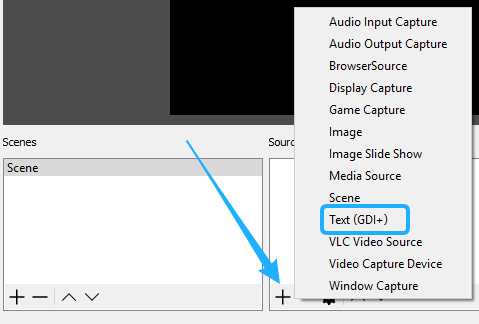
Add a text source in Studio
- Press the
+sign in OBS Studio and selectText (GDI+)
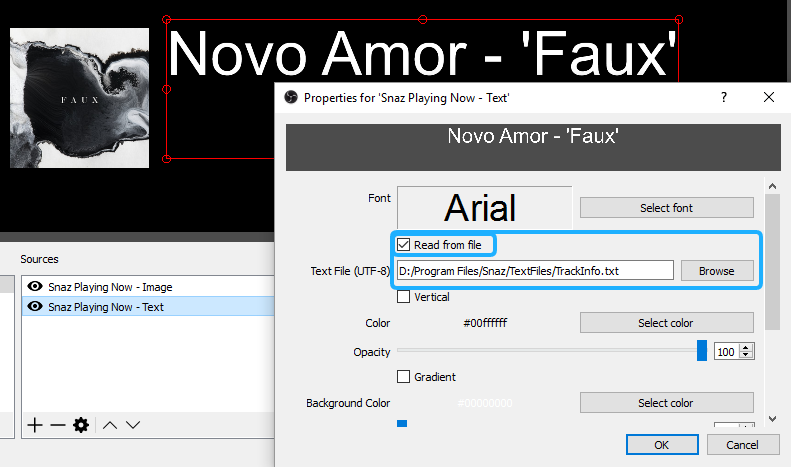
Link a Snaz text file in Studio
- In the property's of the source check mark
Read from file - Press the browse button and select the file you would like to link
Tip: for good quality text, make the font size very big in the source and scale it down afterwards in the scene)
OBS Classic
Add a text source in Classic
- Right click in the sources box and select
Add > Text

Link a Snaz text file in Classic
- In the property's of the source check mark
Use Text From File - Paste the text file link or press the browse button and select the file you would like to link
Tip: for good quality text, make the font size very big in the source and scale it down afterwards in the scene)
