Mobile Household - JRAdams472/LENA2 GitHub Wiki
Household & Notifications on Mobile
The People tab is two things in one: your notification feed and your member list.

Your households
The header card names your active household — the one whose pantry, plans, lists, events, and feed you're looking at. Tap Switch to open the switcher sheet: every household you belong to, with member counts, your role, and an Active marker on the current one. Each inactive row has a Switch button and a leave icon; New household at the bottom creates an additional household and makes it active.


Accepting an invite always joins the sender's household and makes it active. If you're the sole owner of another household you'll get the same choice as on the web — Join and merge (folds your pantry, cellar, plans, lists, and events in, then deletes the empty household) or Just join (keep both).


See Households & Members for roles and the invite flow.
Notifications
The feed at the top carries household notifications — items expiring soon, members joining, meal-plan nudges — scoped to your active household. Unread count shows as a badge on the People tab itself, so nothing gets missed. Expiry reminders include an Add to list action that drops a replacement onto your grocery list.
Tap the gear icon in the top bar to open Notification settings. Each category has independent Push and Feed switches plus a labeled Snooze button that pauses it for a preset window — the global All notifications row carries the master Push opt-in and Snooze only, so a mute can never be permanent by accident. Push is opt-in per category; when a push arrives while the app is open it appears as a heads-up banner, and taps open the same place a feed tap would.
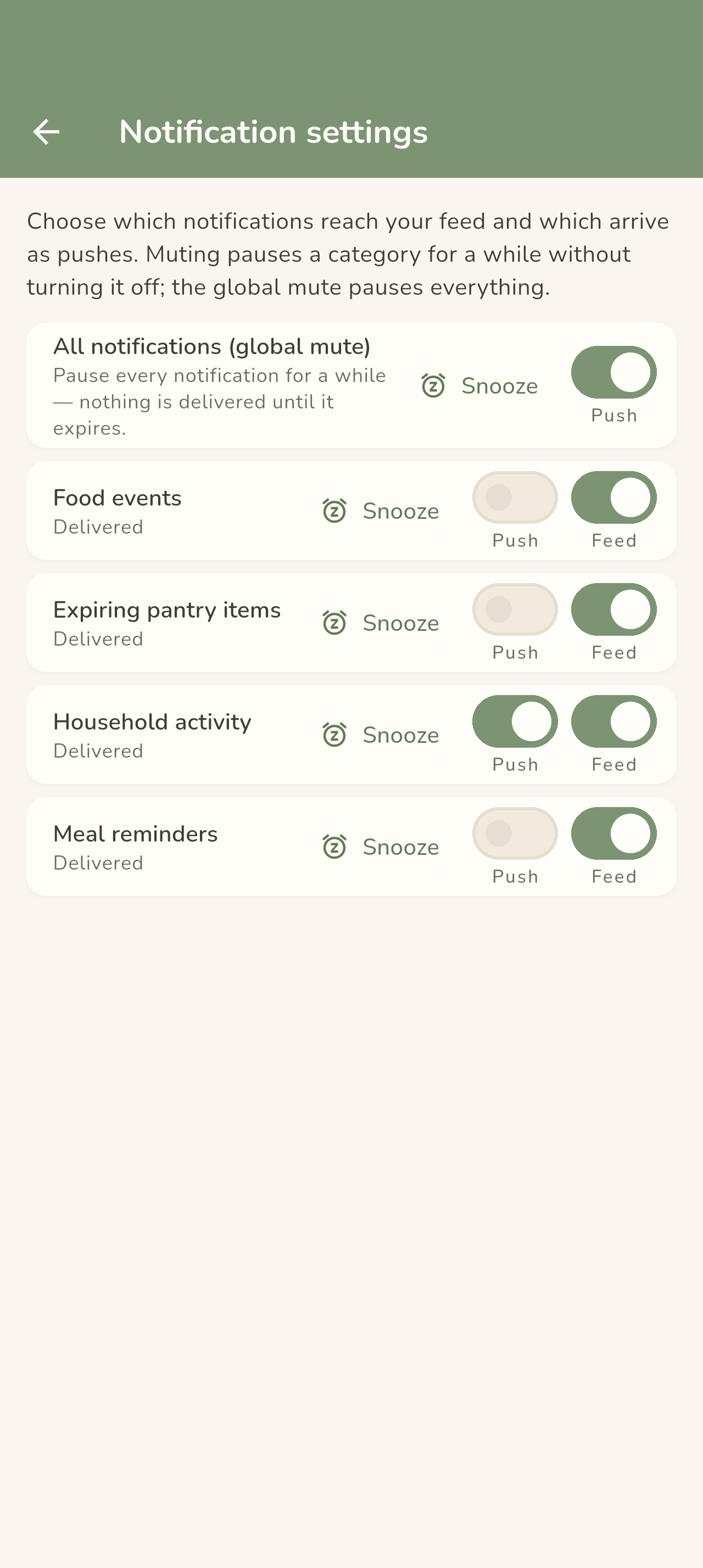
See Dashboard & Notifications for the notification categories and the push details.
Members
Below the feed: the household name (edit it and save with the inline icon) and the member list with roles. Invites are managed from here — see Households & Members for roles and invite flow.
Your allergy records
The Allergies & dietary restrictions card on this tab holds your tri-state toggles — None / Dietary / Allergy per allergen. The records are yours, not the household's: they follow you into every household you belong to, and warnings across recipes, meal plans, events, and grocery lists fire for every member's records. See Allergy Tracking.

Delete your account
The bottom of this tab holds the same Danger zone as the web Profile page — Delete my account permanently removes your account and everything personally tied to it, after typing DELETE into the confirmation dialog. Shared households keep their content and members; a household only you belong to is dissolved with it. See Getting Started — Delete your account.
← Back to Using the Mobile App