Stasis Capsule Creature Transport 1.21.1 - Herbertofury/Advent-of-Ascension GitHub Wiki
Stasis Capsule: creature transport and release safety · Minecraft 1.21.1
AoA 3.7.16.1. A source-grounded explanation of capture eligibility, stored creature data and release checks. This is not a live-game certification of the current Enderloom build.
Beginner walkthrough · Versioned bestiary · Source findings and restoration work
Important stock-release warning
Do not use irreplaceable pets or valuable creatures to test this item in an unverified build. The inspected release ignores the success/failure return from adding a recreated creature to the world, then clears the capsule's stored entity data anyway.
That means a rejected world insertion is a potential creature-loss path. The checked NeoForge entity-manager patch can return false when an entity-join event is canceled; UUID insertion failures are another possible rejection. A modpack containing protection or spawn-control behavior needs explicit testing rather than a promise of universal compatibility.
This is a verified code path with an independent four-case state model. It is not a reproduced incident in the owner's save, and the documentation has not patched game code. Exact evidence and model cases.
Before using a capsule
The item is registered in the inspected Artifice item set. The resource audit did not establish a survival acquisition recipe: no direct aoa3:stasis_capsule reference was found in the scanned shipped data JSON. Code-based grants and modpack additions are outside that search. Use a verified route supplied by your actual pack; this guide does not invent a crafting recipe.
Once you have a capsule, test capture and release using a recoverable test world and an ordinary nonvaluable creature before relying on it for transport.
1. Check capture eligibility
The inspected rules run in this order:
- Reject an entity implementing the hostile
Enemyinterface. - Reject a neutral creature that is currently angry at the player.
- Accept an
AgeableMob. - Otherwise, accept an
OwnableEntityonly if its owner UUID matches the player or it has no owner. - Reject the remaining cases.
The capsule must also be empty. An arbitrary living entity is not automatically capturable just because it looks friendly.
“Willing creature” is not a complete multiplayer permissions guarantee. The AgeableMob acceptance branch comes before the separate ownership branch, so that later owner check is not applied to already-accepted ageable entities. Server ownership and protection policies need their own integration tests. Do not assume this item enforces another mod's ownership rules.
2. Capture and verify the stored identity
Interact with an eligible living creature while holding the capsule. The inspected server interaction forwards the capsule and target to its capture method.
On the capture path, the implementation records entity type, saved entity NBT and display name in the item's stored-entity component, writes the capsule back to the player's hand, then discards the original entity from the world.
Check that the capsule reports the expected creature name and that the original is no longer present. Those observations are useful checks, but a name in the tooltip alone does not certify every equipment, ownership, age or mod-specific field. Those must survive an actual capture → release → save/reload test.
3. Prepare a clear release location
Use the filled capsule on a block. The code uses the interaction's click location and checks the entity type's spawn bounding box for collision there. A tight corner or unsuitable location can fail this early check.
The release path then attempts to recreate the creature from saved data. If recreation returns null, it reports failure and leaves the stored data intact along that inspected branch.
The separate world insertion step is where the stock implementation has the unchecked result described above. Passing the collision check and successfully creating an entity object do not guarantee that the world accepted it.
4. Verify the creature, not just an empty capsule
After release, confirm the actual creature exists in the world and inspect its identity and important state. An emptied capsule or a release effect is insufficient proof by itself in the inspected release.
If release appears to fail, preserve the save and logs before experimenting further. The guide does not claim that cleared capsule data can be reconstructed automatically. Use your known-good test-world or save recovery procedure rather than spawning an unrelated replacement and calling it a successful round trip.
Troubleshooting
| Symptom | Check |
|---|---|
| Capture is rejected | Empty capsule, hostile/angry-neutral exclusion and actual entity-class eligibility |
| Friendly-looking creature is rejected | Appearance alone does not satisfy the AgeableMob/OwnableEntity rules |
| No room to release | Click location and the entity type's collision box |
| Stored entity cannot be recreated | Entity registration/data compatibility across the exact mod and loader versions |
| Capsule clears but no creature appears | World insertion may have been rejected; the stock code ignores its boolean result |
| Ownership differs from your expectation | Test server protection and entity ownership behavior; the source order is not a universal permission system |
Restoration and compatibility checklist
- Inspect the exact target build; do not transplant a 1.21.1 fix into a different implementation blindly.
- Preserve the stored component until
addFreshEntityreports success; failed insertion must retain the original payload. - Verify collision failure, null recreation, canceled join events and UUID conflicts independently.
- Validate successful entity serialization before discarding the original capture target.
- Verify capture-event handling and client/server reconciliation, including repeated clicks and both hands.
- Test names, age, ownership, equipment and relevant mod-specific data through capture, release and save/reload.
- Define ownership/protection behavior explicitly and test it before advertising multiplayer compatibility.
- Keep the checks in the interaction path; avoid constant world scans or simplified entity data as a workaround.
Pinned capsule source · Stored entity source · Checked NeoForge entity-manager patch · Illustration provenance.
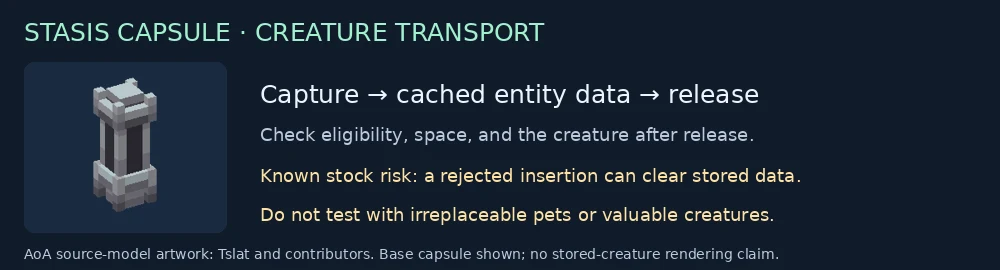
Base capsule artwork by Tslat and the AoA contributors. No stored-creature rendering or runtime screenshot is represented by the illustration.