OS Query - zacharylongo/Tech-Journals GitHub Wiki
https://drive.google.com/file/d/119TVUCEUT8S18EAROUBF6GE4AxjQ11MF/view?usp=sharing (This is not viewable if you happen to stumble upon this)
- Install OSquery (In this case Web01)
- Create </etc/osquery/osquery.conf>
- Activate it in Wazuh Modules
OSquery must be allowed through firewall (Wasn't needed in our case)
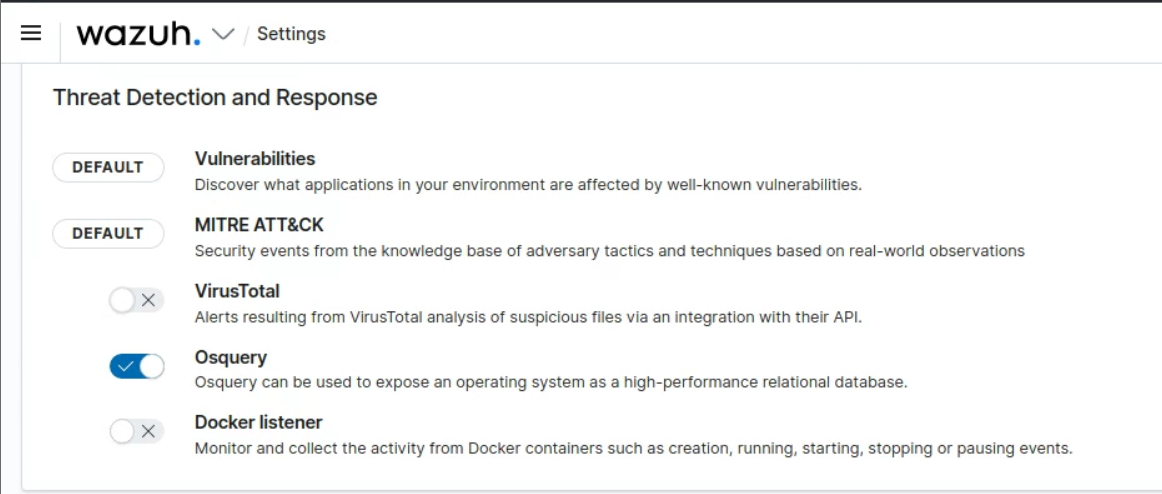
On Wazuh: Go to Settings > Modules and enable OSquery. I should be under Threat Detection and Reponse enable Osquery:
curl -L https://pkg.osquery.io/rpm/GPG | sudo tee /etc/pki/rpm-gpg/RPM-GPG-KEY-osquery
sudo yum install yum-utils -y
sudo yum-config-manager --add-repo https://pkg.osquery.io/rpm/osquery-s3-rpm.repo
sudo yum-config-manager --enable osquery-s3-rpm-repo
sudo yum install osquery -y
Copy this example config into </etc/osquery/osquery.conf> This will create a scheduled query to snatch the systems hostname,cou, and memory once every minute. This should provide a good test to ensure that the system is running smoothly.
{
    "options": {
        "config_plugin": "filesystem",
        "logger_plugin": "filesystem",
        "utc": "true"
    },
    "schedule": {
        "system_info": {
        "query": "SELECT hostname, cpu_brand, physical_memory FROM system_info;",
        "interval": 60
        },
    "processes_binding_to_ports": {
        "query": "SELECT DISTINCT process.name, listening.port, listening.address, process.pid FROM processes AS process JOIN listening_ports AS listening ON process.pid = listening.pid;",
        "interval": 60
        }
    }
}
Next, you must enable the osquery module adding the following to the groups agents.conf file in Wazuh.
(After saving, restart the Wazuh Agent)
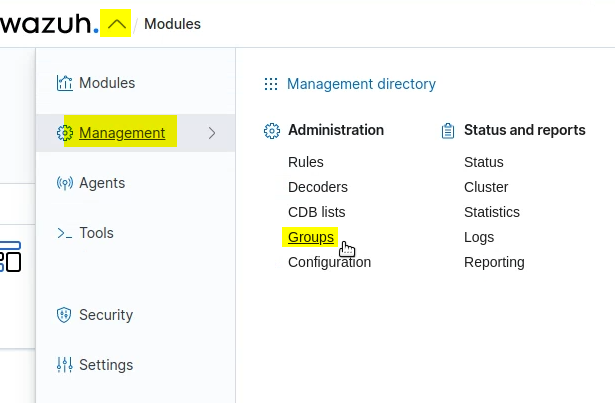
    <wodle name="osquery">
        <disabled>no</disabled>
        <run_daemon>yes</run_daemon>
        <bin_path>/usr/bin</bin_path>
        <log_path>/var/log/osquery/osqueryd.results.log</log_path>
        <config_path>/etc/osquery/osquery.conf</config_path>
        <add_labels>no</add_labels>
    </wodle>

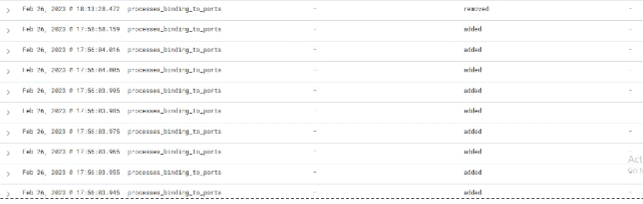
If you navigate to OSquery > Events you'll be able to see security events begin to appear.