Downloading USHCN Data - wtblock/ClimateSuite GitHub Wiki
Downloading USHCN Data
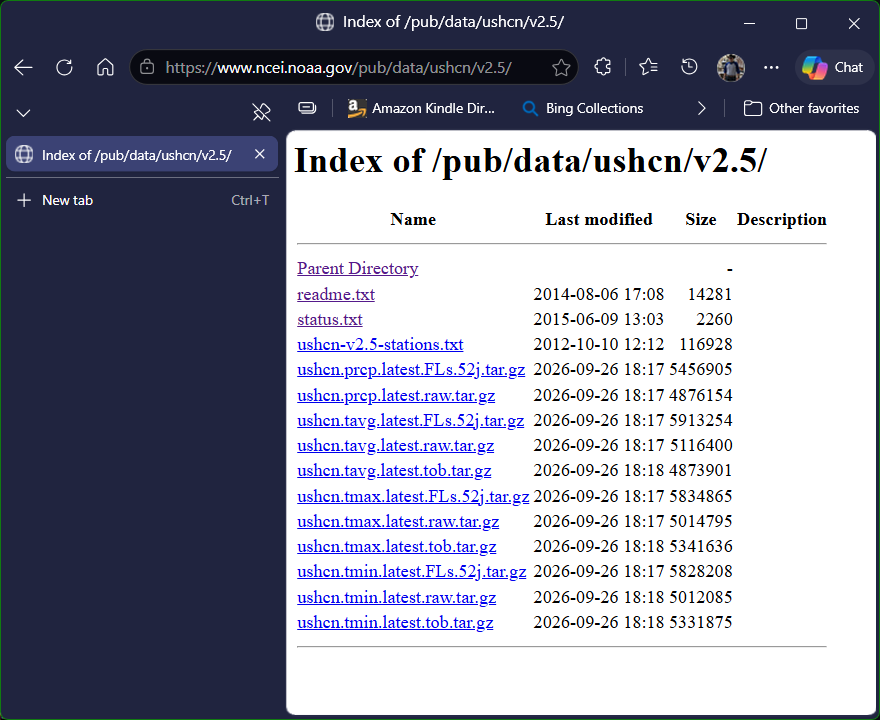
The United States Historical Climate Network (USHCN) is available online here:
https://www.ncei.noaa.gov/pub/data/ushcn/v2.5/
Required USHCN Temperature Archives
USHCN publishes three different versions of each temperature dataset (tmax, tmin, tavg).
Climate Suite is capable of importing any one of these versions:
- raw — Original unmodified station data
- FLs.52j — Homogenized and bias‑corrected data
- tob — Data adjusted for “time of observation bias”
Each version contains the same stations and the same monthly records; only the temperature values differ due to USHCN processing.
Recommended Downloads
Although Climate Suite can ingest any of the three versions, all documentation, examples, and validation procedures are based on the raw datasets:
ushcn.tmax.latest.raw.tar.gzushcn.tmin.latest.raw.tar.gzushcn.tavg.latest.raw.tar.gz
These archives contain the original temperature values exactly as reported by the stations, without homogenization or bias adjustments. This ensures that Climate Suite’s analysis, graphs, and verification queries reflect the true underlying data.
Important Note: Only One Dataset Version at a Time
Climate Suite’s database (ClimateUSHCN.db) is designed to store one unified set of temperature values for each station, month, and measurement type.
Because the raw, FLs.52j, and tob archives all contain the same file names and record structure, only one version can be imported into the database at a time.
If you wish to examine a different dataset version:
- Delete or rename the existing
ClimateUSHCN.db - Import the alternate dataset (FLs.52j or tob)
- Query or visualize that version using Climate Suite
This ensures the database remains internally consistent and avoids mixing corrected and uncorrected values.
Precipitation Data
USHCN precipitation archives:
ushcn.prcp.latest.raw.tar.gzushcn.prcp.latest.FLs.52j.tar.gz
are not used by Climate Suite.
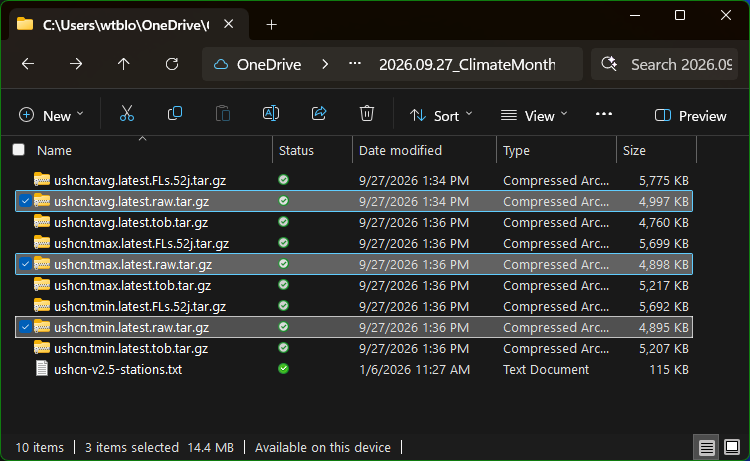
In addition to the temperature files is the text file (ushcn-v2.5-stations.txt) that contains the station metadata and that file needs to be downloaded as well.
The screenshot below shows Windows File Explorer after downloading the USHCN data files. Each file uses the .tar.gz extension, which indicates a compressed archive. These archives must be extracted before the data can be used. In this example, the raw data files for each temperature type are selected. Each archive must be extracted individually by right‑clicking the file and choosing Extract All… from the context menu.
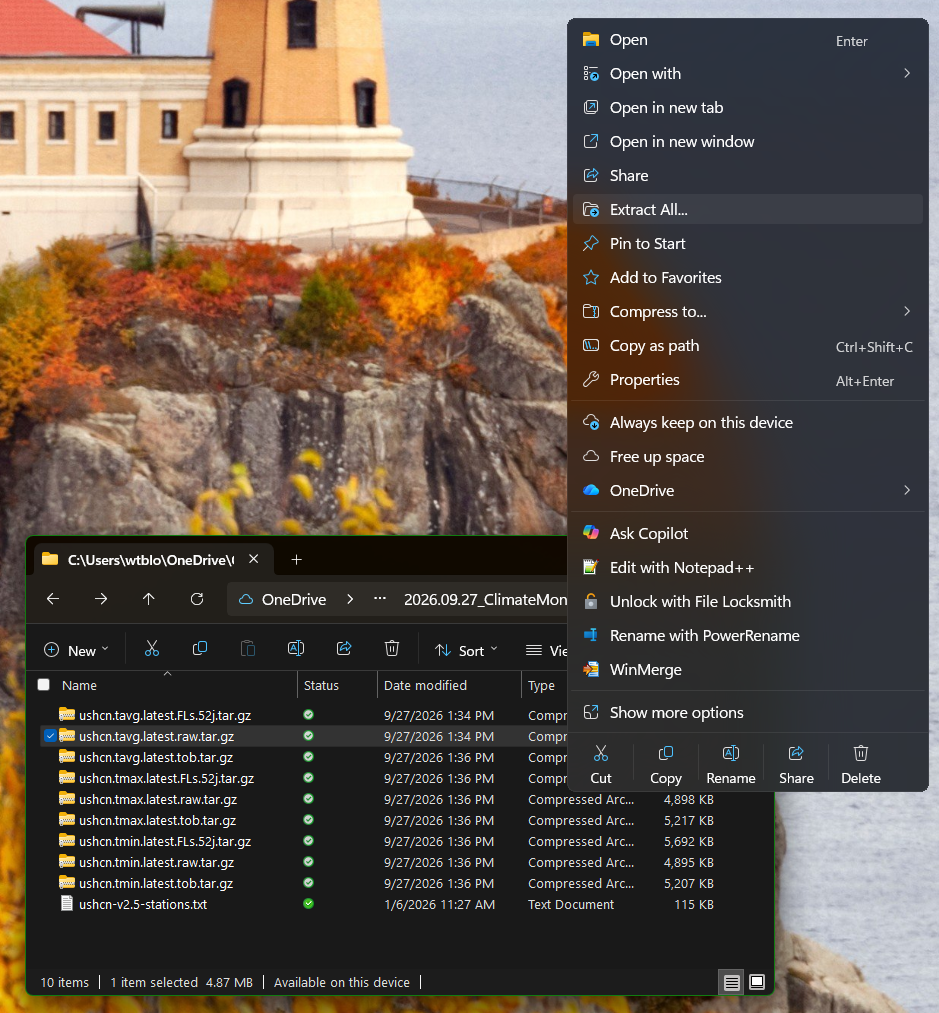
Selecting Extract All… opens the Extract Archive dialog:
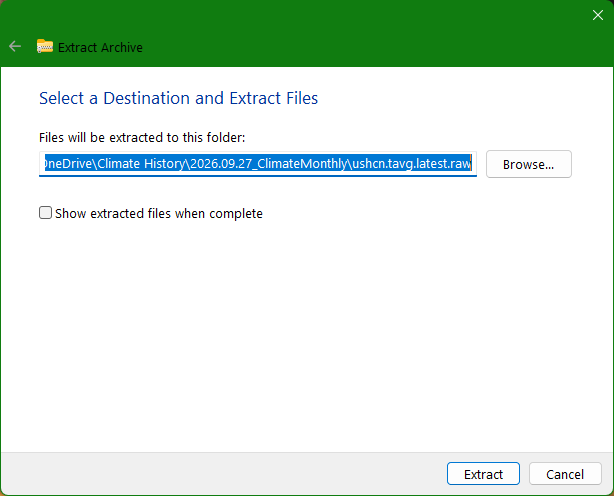
After pressing Extract, Windows displays a progress dialog and unpacks the archive into the folder shown in the dialog. By default, Windows creates a folder with the same name as the archive (minus the extensions). Inside that folder is a subfolder containing the actual data files. The subfolder name reflects the version of the dataset that was downloaded.
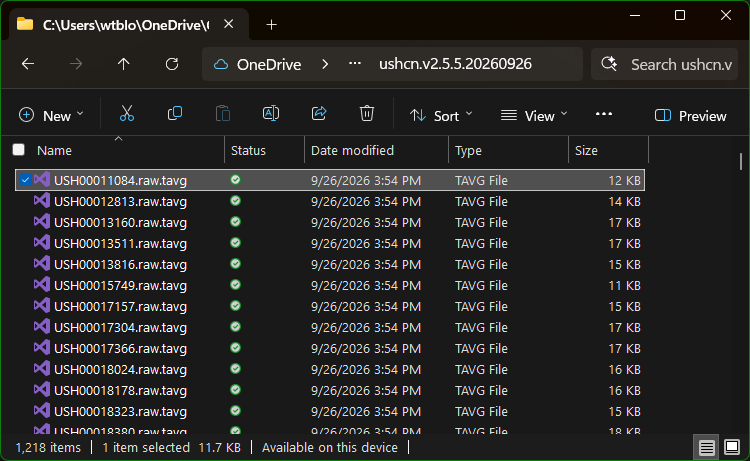
As shown in the bottom-left corner of File Explorer, this folder contains 1,218 files, each representing the average temperature record for one of the 1,218 climate stations in the continental United States. Opening any of these files in Notepad displays the raw station data:
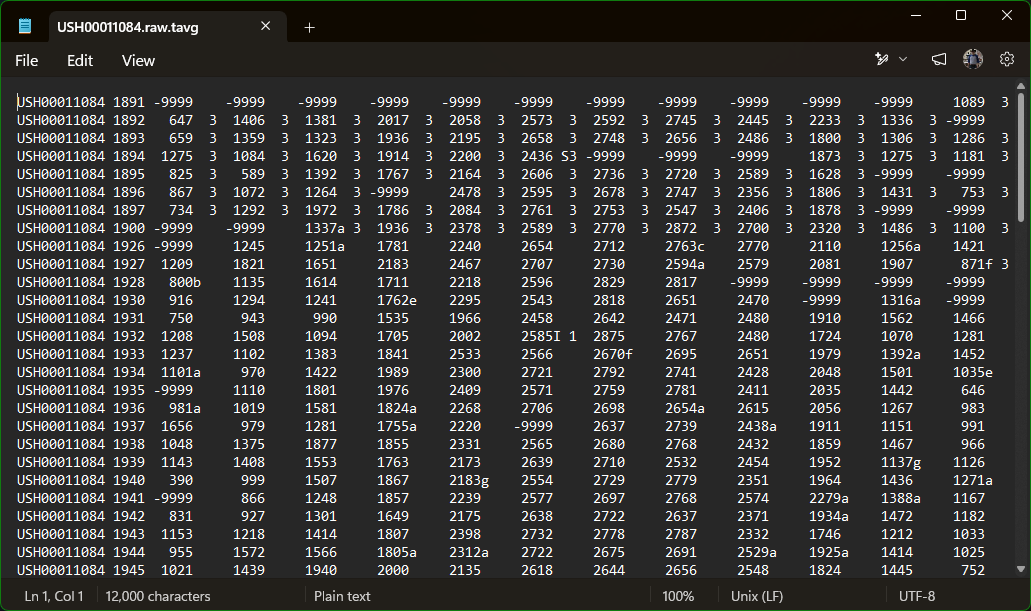
After extracting the other two archives (maximum and minimum temperatures), you will have three folders of raw data, each containing 1,218 text files, for a total of 3,654 files. Together, these represent the maximum, minimum, and average temperature records for each station across the entire period of observation.
Video
Watch the demonstration on YouTube:
Conclusion
Seeing the sheer number of files—and the raw station data inside each one—makes it clear why the Climate Suite exists. Working directly with thousands of individual text files is tedious and error‑prone. The next page explains how to transform all of this downloaded data into a relational database, giving you a fast, structured way to explore, display, and export the information in many different formats.