3. Combining data for analysis - upalr/Python-camp GitHub Wiki
1 Concatenating data
1.1 Combining data
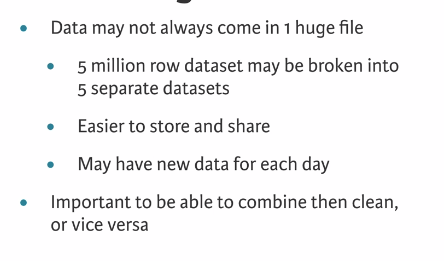
1.2 Concatenation (column-wise concatenation: Combining columns of data)
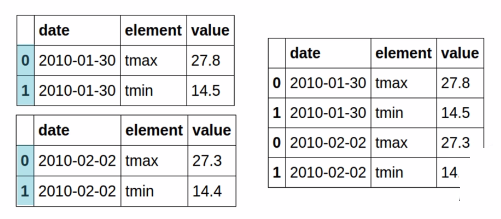
1.3 pandas concat
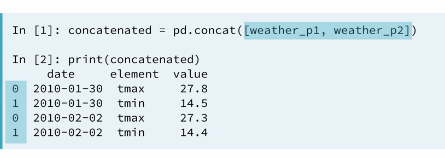
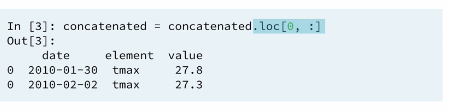
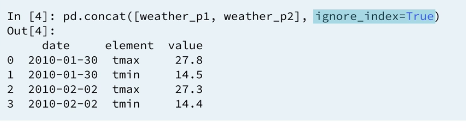
1.4 Concatenating Dataframes (row-wise concatenation: Combining rows of data)
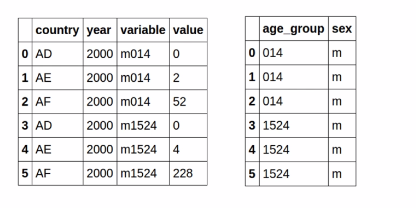
1.5 Example 1: Combining columns of data
Think of column-wise concatenation of data as stitching data together from the sides instead of the top and bottom. To perform this action, you use the same pd.concat() function, but this time with the keyword argument axis=1. The default, axis=0, is for a row-wise concatenation.
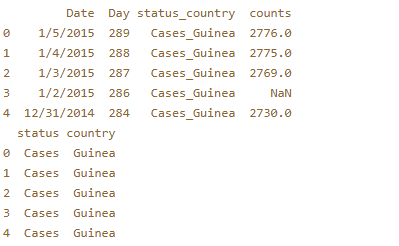
You'll return to the Ebola dataset you worked with briefly in the last chapter. It has been pre-loaded into a DataFrame called ebola_melt. In this DataFrame, the status and country of a patient is contained in a single column. This column has been parsed into a new DataFrame, status_country, where there are separate columns for status and country.
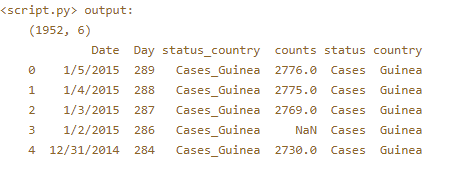
Explore the ebola_melt and status_country DataFrames in the IPython Shell. Your job is to concatenate them column-wise in order to obtain a final, clean DataFrame.
ebola_melt and status_country head() defination
# Concatenate ebola_melt and status_country column-wise: ebola_tidy
ebola_tidy = pd.concat([ebola_melt, status_country], axis=1)

# Print the shape of ebola_tidy
print(ebola_tidy.shape)

# Print the head of ebola_tidy
print(ebola_tidy.head())
Result:
2 Finding and concatenating data
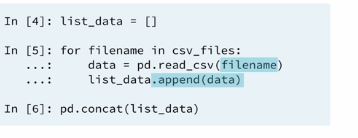
Concatenating many files
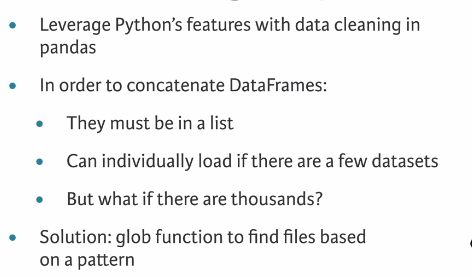
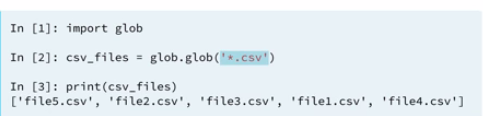
2.1 Globbing
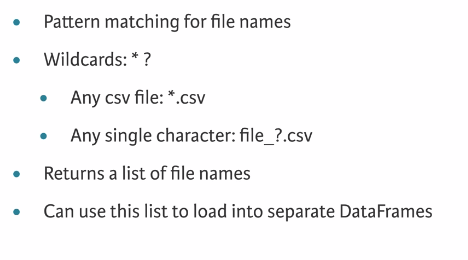
2.2 The Plan
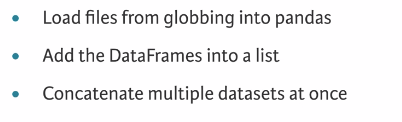
2.3 Find and concatenate
2.4 using loops
3 Merge data
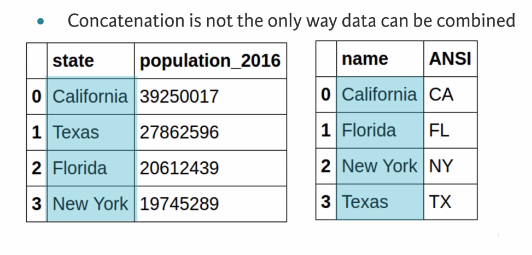
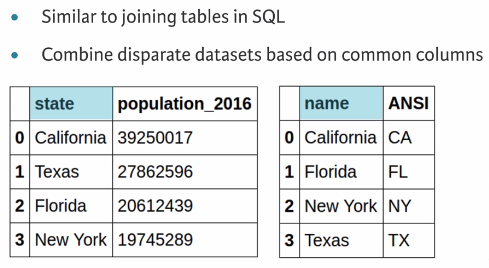
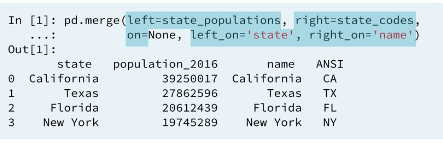
Merging data allows you to combine disparate datasets into a single dataset to do more complex analysis.
3.1 Combining data
3.2 Merging data
3.4 Types of merges
3.4.1 One-to-one
3.4.2 many-to-one/one-to-many
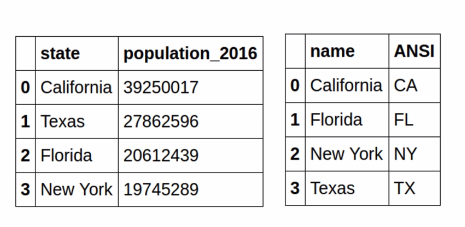
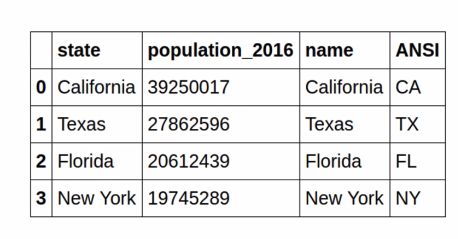
In a many-to-one (or one-to-many) merge, one of the values will be duplicated and recycled in the output. That is, one of the keys in the merge is not unique
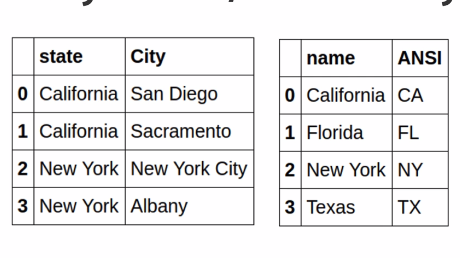
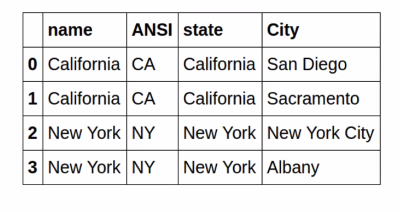
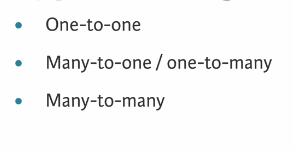
INFO: The .merge() method call is the same as the 1-to-1 merge from the previous exercise, but the data and output will be different.
3.4.3 many-to-many
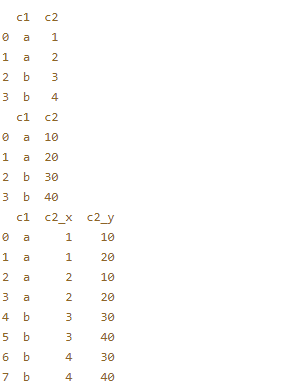
The final merging scenario occurs when both DataFrames do not have unique keys for a merge. What happens here is that for each duplicated key, every pairwise combination will be created.
Two example DataFrames that share common key values have been pre-loaded: df1 and df2. Another DataFrame df3, which is the result of df1 merged with df2, has been pre-loaded. All three DataFrames have been printed - look at the output and notice how pairwise combinations have been created. This example is to help you develop your intuition for many-to-many merges.
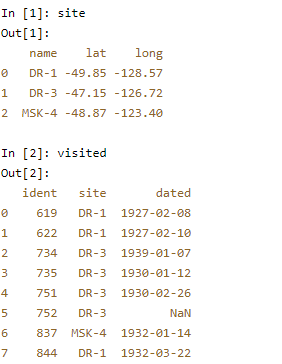
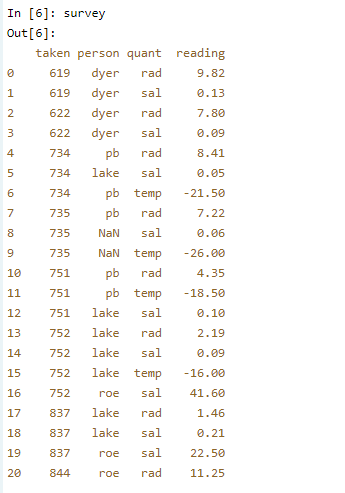
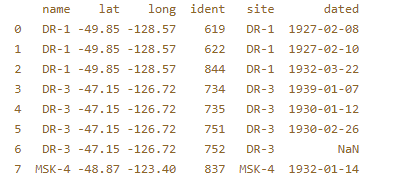
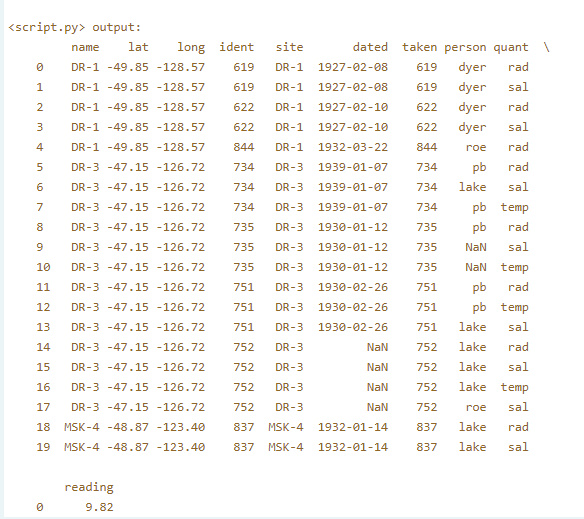
Here, you'll work with the site and visited DataFrames from before, and a new survey DataFrame. Your task is to merge site and visited as you did in the earlier exercises. You will then merge this merged DataFrame with survey.
Begin by exploring the site, visited, and survey DataFrames in the IPython Shell.
# Merge site and visited: m2m
m2m = pd.merge(left=site, right=visited, left_on='name', right_on='site')

# Merge m2m and survey: m2m
m2m = pd.merge(left=survey, right=m2m, left_on='taken', right_on='ident')

# Print the first 20 lines of m2m
print(m2m.head(20))
After the first merge:
After the second merge:
3.5 Different types of merges