Easy Guide to Getting Current Date and Time, and Formatting Dates in Java - tpointtech/Java-Tutorial GitHub Wiki
Getting started with Current Date and Time, and Formatting Dates in Java
In Java programming, it's pretty common to work with dates and times. You might want to know what the current date and time are, or you might need to make them look nice and tidy. Let's see how to do that with some simple examples.
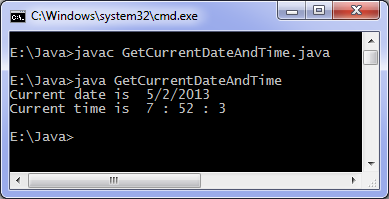
Getting the Current Date and Time
In Java, you can easily find out what the current date and time are. Here's how:
import java.util.Date;
public class CurrentDateTimeExample {
public static void main(String[] args) {
// Create an object to hold the current date and time
Date currentDate = new Date();
    `// Print the current date and time`
    `System.out.println("Current Date and Time: " + currentDate);`
`}`
}
Here's what's happening:
We use the Date class to get the current date and time. Then, we just print it out.
Formatting Dates in Java
Now, let's say you want to show the date and time in a specific way, like "year-month-day hour:minute:second". Java has something called SimpleDateFormat to help with this.
Check it out:
import java.text.SimpleDateFormat;
import java.util.Date;
public class DateFormatExample {
public static void main(String[] args) {
// Create an object to hold the current date and time
Date currentDate = new Date();
    `// Create an object to define how we want the date and time to look`
    `SimpleDateFormat formatter = new SimpleDateFormat("yyyy-MM-dd HH:mm:ss");`

    `// Format the current date and time`
    `String formattedDate = formatter.format(currentDate);`

    `// Print the formatted date and time`
    `System.out.println("Formatted Date and Time: " + formattedDate);`
`}`
}
Here's a breakdown:
We still use the Date class to get the current date and time.
Now, we create a SimpleDateFormat object to define how we want the date and time to appear, like "year-month-day hour:minute:second". We use this object to format the current date and time.
Finally, we print out the formatted date and time.
Conclusion
That's it! Getting the current date and time, and making them look nice in Java is pretty straightforward. With the Date class and SimpleDateFormat, you can handle dates and times easily in your Java projects. Understanding these basics will help you work with dates and times like a pro!