oauth client credentials.html - swisscom-api/doc GitHub Wiki
<%= modified_date %>
Note: The Swisscom OAuth is only usable if it is approved and granted by the API team - contact us via the contact form.
This tutorial describes an easy way to get an OAuth authorization code & access token and shows the integration flow.
Tools:
- Terminal: to make curl calls
- Browser: Base64 Decode and Encode.
Go to the page Base64 Decode and Encode and enter %YOUR_CLIENT_ID%COLON%YOUR_CLIENT_ID_SECRET% and click > ENCODE < .
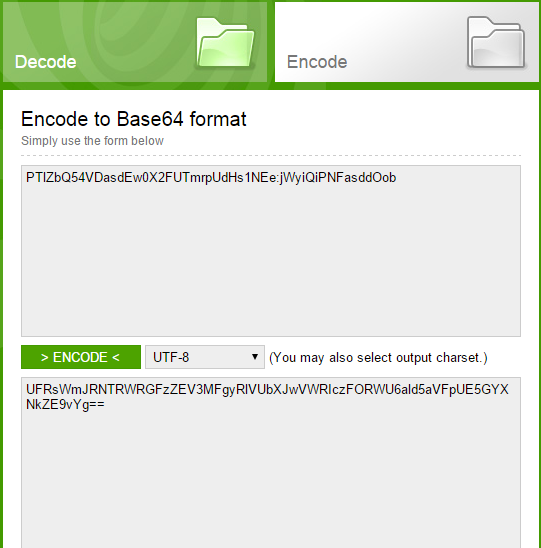
Use this result for the authorization in step 2.
Open you terminal and type
curl -ik X POST "https://consent.swisscom.com/o/oauth2/token" -H "Authorization: Basic %YOUR_CLIENT_ID%:%YOUR_CLIENT_ID_SECRET%(As BASE64)" -d "grant_type=client_credentials"
Use the result of step 1 to replace %YOUR_CLIENT_ID%:%YOUR_CLIENT_ID_SECRET%(As BASE64)
Response Payload:
{
    "access_token": "KASDFHDASHFSASHAS_DHAISDHFSAIDS",
    "scope": "scope1 scope2",
    "token_type": "bearer",
    "expires_in": "2591999"_
}As example: Voice Voip Numbers as a curl call
curl -ik -H "Authorization: Bearer KASDFHDASHFSASHAS_DHAISDHFSAIDS" -X GET "https://api.swisscom.com/voice/v1/voip/me/numbers"