Extract Eye Data As .MAT Pane - shlomitya/eye-tracker-analyzer GitHub Wiki
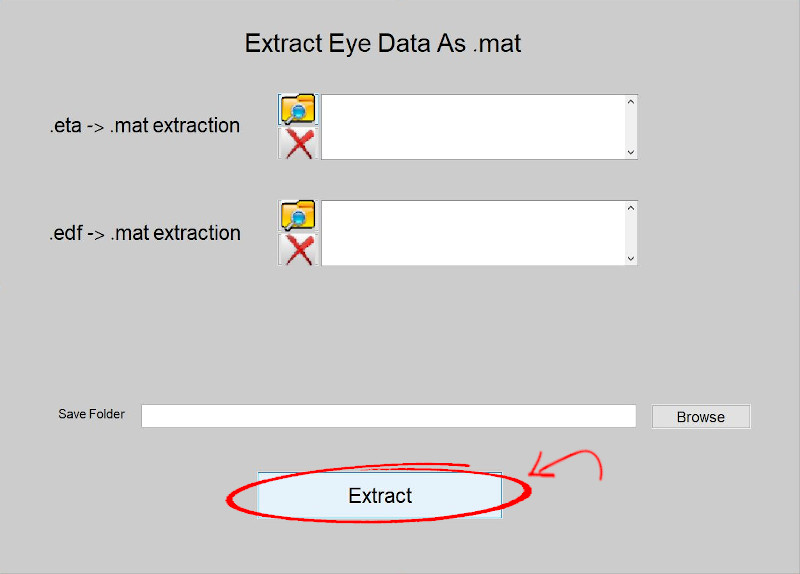
This GUI page allows the user to generate a MATLAB structure containing the raw eye-tracking data from an .EDF or an .ETA file (see ETA files) and to store it in a .mat file. This function can be useful to parse and explore a given file, particularly when debugging.
The GUI page consists of two loading panels - one for extracting the .mat file from an .ETA file (upper panel), and one for extracting the .mat file from an .EDF file (lower panel).
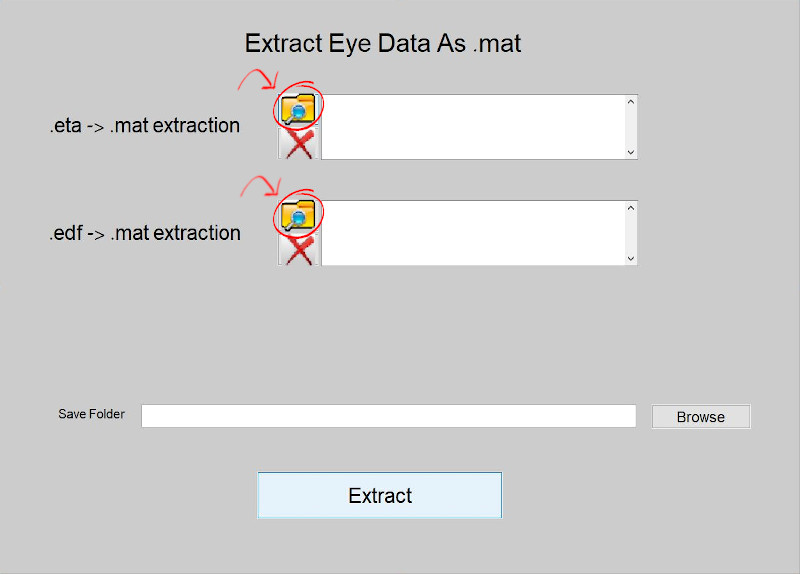
- To add files to the panel(s), press the Browse icon to the left of the relevant panel. Multiple files can be added at one time.
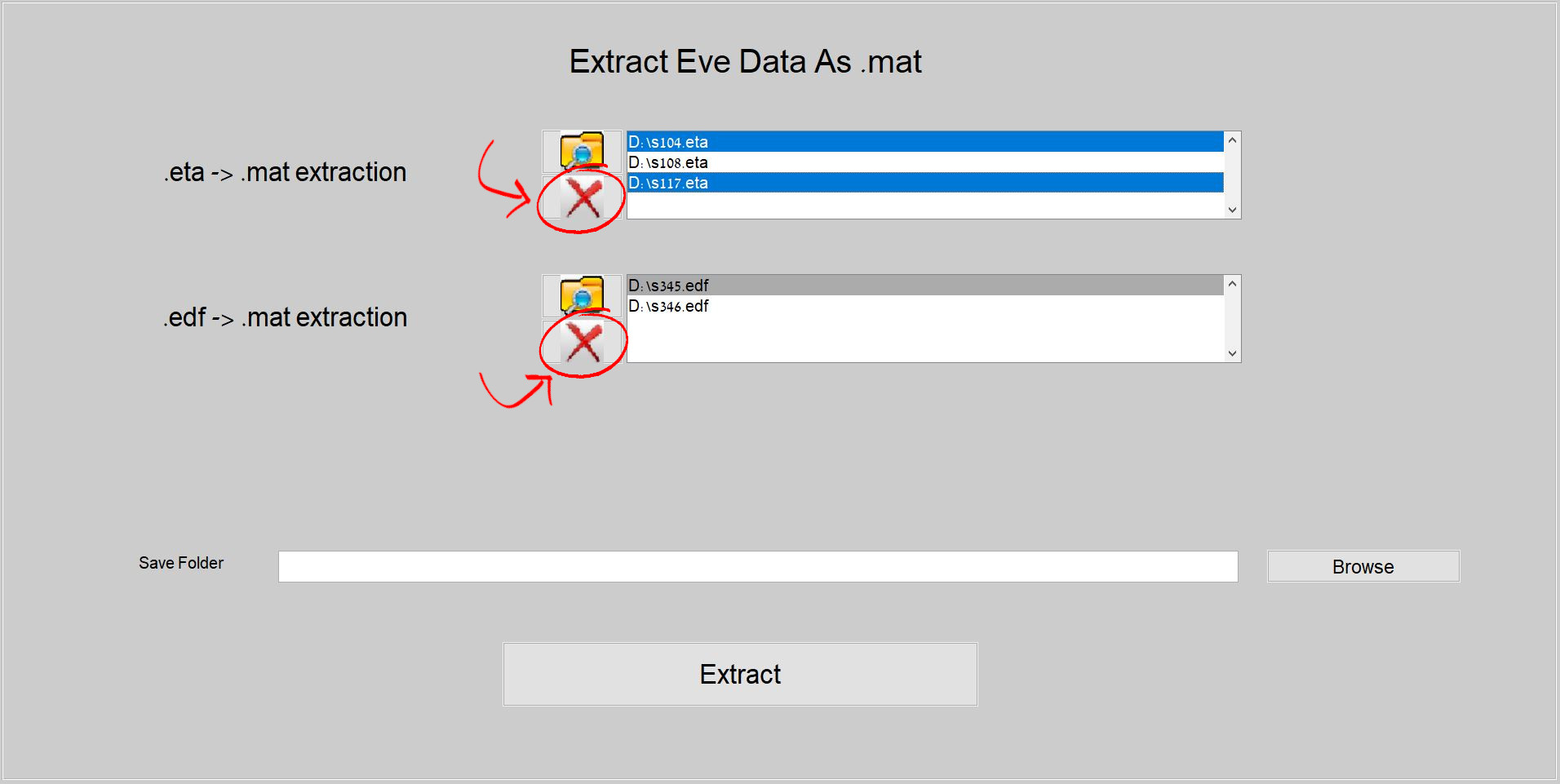
- To remove file(s) from the panel(s), select the file(s) to be removed and click on the red X icon to the left of the panel. Multiple files can be selected by holding the shift or ctrl buttons while clicking on files.
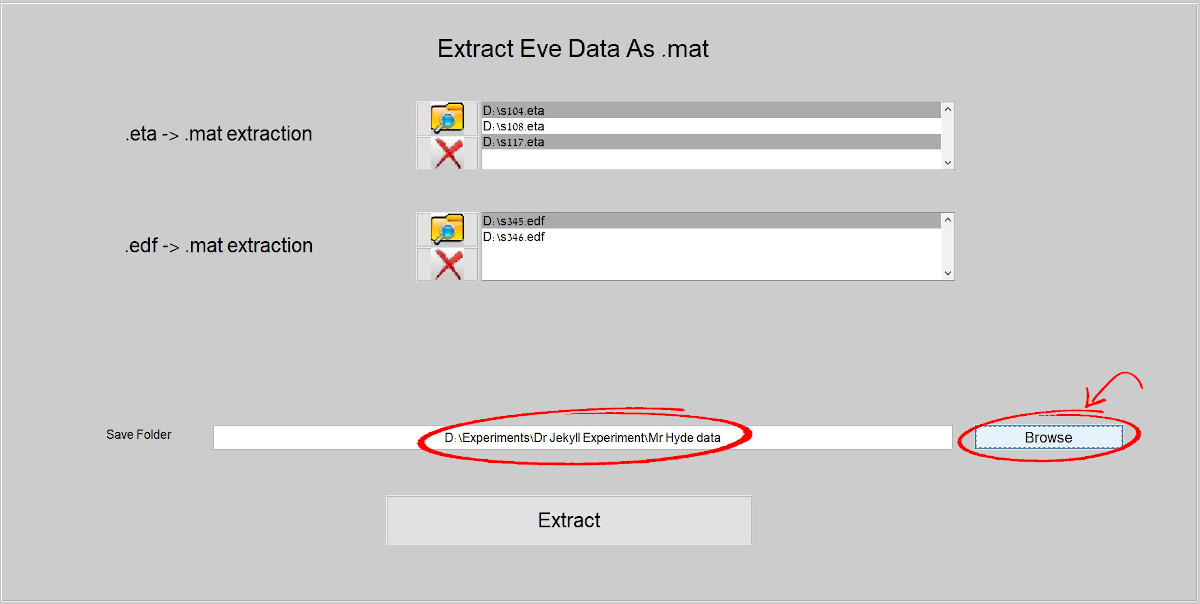
- To specify the output folder in which the .mat file should be created, press the "Browse" button and select a folder. The full path of the selected folder will appear inside the textbox to the left of the button. The file names of the created .mat files will be copied from the inputted .ETA and/or .EDF files. Notice: any existing .mat files containing the same names will be overwritten by the process.
- To initiate the .mat file extraction, click on the "Extraction" button. At least one .ETA or one .EDF file should be defined in the corresponding loading panels along with an output folder in order to click this button.