User Profile Modernized - sebiboga/testlink-upgraded GitHub Wiki
The User Profile screen (My Settings) lets the logged-in user review and edit
their personal data, change their password, manage their API interface key and
inspect their login history.
Path: Top navigation bar > user name > My Settings
URL: gui/templates/usermanagement/userInfo.html
BFF API: api/userinfo/index.php
| Card | Description |
|---|---|
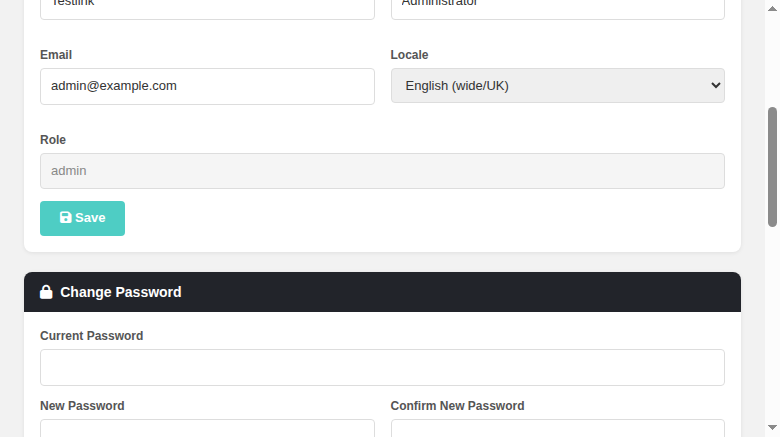
| Personal Data | GitHub account + avatar preview, Login (read-only), First name, Last name, Email, Locale, Role (read-only), and a Save button. Save hidden, replaced by a demo notice when $tlCfg->demoMode = ON (see below). |
| Change Password | Old / New / Confirm password fields and a Change Password button. Hidden, replaced by an informational note when password management is external (see below), and by the same demo notice in demo mode. |
| API Interface | Read-only display of the current API key plus a Generate New Key button. Only rendered when the XML-RPC API is enabled ($tlCfg->api->enabled = TRUE, see below). |
| Login History | Last 10 successful and failed logins (timestamp + description). Header shows a right-gated Show event history button (see below). |
When the user's authentication domain has allowPasswordManagement = false
(e.g. an LDAP domain), password changes are not managed by TestLink:
- Legacy behaviour (1.9.20,
lib/usermanagement/userInfo.php+gui/templates/dashio/usermanagement/userInfo.tpl:177-204): the Change Password form is hidden and replaced by the localized messageyour_password_is_external. - Modern behaviour (2.0.1): the same —
tlUser::isPasswordMgtExternal()is evaluated server-side and exposed asisPasswordExternalin theGET /api/userinfopayload. The front-end then hides the form and shows the note "Your password is managed by an external system." - The BFF also rejects
PUT /api/userinfo/passwordwith HTTP 403 when password management is external, so the change can never be performed even by a direct API call.
Example (external state):

The API Interface card follows the global XML-RPC API switch
$tlCfg->api->enabled in config.inc.php:
- Legacy behaviour (1.9.20,
gui/templates/dashio/usermanagement/userInfo.tpl:206): the whole API key section (key display + Generate API Key button) is wrapped in{if $tlCfg->api->enabled}...{/if}— with the API disabled nothing is shown. - Modern behaviour (2.0.1): the BFF evaluates
$tlCfg->api->enabledserver-side and exposes it asapiEnabledin theGET /api/userinfopayload. The front-end keeps the API Interface card hidden untilapiEnabledis true. - The BFF also rejects
POST /api/userinfo/apikeywith HTTP 403 ("API interface is disabled by administrator") when the API is disabled, so a key can never be generated even by a direct API call.
Example (API disabled — API Interface card is not rendered):
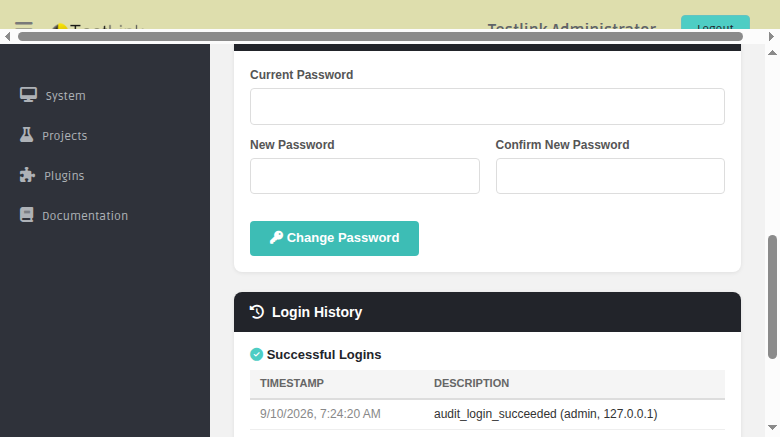
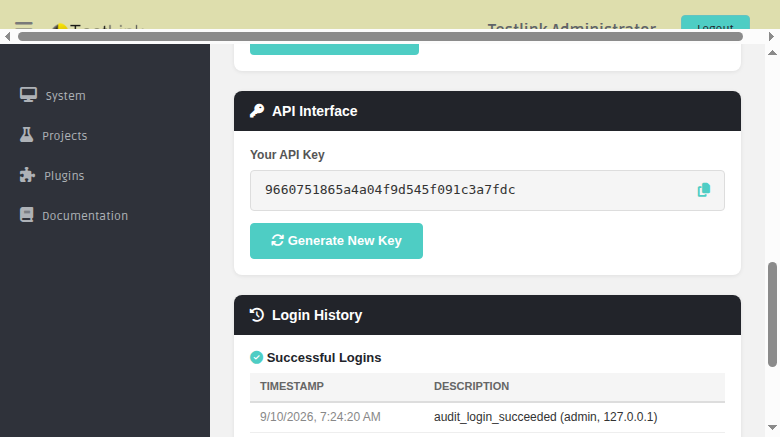
Next to the Login History heading the legacy screen
(gui/templates/dashio/usermanagement/userInfo.tpl:224-228) showed a clickable
question.gif titled show_event_history that opened the Event Viewer filtered
to the logged-in user's audit events (showEventHistoryFor(userID,'users')),
but only when the user holds the mgt_view_events right (flag computed at
lib/usermanagement/userInfo.php:90).
Modern 2.0.1 behaviour — same gate, Dashio styling:
- The BFF exposes
canViewEventsin theGET /api/userinfopayload, computed with the same project-less check as legacy:(bool)$user->hasRight($db, 'mgt_view_events'). - The Login History card header shows a "Show event history" button (teal
outline,
fa-clock-rotate-lefticon, i18nprofile.showEventHistory) rendered only whencanViewEventsis true. - Clicking it submits the hidden
#eventhistoryGET form (object_id = <userID>,object_type = users) togui/templates/eventviewer/eventviewer.html, which opens in a new tab and auto-filters tousers #<userID>.

This mirrors the pattern already used by plans/planMilestones.html (#1149),
platformsView.html, projectEdit (#991), build edit (#1123) and the milestone
screen.
When the global flag $tlCfg->demoMode = ON in config.inc.php is set, the
screen becomes read-only for the profile and password sections — exactly like
legacy 1.9.20:
- Legacy behaviour (
gui/templates/dashio/usermanagement/userInfo.tpl:165-171and:193-199): in demo mode the Save and Change Password submit buttons are not rendered at all; instead the localized labeldemo_update_user_disabled("Demo mode enabled => Update User DISABLED") is shown. The gate applies to ALL users, including admin. - Modern behaviour (2.0.1): the BFF exposes
demoModein theGET /api/userinfopayload ((bool)config_get('demoMode')). The front-end then hides the Save button and the Change Password button, disables the password inputs, and shows the localized notice "Demo version, update disabled." (i18nprofile.demoUpdateDisabled) in both cards. - Server-side enforcement:
PUT /api/userinfoandPUT /api/userinfo/passwordare rejected with HTTP 403 (messageKey: profile.demoUpdateDisabled) wheneverconfig_get('demoMode')is true — so no write can be performed even by a direct API call.

The logged-in user can store a GitHub username in their profile; the avatar of
that GitHub account is then shown in the Dashio layout. This was a net-new
capability (legacy 1.9.20 had no avatar concept at all — grep -ri avatar
returned nothing).
-
Storage (fixed, issue #1510):
users.githubvarchar(100) NULL column, mapped throughtlUser(lib/functions/tlUser.class.php:githubproperty,_clean()init,readFromDB()SELECT + assign,writeToDB()UPDATE + INSERT, NULL →''). Present in all three schema seeds (install/sql/mysql|postgres|mssql/testlink_create_tables.sql) and the 2.0.0 alter-tables migration (install/sql/alter_tables/2.0.0/{mysql,postgres}/). The handle now survives a reload. Root cause of the silence: the #905 column + mapping were gutted by8ef9694d3(#1487) while the #1507 restore re-added only the BFF branch, so$user->githubwas an unwritten dynamic property. Regression suiteRegression — Issue #1510(12/12 PASS) intmp/TLU_Test_Cases.md. -
BFF (
api/userinfo/index.php):GET /api/userinforeturnsgithub(whatever the current user carries);PUT /api/userinfoacceptsgithub(trimmed, leading@stripped server-side, length-guarded, demo-mode gate already enforced). TheavatarUrlfield was removed in bugfix #1509: thetlUser::getGithubAvatarUrl()helper it called no longer exists in the codebase (deleted fromlib/functions/tlUser.class.phpin the #1487 codebase hygiene pass), and the re-added call site madeGET /api/userinfofatal withError: Call to undefined method tlUser::getGithubAvatarUrl()(HTTP 500, empty body, on every profile read). No consumer usedavatarUrl— the front-end avatar preview buildshttps://avatars.githubusercontent.com/<login>?s=96&v=4client-side from thegithubfield (userInfo.htmlupdateAvatarPreview()).

-
Avatar URL:
https://avatars.githubusercontent.com/<login>?s=<size>&v=4— the username-based form of the URLs in the issue examples; created client-cacheable, no GitHub API call/rate-limit.getGithubAvatarUrl($size)strips a leading@, rawurlencodes the handle and returnsnullwhen unset. -
User Profile screen (
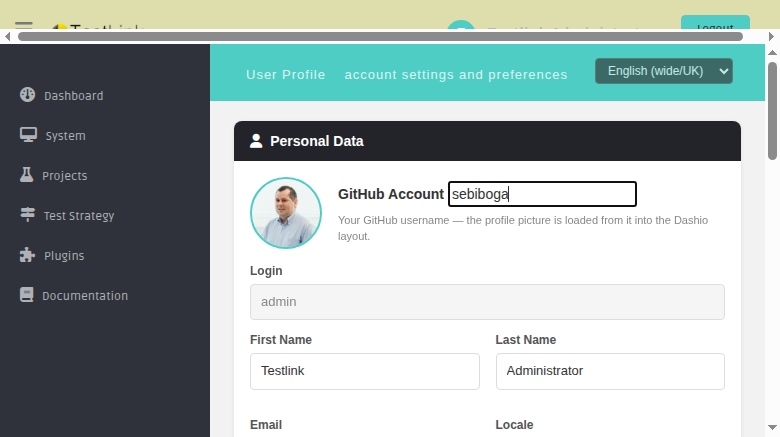
userInfo.html): the Personal Data card shows a 72px round avatar preview (updates live on input, falls back to afa-usericon) and a GitHub Account input (i18nprofile.github+profile.githubHintin all 10 bundles). -
Dashio shell (
lib/general/navBar.php→gui/templates/dashio/navBar.tpl): the identity block in the top black bar renders the GitHub avatar as a 30px round picture next to the user name; without an account it shows an initials circle (.tlWhoamiAvatarFallback). The profile save reloads thetitlebarframe so the avatar updates immediately. -
Bugfix discovered while testing:
PUT /api/userinfofatals on the undefinedtlUser::E_EMAILINVALIDconstant whenever validation rejects the email; fixed to mapE_EMAILFORMAT/E_EMAILLENGTH→ clean 400 "Invalid email address" (#1500).
Example (GitHub avatar in the Dashio navigation bar + profile preview):

| Method + path | Purpose |
|---|---|
GET /api/userinfo |
Profile payload (includes authentication, isPasswordExternal, apiEnabled, canViewEvents — the right-gated Event Viewer flag — demoMode, and github) — avatarUrl removed in #1509 (see GitHub section below) |
GET /api/userinfo/locales |
Available locales (single source of truth for all locale dropdowns) |
GET /api/userinfo/login-history |
Last 10 successful + failed logins |
PUT /api/userinfo |
Update profile (firstName, lastName, email, locale, github) — 403 in demo mode |
PUT /api/userinfo/password |
Change password (403 when password management is external or in demo mode) |
POST /api/userinfo/apikey |
Generate a new API key (403 when XML-RPC API is disabled) |