Installation Guide - sapacaFaceRecognition/Documentation GitHub Wiki
0. Prerequisites
- Java: Java 8 JRE is required
- XAMPP: XAMPP is required if you are running on Win/MacOS. If running on Linux please set up your own MySQL database on port 3306 and continue with the following steps.
1. Get the jar
Download the latest .jar-file here
2. Create a new MySQL database
- open
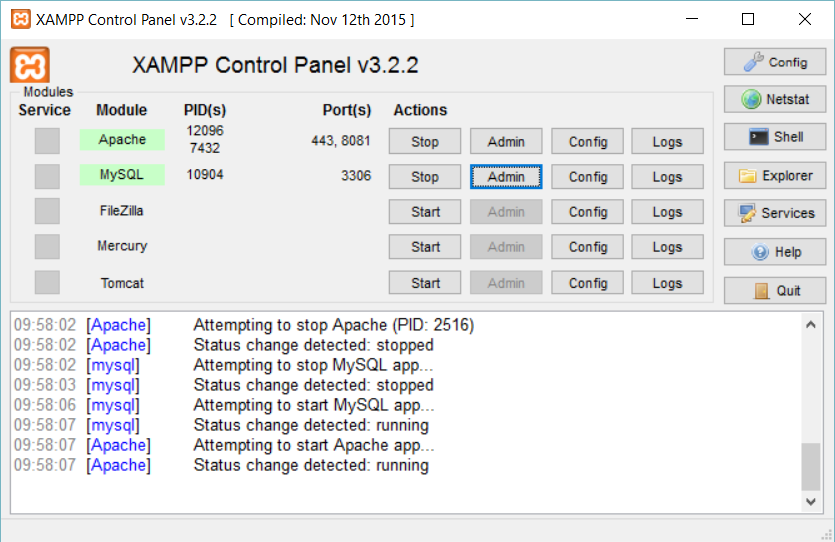
http://localhost/phpmyadmin(alternative: Click on the "Admin"-Button (phpmyadmin) in XAMPP-Control Panel, see picture below)
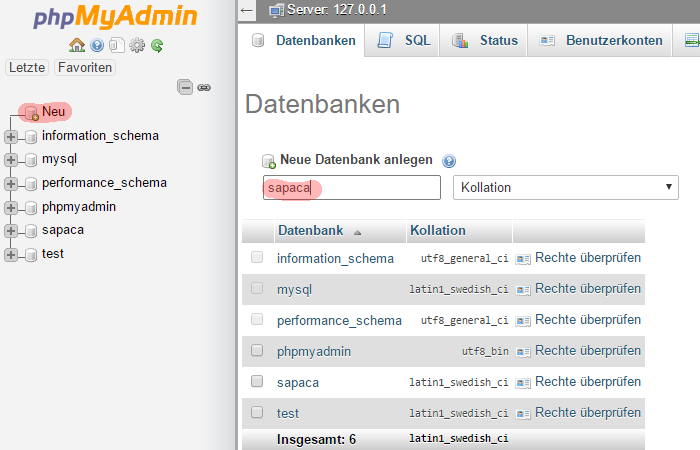
- create a new database named "sapaca" by clicking on the "new"-Button on the left navigation
3. Check User configuration
-
open
http://localhost/phpmyadmin(alternative: Click on the "Admin"-Button (phpmyadmin) in XAMPP-Control Panel, see picture below) -
Click on the "Benutzerkonten"-Tab
-
Check if there's a user with:
- Benutzername: root
- Hostname: localhost
- Password: Nein
- Globale Rechte: ALL PRIVILEGES
In the following screen the last tab shows the user described above.
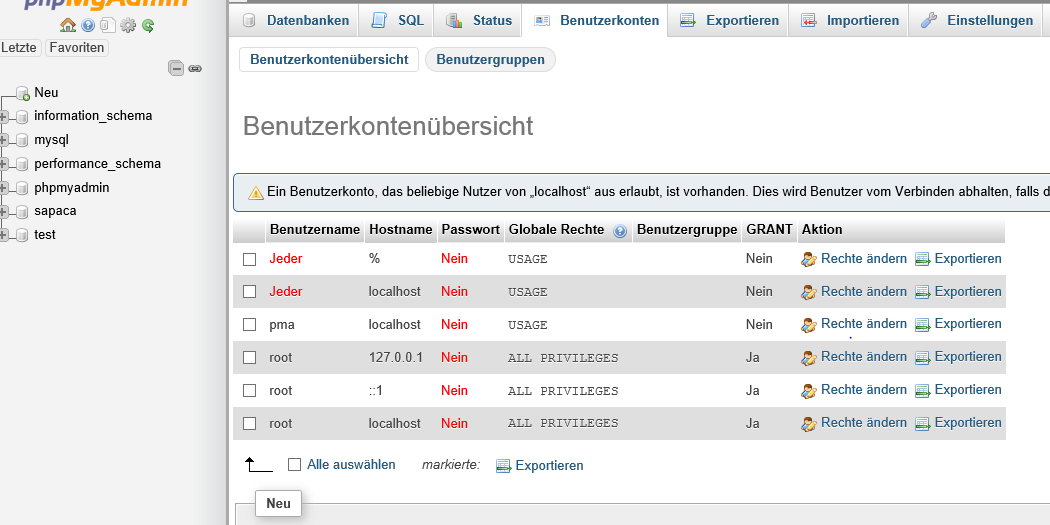
- Click on the "New" Button if this user does not appear to you and create a new user with the described information above.
4. Start Apache and MySQL
- In XAMPP click Start Apache and MySQL
5. Execute the jar file
- Open the console/terminal
- navigate to the path where the downloaded .jar file is located
- execute
java -jar sapaca-0.1.0.jar - open
http://localhost:8080/home.html(if you are using custom port settings openhttp://localhost:YOURPORTHERE/home.htmlor tryhttp://localhost/home.html
6. Problems?
Please contact caroem