Building on Windows - robante15/re3 GitHub Wiki
Quick Guide
- The easiest way to compile and run
re3is to first install Visual Studio 2015/2019/2022 or later in your machine. You need to make sure you also download the "Desktop development with C++" additional package as shown in the image below.
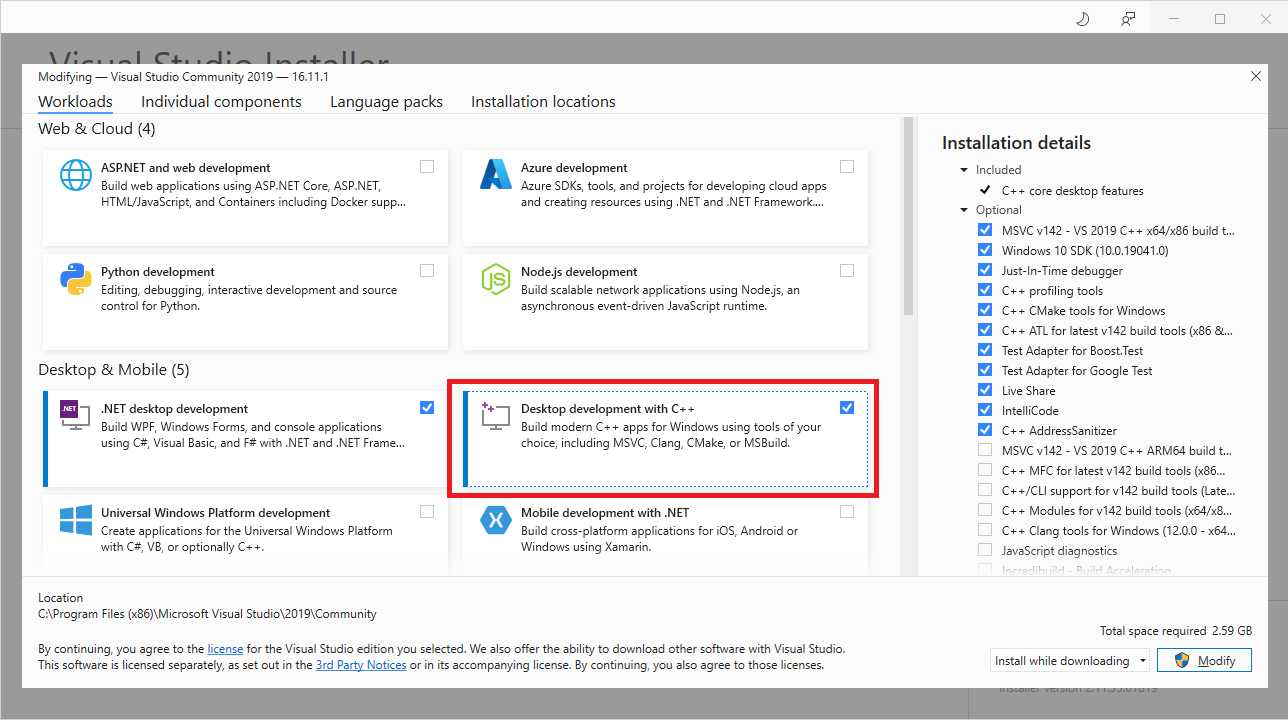
- You'll need
gitinstalled in your computer to pull the code. You can get it here. Then open Command Prompt and change directory (cd) to a path where you would like to store the code.
git clone --recursive https://github.com/robante15/re3.git
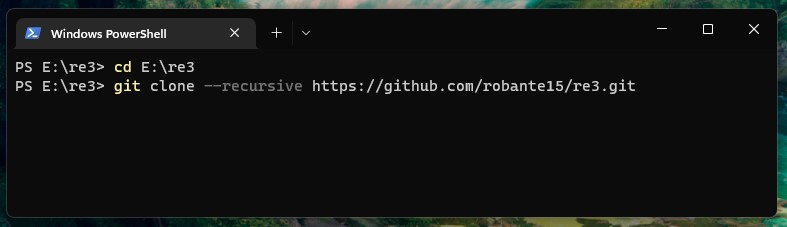
Don't forget to include the --recursive parameter. Otherwise additional dependencies won't be downloaded and the code will not compile.
- You should also use
setxto define the directory where GTA is installed in your computer. Usually it's inC:\Program Files (x86)\Steam\steamapps\common\Grand Theft Auto 3. This is necessary to copy there3executable into GTA 3 directory after each build.
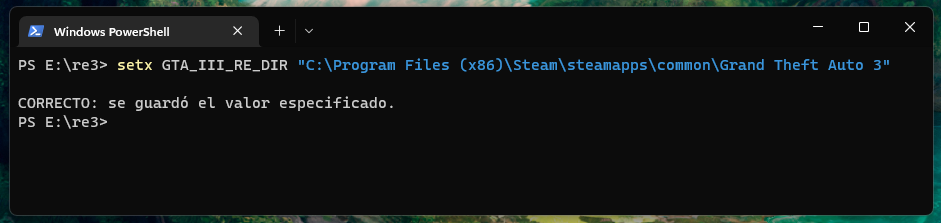
- If the clone succeed then a folder called
re3will be created. You can justcd re3or open with the File Explorer. You can click one ofpremake-vs20<XX>.cmdfiles to generate the VS solution files. In my case, as VS 2022 is installed, then it would bepremake-vs2022.cmd.
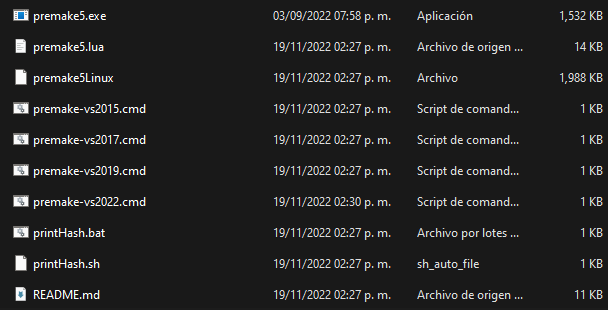
- A
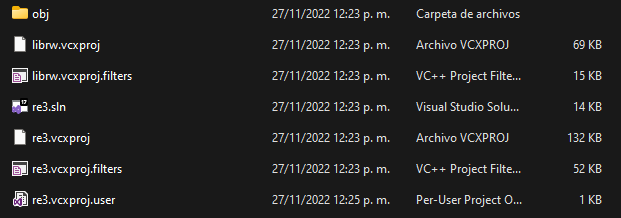
buildfolder will be created. Open it and click atre3.slnfile to open the project.
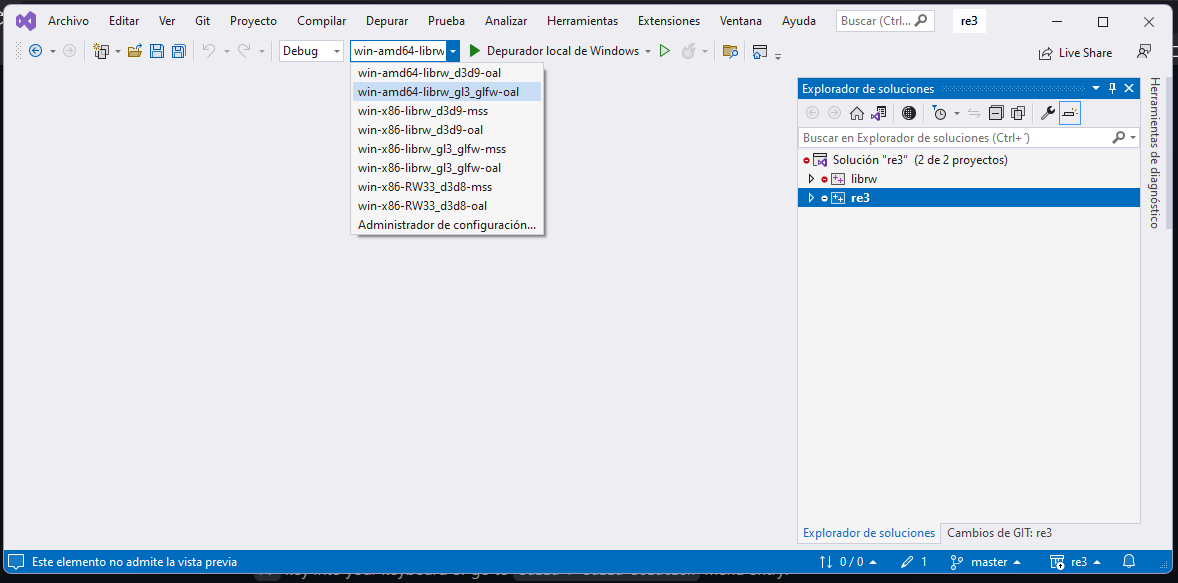
- You should see a window that looks like this. Let's choose
win-x86-librw_d3d9-oalconfiguration to get started. Either pressF7key into your keyboard or go toBuild > Build Solutionmenu entry.
-
Copy all content from
re3/gamefiles/to the game root directory -
Now you must copy some extra
DLLfiles to your GTA installation directory. Copy both ofvendor/mpg123/dist/Win32/libmpg123-0.dllandvendor/openal-soft/dist/Win32/OpenAL32.dllthere like shown in the image below.
Also note: your game directory should be as vanilla as possible. In other words, don't install any modifications (e.g. CLEO), otherwise the game may crash.
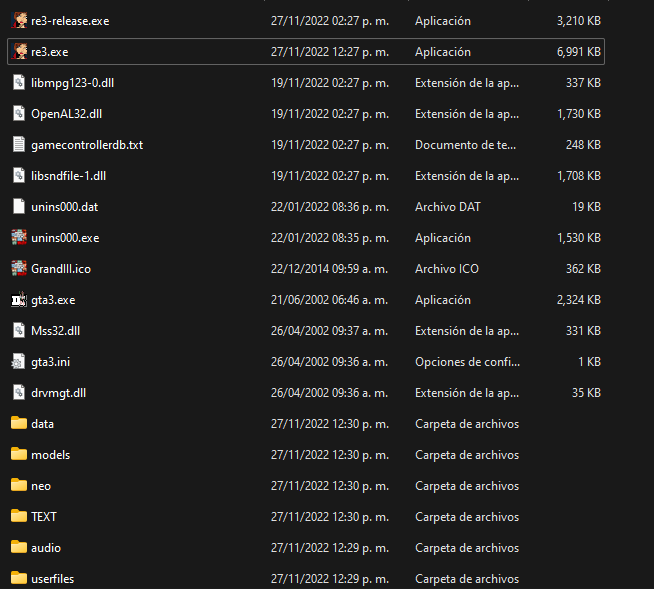
If you compile the "Debug" variant the executable will be only named re3.exe. The "Release" one will be re3-release.exe. Note that both libmpg123-0.dll and OpenAL32.dll are copied into the game folder.
Premake Options
The basic syntax to generate the build files using premake is: premake5 COMMAND [options...]. The command can be any of vs (e.g. vs2019). The options are listed below:
- with-librw: compile using the open source RW implementation by aap. This will require the dependency to be present at vendor/librw
- with-asan: build with address sanitizer
- with-lto: build with link time optimization
- glfwdir64: specify the path to GLFW 64-bit installation directory (where you unpacked the .zip file)
- glfwdir32: specify the path to GLFW 32-bit installation directory
- no-git-hash: disable generating the repository hash every build
- no-full-paths: don't print full paths into binary (windows only)
If you want to compile with GLFW, then you must specify --glfwdir<X>=PATH_TO_GLFX.
If you unpack the zip file into the vendor folder, then this won't be necessary.
You can also run premake5 --help to view a full list of options.