Console and OTA - rkubera/ArdPortal GitHub Wiki
Console, diagnostics and OTA
Documentation home · All topics · Source
Console and OTA
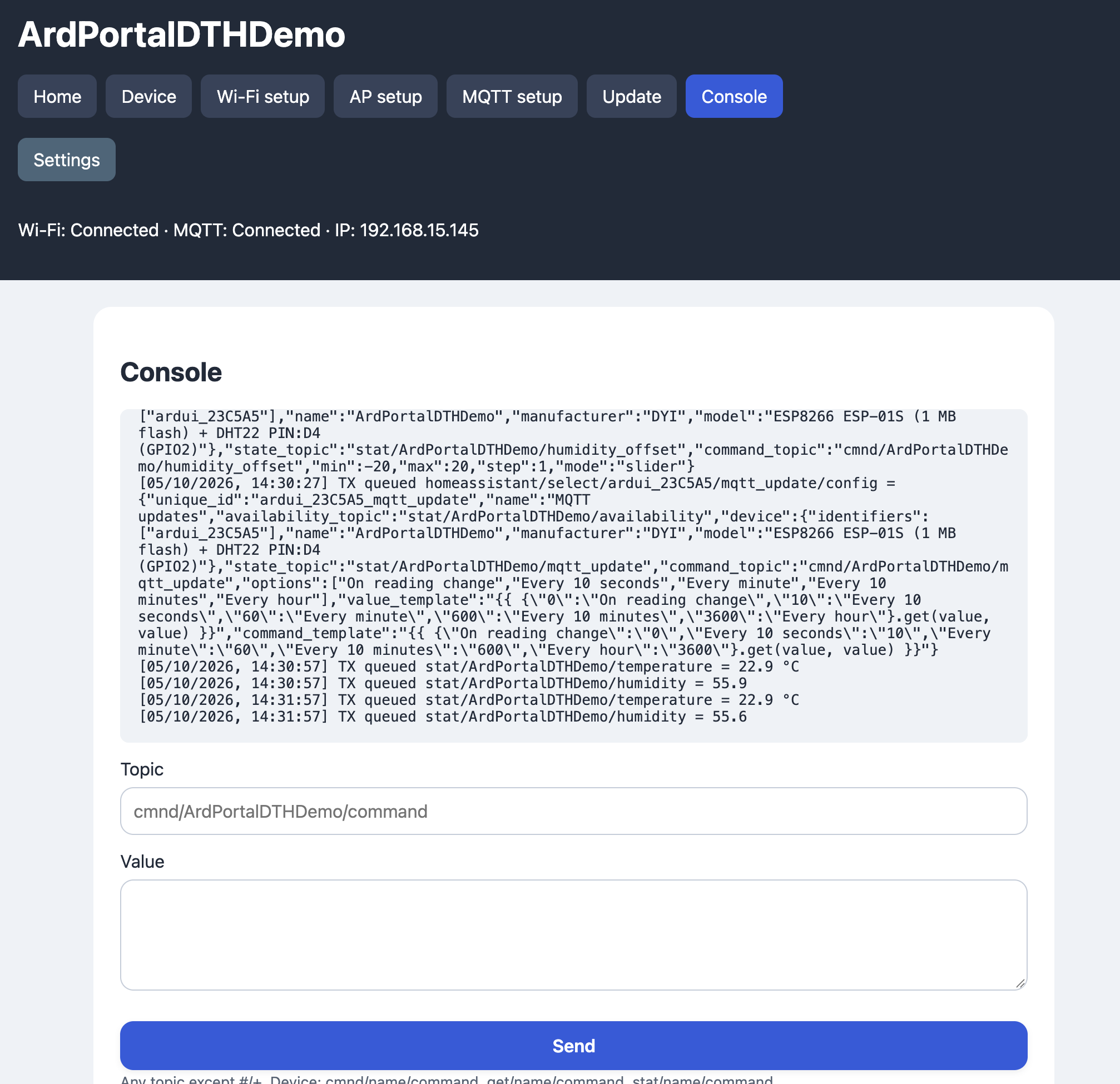
The console uses /api/console WebSocket, supports one browser console client
and retains separate MQTT and Messages histories in device RAM: up to 16 records and 4 KiB per channel (1 KiB per channel under low heap). MQTT traffic cannot evict Messages. Both channels still use the Console WebSocket; reconnect replays their retained records in chronological order.
When free heap falls below 24576 bytes (24 KiB), each channel budget shrinks to 1 KiB for the rest of
the boot. Older records are evicted; the newest MQTT text remains complete.
MQTT text is not truncated; older records are evicted when the budget is reached.
The default console tab is MQTT. To add Messages for library and
application diagnostics, enable the optional feature before including ArdPortal:
#define ARDPORTAL_ENABLE_CONSOLE_MESSAGES 1
#include <ArdPortal.h>
Use the same feature settings in every sketch source file that includes ArdPortal.
The feature defaults to 0 and is disabled when Console is disabled. The initial Console connection
starts with the error banner hidden; changing the language during the handshake
does not mark an in-progress connection as failed. Dynamic forms use /api/events for live value updates without console log
traffic. Each endpoint has its own browser WebSocket connection, receive/transmit
buffers and heartbeat state. One console client and one events client can connect
simultaneously; closing or reconnecting either leaves the other connected. On ESP8266, the plaintext MQTT TCP connection receives higher lwIP priority so transient portal connections cannot reclaim its slot when the TCP connection pool is full.
Status heartbeats run every ten seconds; the browser reconnects after a stalled
connection and fetches current values again. The browser retains up to 200
records per tab. The MQTT view remains visible while disconnected; publishing
is disabled until both WebSocket and broker connections are available.
The console publisher permits any valid MQTT publishing topic, including topics
outside the device namespace, subject to broker permissions and packet limits.
Received device topics and their values appear in the MQTT log.
With Messages enabled, library diagnostics include Wi-Fi connection attempts,
success, disconnects and timeouts, AP start/failure/stop, and changes in the
number of connected AP clients. Client counts are sampled in loop(); changes
that cancel each other between samples cannot be distinguished.
MQTT payload traffic appears only in the MQTT tab, not in Messages. MQTT diagnostics include connection attempts (broker, port, client ID and TLS), success and connection duration, broker refusal codes, and disconnect reasons with session duration, transmit idle time, maximum loop gap and free heap. No passwords are logged. When the feature is disabled, diagnostic records are neither stored nor transmitted, and AP diagnostic sampling is omitted.
Library diagnostic records are transmitted to Messages. Developers can use
portal.logMessage(message) or the equivalent portal.log(message) instead of
Serial.println() for their own diagnostic lines:
portal.logMessage("Sensor initialized");
portal.logMessage(String("Free heap: ") + ESP.getFreeHeap());
portal.log(String("Temperature: ") + temperature);
These methods do not publish to MQTT or write to Serial. They work without a
broker connection and become no-ops when ARDPORTAL_ENABLE_CONSOLE_MESSAGES=0. Diagnostic
text is limited to 320 bytes per record; both tabs share the bounded device
history described above. Serial output is not automatically captured. Log timestamps use uptime milliseconds before NTP and
date/time afterward. Existing log text keeps the language in which it was emitted.
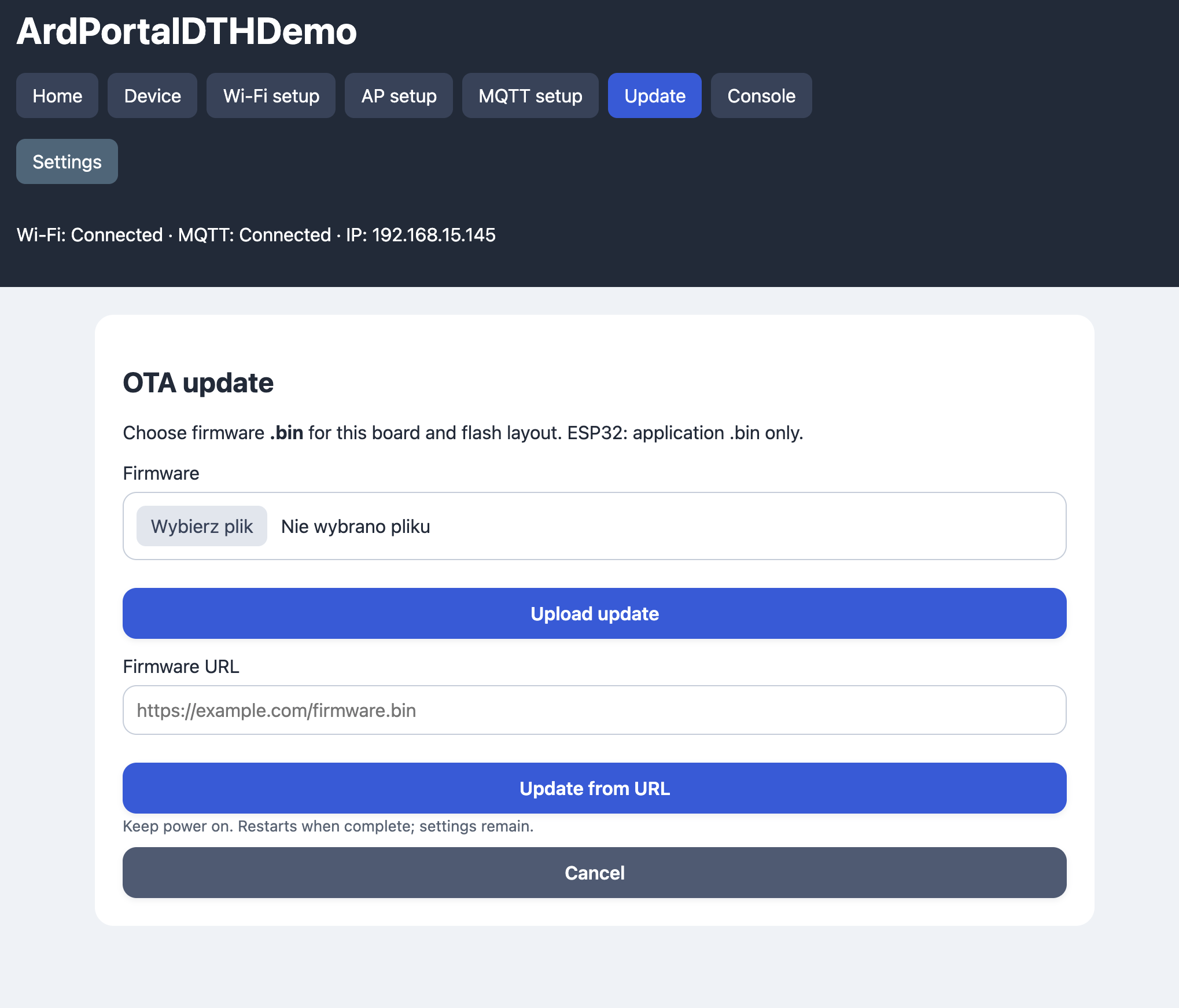
OTA accepts a raw .bin compiled for the same board and partition layout.
On ESP8266 it also accepts a gzip-compressed .bin.gz, both from the file picker
and the firmware URL. Compress the complete firmware binary, for example:
gzip -9 -c firmware.bin > firmware.bin.gz
The ESP8266 core writes the compressed upload to the OTA staging area and its
eboot bootloader decompresses it during restart. ArdPortal does not decompress
it in RAM. The compressed upload must fit ESP.getFreeSketchSpace(); the
uncompressed image must fit the device's application area and preserve its flash
layout. Compression can make OTA possible with less free flash, but does not
reduce the installed firmware size. Use a valid gzip file containing one complete
firmware image. ArdPortal checks the gzip signature, compression method and
reserved header flags; it does not fully decompress/validate its payload before
restart. ESP8266 core/eboot with gzip support is required (including core 3.1.2).
First install compatible firmware/bootloader through the serial port if upgrading
from a legacy core. ESP32 gzip uploads are rejected.
On ESP32, use the application image, not a merged image or filesystem image.
The upload is streamed, verified by the core's Update implementation, and only
a successful completed image schedules a restart. Interrupted/invalid uploads
are aborted without rebooting. Application OTA preserves the selected storage partition. There must be
sufficient OTA space; initial installation still uses a cable.
The Update page also accepts an HTTP/HTTPS firmware URL. The browser downloads
it without credentials, then uploads the image to the device. The firmware
server must allow CORS from the portal origin, and the browser must be able to
reach it; an AP-only client may need another Internet connection or a local
server. Browser mixed-content restrictions still apply. Successful file/URL
updates show the 60-second restart progress overlay and redirect to Start.
Download failure does not start flashing. This is a browser workflow, not a
public device-side updateFromUrl() method.
The HTTP server supports one client at a time, bounded read/write chunks, Content-Length and connection-close responses. It does not support chunked encoding or HTTP keep-alive. Header limit: 1536 bytes; form limit: 14336 bytes; regular request timeout: 5 seconds, storage response: 30 seconds, OTA inactivity: 15 seconds. WebSocket frames must be masked and unfragmented. Console payloads are limited to 1024 bytes; the events connection has a 136-byte receive buffer for control frames and does not accept application commands.
Before a manual restart or successful OTA restart, register a cleanup callback:
portal.onBeforeRestart([&](ArdPortal::RestartReason reason) {
  // Queue application data; ArdPortal waits for the storage result after return.
  portal.setAppConfigValue("uptimeAtRestartMs", millis());
  // Put outputs in their safe state, stop peripherals or flush a UART.
  digitalWrite(RELAY_PIN, LOW);
  Serial.flush();
});
RestartReason identifies the triggering operation: Portal (Restart button),
FirmwareUpdate (successful .bin or ESP8266 .bin.gz OTA).
Factory reset and storage formatting skip this callback, so application cleanup cannot repopulate
the freshly reset configuration. The callback runs once from portal.loop(), after the HTTP response connection
has closed, the restart delay has elapsed and earlier storage operations have
completed. During the callback, setAppConfigValue() and removeAppConfigValue()
may queue application data despite the pending restart. Portal/network settings
remain blocked. After the callback returns, ArdPortal forces the configuration
save without debounce and continues servicing its storage in later loop()
passes. ESP.restart() runs only after storage finishes and onPortalAndAppConfigSaved()
has reported completion. If a configuration write fails, onPortalAndAppConfigSaved(false, error) and
portalAndAppConfigError() report the failure; restart proceeds after the failed transaction
has finished. An unsuccessful OTA/reset/format does
not invoke the callback. Factory reset and storage formatting still skip it.
Do not wait for an asynchronous save inside the callback: queue it and return.
Reentrant portal.loop() calls from the callback are ignored. This mechanism
waits for ArdPortal's own storage; a separate application-owned ArdFS instance
needs its own completion handling and is not automatically serviced by ArdPortal.
Direct application calls to ESP.restart(), watchdog resets, exceptions and power
loss do not pass through this callback. Clear it with portal.onBeforeRestart(nullptr).