Home - rkubera/ArdPortal GitHub Wiki
Documentation home · All topics · Source
A Wi-Fi and MQTT configuration portal for Wi-Fi equipped ESP8266 and ESP32 boards, with storage and JSON implementations written in this project. The library requires only the board’s Arduino core; no ESPAsyncTCP, AsyncTCP, ESPAsyncWebServer or external MQTT library is required.
This wiki is the developer and user reference for ArdPortal, ArdFS and ArdJSON. It covers Wi-Fi equipped ESP8266 and ESP32 boards and the current 0.7.7 API. Documentation reviewed on 10 October 2026. Features awaiting the next source release are marked explicitly.
| Topic | What you will find |
|---|---|
| Overview | Architecture, main features and hardware responsibilities |
| Getting started | Installation, first boot, a minimal sketch and examples |
| All defines | Every supported compile-time flag, defaults and dependencies |
| Portal API | Methods, callbacks, configuration fields, options and lifecycle |
| FS API | ArdFS operations, results, streaming writes and recovery |
| JSON API | Types, checked access, parsing, serialization and object patches |
| All controls | All 30 field types, their values, options and commands |
| Dynamic pages | JSON schemas, registration, limits, flash sources and HTTP loading |
| Dependent fields | Single conditions, AND/OR, page conditions and cascades |
| Home Assistant | Discovery, mapping, availability, state and HA-only entities |
| MQTT messages | Topic construction, payload examples, retain and custom commands |
| Wi-Fi and device identity | Station/AP operation and normalized names |
| Console and OTA | Messages, WebSockets, firmware uploads and restart handling |
| Memory and limits | Actual heap pools, reserves, limits and allocation failure |
| Languages | Translation catalogs and localized field labels |
| Troubleshooting | Registration, memory, networking, HA and persistence failures |
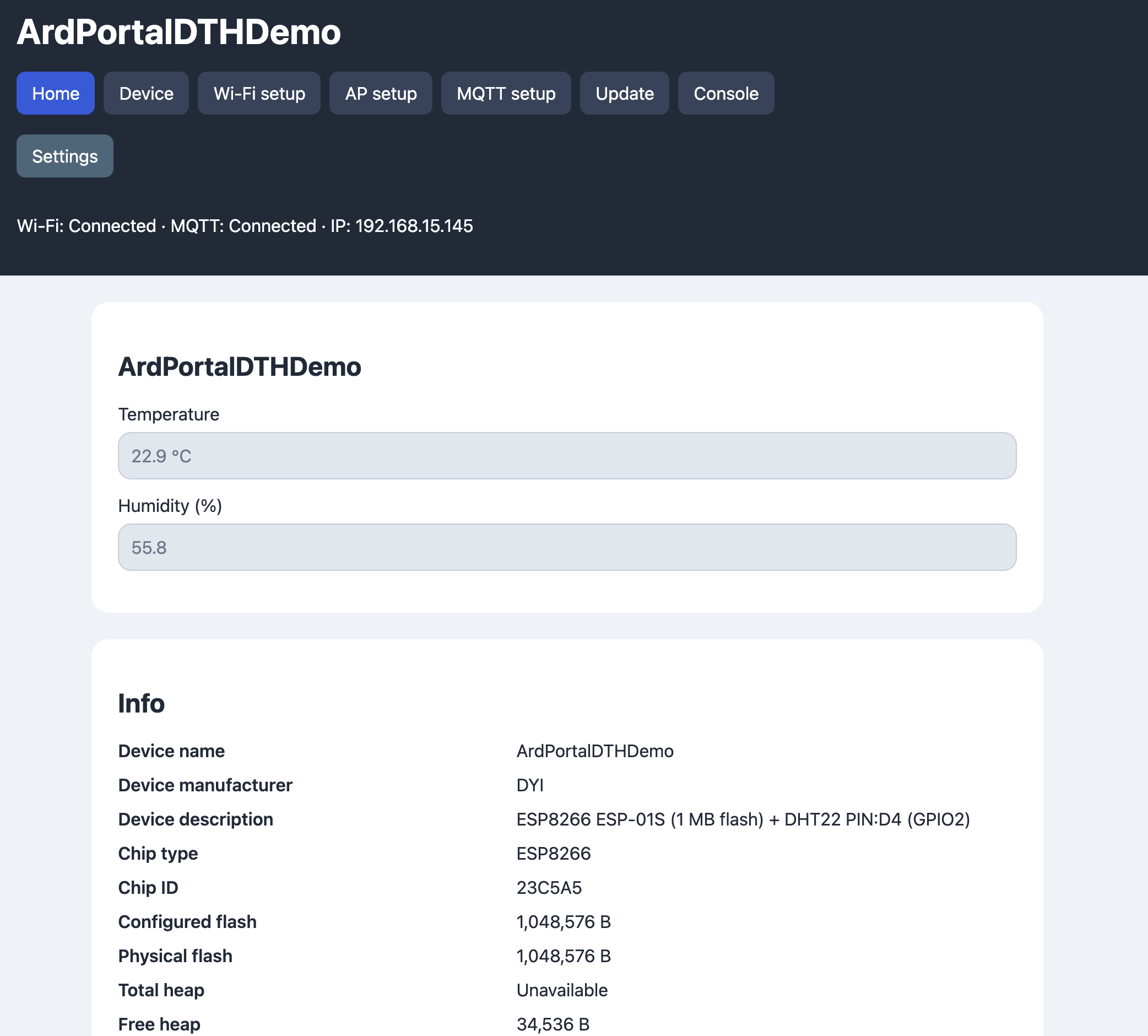
| Screenshots | Eight annotated views of the DHT example portal |
First upload the BasicPortal example: in Arduino IDE open File → Examples → ArdPortal → BasicPortal, select your ESP board and flash/partition layout, then upload it over USB/serial. The sketch is examples/BasicPortal/BasicPortal.ino. The library alone does not start a portal until a sketch using it has been uploaded.
Connect to ArdUI-<chip ID> with the default AP password 1234567890 and open
http://192.168.4.1/. Call portal.loop() frequently to advance startup, storage
and network work. The library requires the ESP Arduino core; only examples with
external sensors require their sensor libraries.