RH850‐U2C‐292PIN Sample and Demo hardware configuration - renesas/zephyr GitHub Wiki
Followings are hardware connection and test samples for Y-RH850-U2C-292PIN-PB-T1-V1, for more detail on how to setup hardware connection, please visit RH850/U2C 292pin User's Manual: Piggyback Board .
- Table of contents
- Option Byte Configuration
- Default UART Connection
- Flash Command
- UART Sample
- GPIO Sample
- Ethernet Sample
- ADC Samples and Tests
Before flashing the RH850/X2x devices, verify that the OPBT3[0:1] settings are configured as follows:
- STMSEL0 = 0
- STMSEL1 = 0
| HW | Configurations | Remark |
|---|---|---|
| UART0_TX (P04_1) | CN14_5 | connect to USB-TTL module RX pin |
| UART0_RX (P04_2) | CN14_7 | connect to USB-TTL module TX pin |
The UART port can be accessed by connecting a USB-to-TTL converter to the UART0 TX and RX pins.
-
Before using the flash command, follow this guide to install the Renesas Flash Programmer (RFP) Host Tools.
-
Then, use the following command to flash the code to the board:
west flash -- --tool-opt="-auth id FFFFFFFFFFFFFFFFFFFFFFFFFFFFFFFFFFFFFFFFFFFFFFFFFFFFFFFFFFFFFFFF -osc 20"
-
echo_bot (samples/drivers/uart/echo_bot):
- Hardware configuration: refer to default UART connection.
- Build command:
west build -p always -b pb_rh850u2c_292pin/r7f702600afabb-c samples/drivers/uart/echo_bot
-
zTest uart_basic_api (tests/drivers/uart/uart_basic_api):
- Hardware configuration: refer to default UART connection.
- Build command:
west build -p always -b pb_rh850u2c_292pin/r7f702600afabb-c tests/drivers/uart/uart_basic_api
-
Blinky (samples/basic/blinky): Simple LED blinky
-
Hardware configuration:
LED Signal Jumper Configuration LED10 CN11 Jumper on pins 1-2 -
Build command:
$ west build -p always -b pb_rh850u2c_292pin/r7f702600afabb-c samples/basic/blinky
-
-
zTest gpio_api_1pin (tests/drivers/gpio/gpio_api_1pin):
- Hardware configuration: No additional connection
- Build command:
west build -p always -b pb_rh850u2c_292pin/r7f702600afabb-c tests/drivers/gpio/gpio_api_1pin
-
zTest gpio_basic_api (tests/drivers/gpio/gpio_basic_api):
-
Hardware configuration:
HW Board Pin Configurations P02_4 CN14_36 Connect to P02_5 (CN14_37) -
Build command:
west build -p always -b pb_rh850u2c_292pin/r7f702600afabb-c tests/drivers/gpio/gpio_basic_api
-
- RH850 Common Main board
- Ethernet Extension Board for 10BASE-T1S
- Renesas Y-RH850-U2C-292PIN-PB-T1-V1 (r7f702600afabb)
- Ethernet T1S interface connected to ETNF0 peripheral
| Signal | Port Pin | Alternate Function | Description |
|---|---|---|---|
| ETNF0 pin | PORT_20 pin 4 | ALT_OUT3 | Ethernet T1S signal |
| ETNF0 pin | PORT_20 pin 11 | ALT_OUT3 | Ethernet T1S signal |
| ETNF0 pin | PORT_22 pin 2 | ALT_OUT2 | Ethernet T1S signal |
| ETNF0 pin (direct) | PORT_20 pin 3 | ALT_OUT3 | Ethernet T1S signal |
| ETNF0 pin (direct) | PORT_20 pin 13 | ALT_OUT4 | Ethernet T1S signal |
| ETNF0 pin (direct) | PORT_21 pin 0 | ALT_OUT2 | Ethernet T1S signall |
Defined in pb_rh850u2c_292pin_r7f702600afabb-pinctrl.dtsi:
etnf0_default: etnf0_default {
    group1 {
        psels = <RH850_PSEL(PORT_20, 4, ALT_OUT3)>,
                <RH850_PSEL(PORT_20, 11, ALT_OUT3)>,
                <RH850_PSEL(PORT_22, 2, ALT_OUT2)>;
        drive-strength = "high";
    };
    group2 {
        psels = <RH850_PSEL(PORT_20, 3, ALT_OUT3)>,
                <RH850_PSEL(PORT_20, 13, ALT_OUT4)>,
                <RH850_PSEL(PORT_21, 0, ALT_OUT2)>;
        drive-strength = "high";
        renesas,direct-control;
    };
};
| Parameter | Value |
|---|---|
| PHY Type | CT25205 (T1S PHY) |
| PHY Address | 31 |
| Flow Control | Disabled |
| Network Speed | 10 Mbps |
| Config Symbol | Default | Range | Description |
|---|---|---|---|
CONFIG_ETH_RENESAS_RH850_ETNF |
y (auto) | — | Enable Renesas RH850 Ethernet T1S (10BASE-T1S) MAC driver |
CONFIG_ETH_RENESAS_RH850_ETNF_RX_THREAD_STACK_SIZE |
1500 | — | RX processing thread stack size (bytes) |
CONFIG_ETH_RENESAS_RH850_ETNF_RX_THREAD_PRIORITY |
2 | — | RX thread cooperative priority |
CONFIG_ETH_RENESAS_RH850_ETNF_MAX_BROADCAST_PKTS |
0 | 0–65535 | Maximum continuous broadcast frames before filtering |
The ETNF0 peripheral node in r7f7026xx.dtsi:
/* ETNF0 MAC node */
etnf0: ethernet@ff1d0000 {
    compatible = "renesas,rh850-ethernet-etnf";
    reg = <0xff1d0000 0x77c>;
    interrupts = <536 0>;
    interrupt-parent = <&intc2>;
    phy-connection-type = "internal";
    mdio-interface = "shared";
    pma-filtered;
    status = "disabled";

    ct25205: phy {
        compatible = "renesas,ct25205-phy";
        phy-lsi-addr = <31>;
        plca-enable;
        plca-node-id = <0>;
        plca-node-count = <8>;
        plca-burst-count = <0>;
        plca-burst-timer = <128>;
        plca-to-timer = <32>;
        status = "okay";
    };
};
Enabled in pb_rh850u2c_292pin_r7f702600afabb.dts:
&etnf0 {
    pinctrl-0 = <&etnf0_default>;
    pinctrl-names = "default";
    status = "okay";
};
Zephyr's POSIX socket layer (CONFIG_POSIX_API) is not supported with the IAR toolchain on RH850/U2C. The following components are therefore skipped on this platform:
| Category | Affected Component | Status |
|---|---|---|
| Zephyr net/sockets samples | All of samples/net/sockets/* (including http_get, http_client, echo_server, etc.) |
Skipped — cannot build with IAR |
| Third-party POSIX libraries | Paho MQTT C client (samples/net/mqtt_sn_publisher) and any library depending on POSIX socket headers |
Skipped — cannot build with IAR |
| SNTP |
samples/net/sntp (Zephyr version dependent) |
Skipped — may not build with IAR |
| Socket API | Customer code using socket(), recv(), send(), close(), poll(), select(), fcntl()
|
Not portable — requires Zephyr native BSD socket API |
| Linux/POSIX code ports | Customer code ported from Linux or other POSIX environments | Requires porting effort to Zephyr native socket API |
Samples validated with IAR on RH850/U2C:
samples/net/zperfsamples/net/dhcpv4_client
The zperf sample is an Ethernet network benchmark tool that measures upload and download throughput using TCP or UDP. It relies on DHCPv4 to obtain an IP address automatically.
Board-specific files added:
samples/net/zperf/boards/pb_rh850u2c_292pin_r7f702600afabb.conf
Build command:
west build -p always -b pb_rh850u2c_292pin/r7f702600afabb samples/net/zperfBoard config (pb_rh850u2c_292pin_r7f702600afabb.conf):
CONFIG_NET_DHCPV4=y
CONFIG_NET_IPV6=n
CONFIG_NET_CONFIG_MY_IPV4_ADDR=""
CONFIG_NET_CONFIG_PEER_IPV4_ADDR=""
CONFIG_NET_PKT_RX_COUNT=10
CONFIG_NET_PKT_TX_COUNT=10
CONFIG_NET_BUF_RX_COUNT=30
CONFIG_NET_BUF_TX_COUNT=30
CONFIG_NET_BUF_DATA_SIZE=512
CONFIG_POSIX_API=n
After boot, the board acquires an IP via DHCPv4 and the Zephyr shell becomes available. The boot sequence observed:
[00:00:00.000,000] <inf> eth_renesas_etnf: ETNF0 10BASE-T1S driver initialized
[00:00:00.026,000] <inf> phy_renesas_ct25205: PHY CT25205 Initialized
*** Booting Zephyr OS build v4.3.0-2T58-gdb608d403e81 ***
[00:00:00.026,000] <inf> net_config: Initializing network
[00:00:00.026,000] <inf> net_config: Waiting interface 1 (0xfe003d70) to be up...
[00:00:00.527,000] <inf> eth_renesas_etnf: Link UP — 10BASE-T1S half-duplex 10 Mbps
[00:00:00.527,000] <inf> net_config: Interface 1 (0xfe003d70) coming up
[00:00:00.528,000] <inf> net_config: Running dhcpv4 client...
[00:00:06.540,000] <inf> net_dhcpv4: Received: 192.168.10.11
[00:00:06.540,000] <inf> net_config: IPv4 address: 192.168.10.11
[00:00:06.540,000] <inf> net_config: Lease time: 43200 seconds
[00:00:06.540,000] <inf> net_config: Subnet: 255.255.255.0
[00:00:06.540,000] <inf> net_config: Router: 192.168.10.1
Run zperf commands from the shell:
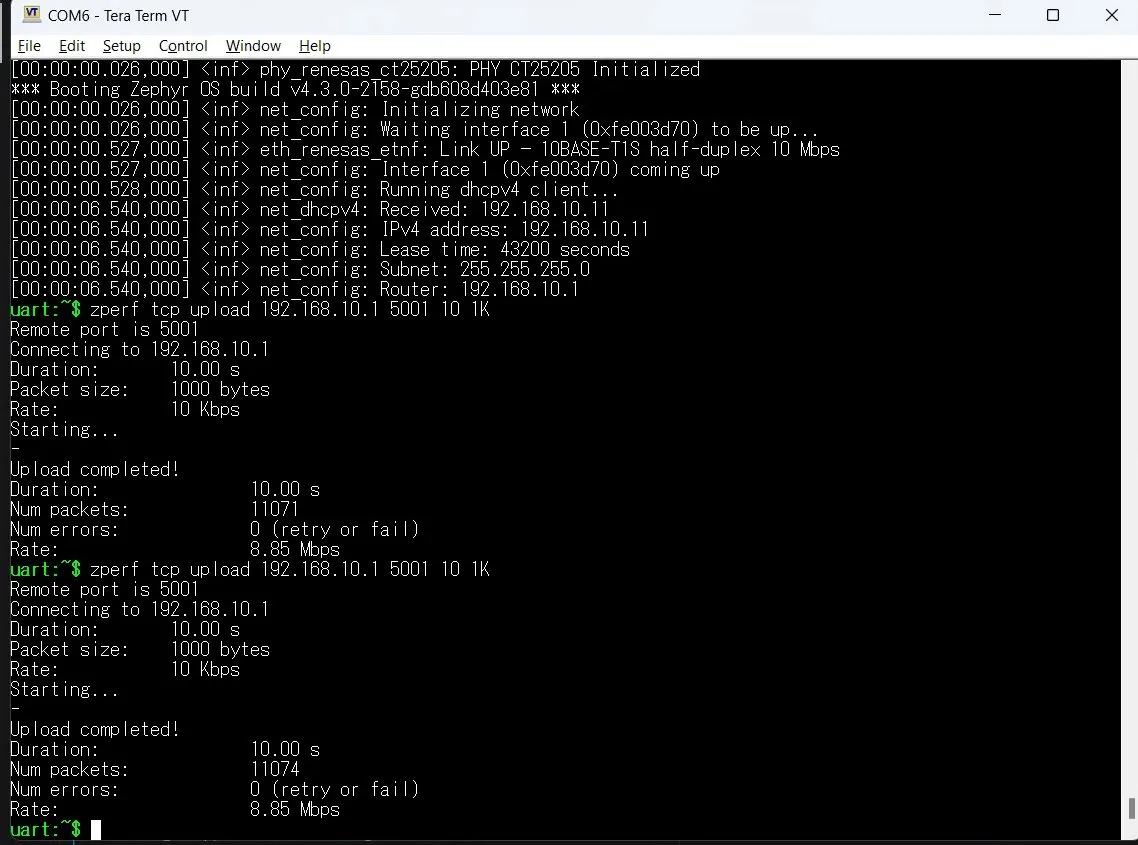
TCP Upload — zperf tcp upload <server_ip> <port> <duration_s> <packet_size>:
uart:~$ zperf tcp upload 192.168.10.1 5001 10 1K
Remote port is 5001
Connecting to 192.168.10.1
Duration:     10.00 s
Packet size:  1000 bytes
Rate:         10 Kbps
Starting...
-
Upload completed!
Duration:      10.00 s
Num packets:   11071
Num errors:    0 (retry or fail)
Rate:          8.85 Mbps
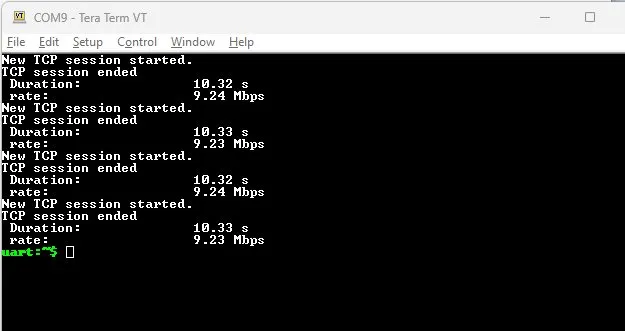
TCP Download — zperf tcp download <port> <server_ip>:
# Zephyr
uart:~$ zperf tcp download 5001 192.168.10.11
New TCP session started.
TCP session ended
  Duration:   10.32 s
  rate:       9.24 Mbps
New TCP session started.
TCP session ended
  Duration:   10.33 s
  rate:       9.23 Mbps
New TCP session started.
TCP session ended
  Duration:   10.32 s
  rate:       9.24 Mbps
New TCP session started.
TCP session ended
  Duration:   10.33 s
  rate:       9.23 Mbps
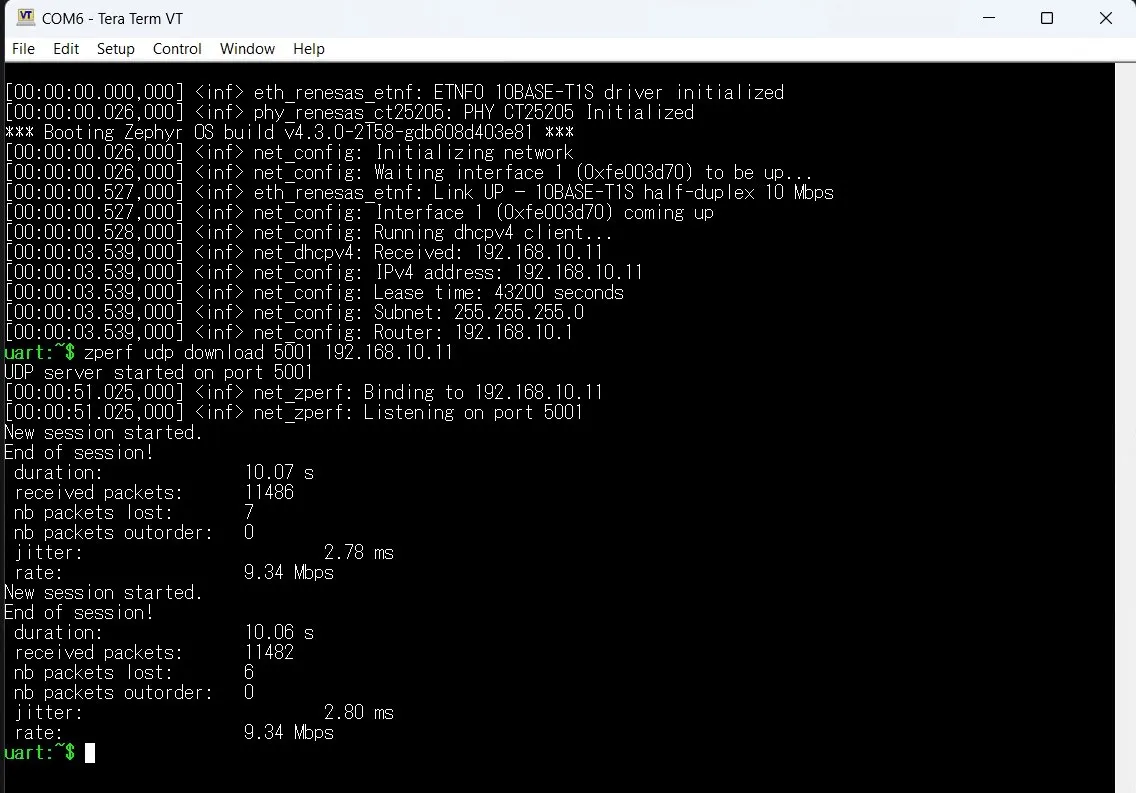
UDP Download — zperf udp download <port> <server_ip>:
uart:~$ zperf udp download 5001 192.168.10.11
UDP server started on port 5001
[00:00:51.025,000] <inf> net_zperf: Binding to 192.168.10.11
[00:00:51.025,000] <inf> net_zperf: Listening on port 5001
New session started.
End of session!
 duration:            10.07 s
 received packets:    11486
 nb packets lost:     7
 nb packets outorder: 0
 jitter:              2.78 ms
 rate:                9.34 Mbps
New session started.
End of session!
 duration:            10.06 s
 received packets:    11482
 nb packets lost:     6
 nb packets outorder: 0
 jitter:              2.80 ms
 rate:                9.34 Mbps
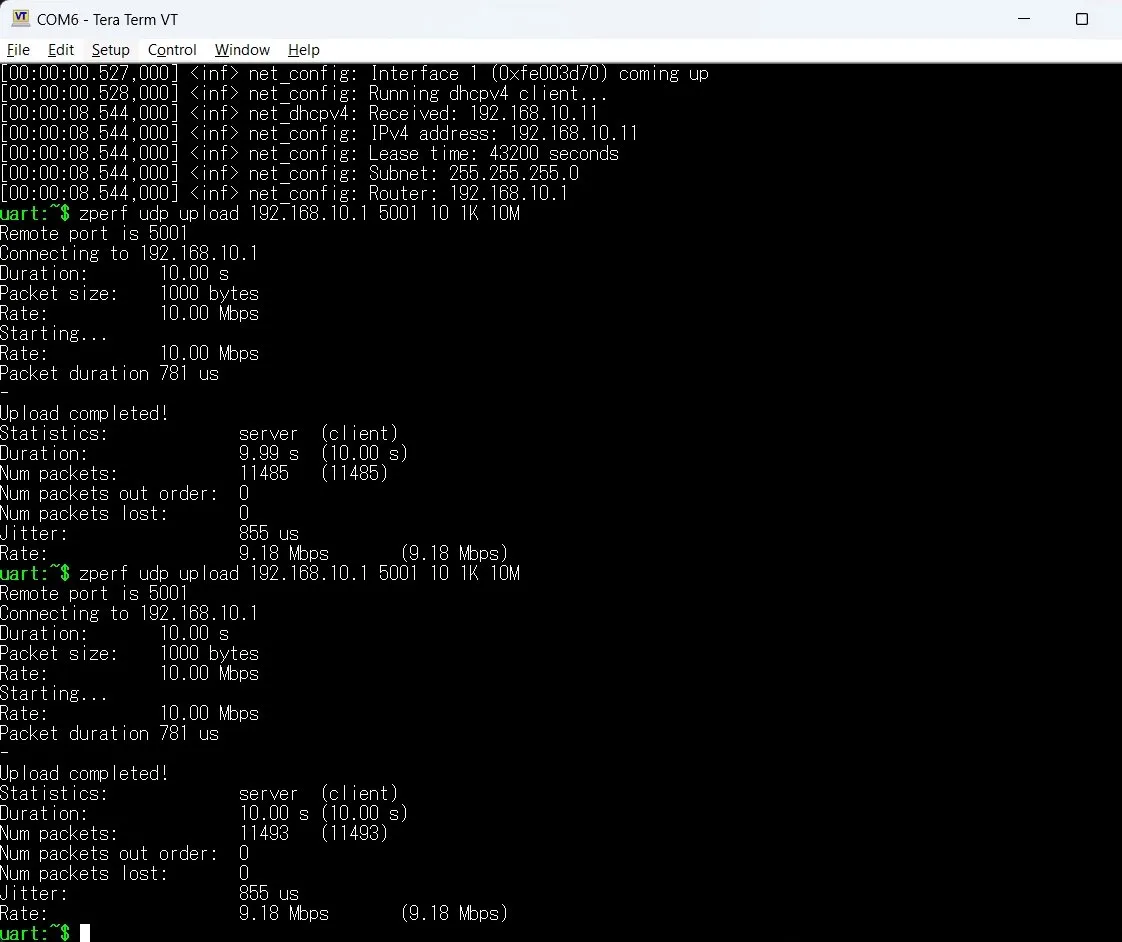
UDP Upload — zperf udp upload <server_ip> <port> <duration_s> <packet_size> <rate>:
uart:~$ zperf udp upload 192.168.10.1 5001 10 1K 10M
Remote port is 5001
Connecting to 192.168.10.1
Duration:     10.00 s
Packet size:  1000 bytes
Rate:         10.00 Mbps
Starting...
Rate:         10.00 Mbps
Packet duration 781 us
-
Upload completed!
Statistics:            server    (client)
Duration:              9.99 s    (10.00 s)
Num packets:           11485     (11485)
Num packets out order: 0
Num packets lost:      0
Jitter:                855 us
Rate:                  9.18 Mbps    (9.18 Mbps)
uart:~$ zperf udp upload 192.168.10.1 5001 10 1K 10M
Remote port is 5001
Connecting to 192.168.10.1
Duration:     10.00 s
Packet size:  1000 bytes
Rate:         10.00 Mbps
Starting...
Rate:         10.00 Mbps
Packet duration 781 us
-
Upload completed!
Statistics:            server    (client)
Duration:              10.00 s    (10.00 s)
Num packets:           11493     (11493)
Num packets out order: 0
Num packets lost:      0
Jitter:                855 us
Rate:                  9.18 Mbps    (9.18 Mbps)
The dhcpv4_client sample demonstrates automatic IPv4 address acquisition via DHCPv4 on the Ethernet T1S interface. No overlay is required — the existing board support for pb_rh850u2c_292pin_r7f702600afabb is sufficient.
Build command:
west build -p always -b pb_rh850u2c_292pin/r7f702600afabb samples/net/dhcpv4_client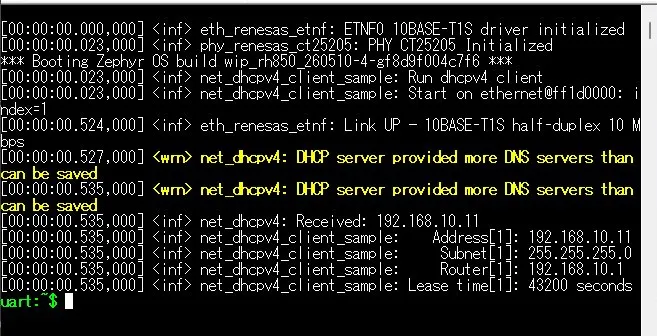
Note: The warning
DHCP server provided more DNS servers than can be savedis non-critical and does not affect DHCPv4 functionality.
The ADC module supports ADC conversion validation for this board.
| ADC Signal | Board Pin / Jumper | Configuration |
|---|---|---|
| ADCK input | CN15-7 / AP0_4 / ADCKAI4 | Connect to CN12-1 |
| Pull-up | JP14 [1-2] | 5.0V |
| AAVREFH | JP1 [2-3] | AAVREFH 5.0V |
-
adc_dt (samples/drivers/adc/adc_dt):
- Hardware configuration: refer to ADC Hardware Connection.
- Build command:
west build -p always -b pb_rh850u2c_292pin/r7f702600afabb-c samples/drivers/adc/adc_dt
-
adc_sequence (samples/drivers/adc/adc_sequence):
- Hardware configuration: refer to ADC Hardware Connection.
- Build command:
west build -p always -b pb_rh850u2c_292pin/r7f702600afabb-c samples/drivers/adc/adc_sequence
-
zTest adc_api (tests/drivers/adc/adc_api):
- Hardware configuration: refer to ADC Hardware Connection.
- Build command:
west build -p always -b pb_rh850u2c_292pin/r7f702600afabb-c tests/drivers/adc/adc_api
-
zTest adc_accuracy_test (tests/drivers/adc/adc_accuracy_test):
- Hardware configuration: refer to ADC Hardware Connection.
- Build command:
west build -p always -b pb_rh850u2c_292pin/r7f702600afabb-c tests/drivers/adc/adc_accuracy_test