Setup Plank - qba667/FlySkyI6 GitHub Wiki
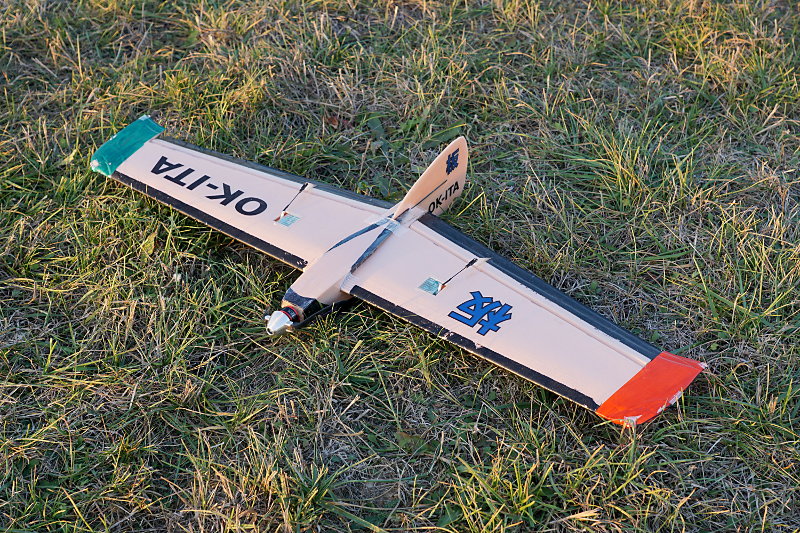
Plank Flying Wing
Purpose
Flying wings have, of course, two elevons. Planks (flying wings without the wing sweep) are a bit special in being extremely sensitive to the elevator input, and a bit less sensitive to the aileron input.
In addition to the basic elevon setup, I also wanted to have flying modes on a three-position switch SwC:
- fast mode, elevator trimmed for fast flight,
SwCin the default position (up) - slow mode, both elevons a bit raised, usable for slowly flying e.g. in thermals,
SwCin the middle position - takeoff/landing mode, with elevons even more up,
SwCin the the down position
My plank wing is pretty aerobatic, and I tend to overcontrol it when flying high in thermals. So I decided to use a previously unused rudder stick as another, low-rate, aileron input. That way I can completely control the plane with rudder stick only, gliding in the thermal, and also to have the left stick to "do something" as I expect from flying 4-channel planes.
Setup
Plug elevon servos to Ch1 and Ch2, respectively. Firstly set up the elevon
mode, giving the alieron direction full range (instead of full range being available at diagonal stick positions only):
Key → Elevon
   Elevon: On
   CH1: 100 %
   CH2: 50 %
Put a three-position switch SwC on Ch5:
Key → Aux Channels
   Channel 5: SwC
Use the mix to move the elevator up with SwC. Note that the differences
are very tiny, 0 % in the fast mode (default), +6 % in the slow mode, and +15 % in the takeoff/landing mode.
Key → Mix → Mix 1
   Mix is     On
   Master     Ch5
   Slave      Ch2
   Pos. mix   -9 %      # Takeoff/landing
   Neg. mix   -6 %      # Slow/thermal mode
   Offset     -3 %      # This must be half of the neg. mix
And finally, use the rudder stick as low-rate ailerons:
Key → Mix → Mix 2
   Mix is     On
   Master     Ch4
   Slave      Ch1
   Pos. mix   50 %
   Neg. mix   50 %
   Offset      0 %