E Steps - phnxdrgn536/FLSun-v400 GitHub Wiki
Rotation distance
Stepper motor drivers on Klipper require a rotation_distance parameter in each stepper config section. The rotation_distance is the amount of distance that the axis moves with one full revolution of the stepper motor. This document describes how one can configure this value.
Calculating rotational_distance for extruder
Needed tools
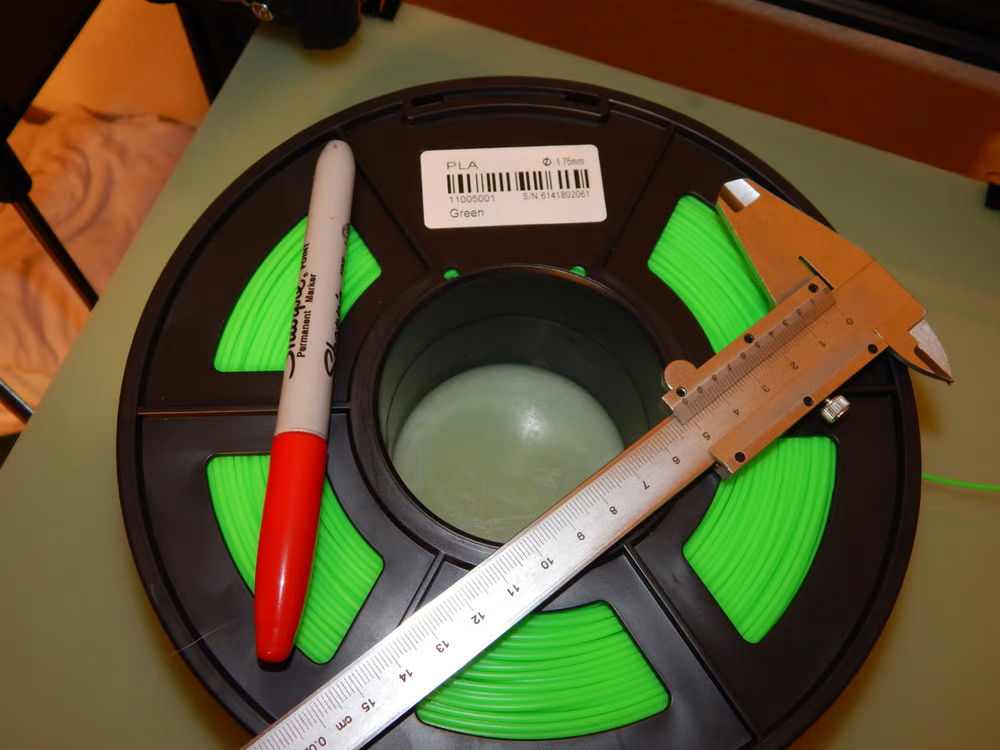
- Any non-flexible filament loaded into the printer
- Precision caliper
- permanent marker
Calibration Process
To calibrate the extruder, we’ll be sending 100 mm of filament through the hot end. Before doing that, however, use your calipers and marker to mark the filament 120 mm before the entrance to the PTFE tube on top of the extruder.
[picture]
Now, send the command G1 E100 F100 to the printer. This will slowly run what the printer interprets to be 100 mm of filament through the extruder.
This is done over the course of a minute to avoid any problems with filament tension or pressure in the hot end, which can end up muddling the results.
Once done, the printer should have extruded exactly 100 mm of filament. To check this, measure from the entrance to the PTFE tube on top of the extruder to the original mark you made on the filament.
If the measurement is 20 mm, your extruder is properly calibrated, and you may continue to Enhanced Delta calibration.
[picture]
If your measurement is more than 20 mm, your printer is likely suffering from under-extrusion, and your steps/mm setting needs to be increased.
If your measurement is less than 20 mm, your printer is over-extruding. This means that you need to turn down the steps/mm setting.
Now for the math.
Values you will need... rotation_distance from your printer.cfg file under the extruder section, and the remaining distance from the PTFE tube to the mark after the 100mm extrusion command is complete. Take 3200/rotation_dustance = E-steps. Then (E-steps X 100) / (120-remaining distance) = new E-steps. Then 3200 / new E-steps = new rotation_distance to be saved in printer.cfg.
Now for the math explination.
In order to calculate the new rotation_distance you first need to take 3200 and divide that by your current rotation_distance (3200 is the number of steps in one rotation of the motor. 16 microsteps X 200 full stepps). This will give us the current "steps/mm". (So lets run an example, FLSun default rotation_distance is 4.5 , if we take 3200/4.5 we end up with 711.1111 repeating. That means our current e-steps are set at 711.111111 repeating microsteps per mm or 44.444 repeating full steps per mm).
once you have your current microsteps/mm we will calculate your new step value from the extrusion and measurements performed above. The equation we will use will be (old esteps X expected extrusion length) divided by (original distance - remaining distance). so lets use the old steps of 711.11111 and multiply by the 100mm we wanted to extrude gives us 71111.111111 repeating. We then will assume our remaining length measured from the PTFE tube to our mark is 18.25mm. we would take 120-18.25 giving us 101.75, the final step is taking the 71111.11111 repeating and divide that by the 101.75 giving us a new E-step value of 698.880699.
to get the new rotational_distance we divide 3200 by the new estep value of 689.880699 giving us a new rotational_distance value of 4.63848315. this value would be placed in the extruder section of your printer.cfg and then saved.