Xiaomi Redmi 9 - phhusson/treble_experimentations GitHub Wiki
Xiaomi Redmi 9 (lancelot/galahad)
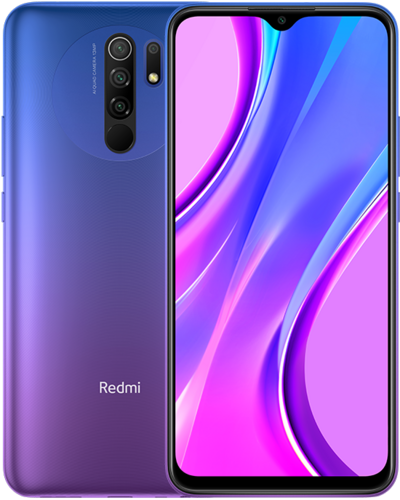
Requirements
- PC with
ADBandfastbootdrivers installed. - Unlock bootloader with Mi Unlock or using MTK Client.
- Flash the latest MIUI firmware: mirror 1, mirror 2, mirror 3, mirror 4, mirror 5.
vbmeta.img, can be obtained from the extracted MIUI firmware, it can be found in the images folder.
Download GSIs
- Download from Generic System Image (GSI) list .
- Extract
.xzto.img
Install a GSI
- Boot into fastboot mode.
adb reboot bootloader
Or via key combination: hold
Volume Down+Powerwhile the device is turned off.
- Disable verified boot.
fastboot --disable-verity --disable-verification flash vbmeta vbmeta.img
- Moving fastboot from bootloader to userspace (fastbootd)
fastboot reboot fastboot
- Flash the GSI.
fastboot flash system system.img
Note: system.img is the extracted GSI e.g system-td-arm64-ab-vanilla.img.
- Wipe data from MIUI recovery.
fastboot reboot recovery
Choose
Wipe Data→Wipe All Data→Confirm
- Reboot.
Return to the main menu Recovery →
Reboot→Reboot to System
Update a GSI
- Enter fastboot in userspace (fastbootd).
adb reboot fastboot
- Flash the GSI.
fastboot flash system system.img
Note: system.img is the extracted GSI e.g system-td-arm64-ab-vanilla.img.
- Reboot
fastboot reboot
Note: No need to wipe data as long as the image is the same e.g
AOSP to AOSPorLineageOS TD-based to LineageOS TD-basedNOTAOSP to LineageOS TD-basedor vice versa.
Hardware support
| Component | Comment |
|---|---|
| Audio | Working |
| Display | Working |
| Backlight | Working |
| Camera | Working but auxiliary cameras doesn't work |
| Bluetooth | Working |
| Telephony | Working |
| Fingerprint | Working |
| VoLTE | Working → Enable IMS features |
General recommendations
Disable auto brightness, set brightness manually.
Reason:
Redmi 9 has scrolling (lag) issues when auto brightness is on.
I have confirmed that this also happens on MIUI.
Test:
Scrolling in a browser or other app when auto brightness is on and off.
Credits
TrebleDroid developer team for all their hard work.
All contributors for their respective contributions.