Page and section - peterlegrand/SIPx GitHub Wiki
this document explains the interface components for regular users (that is non-admin people) and website. The website is basically based on access to the system as a specific user with the lowest rights. Each paragraph is focussing on a specific component of the UI.
Page
Below is a sample of a page
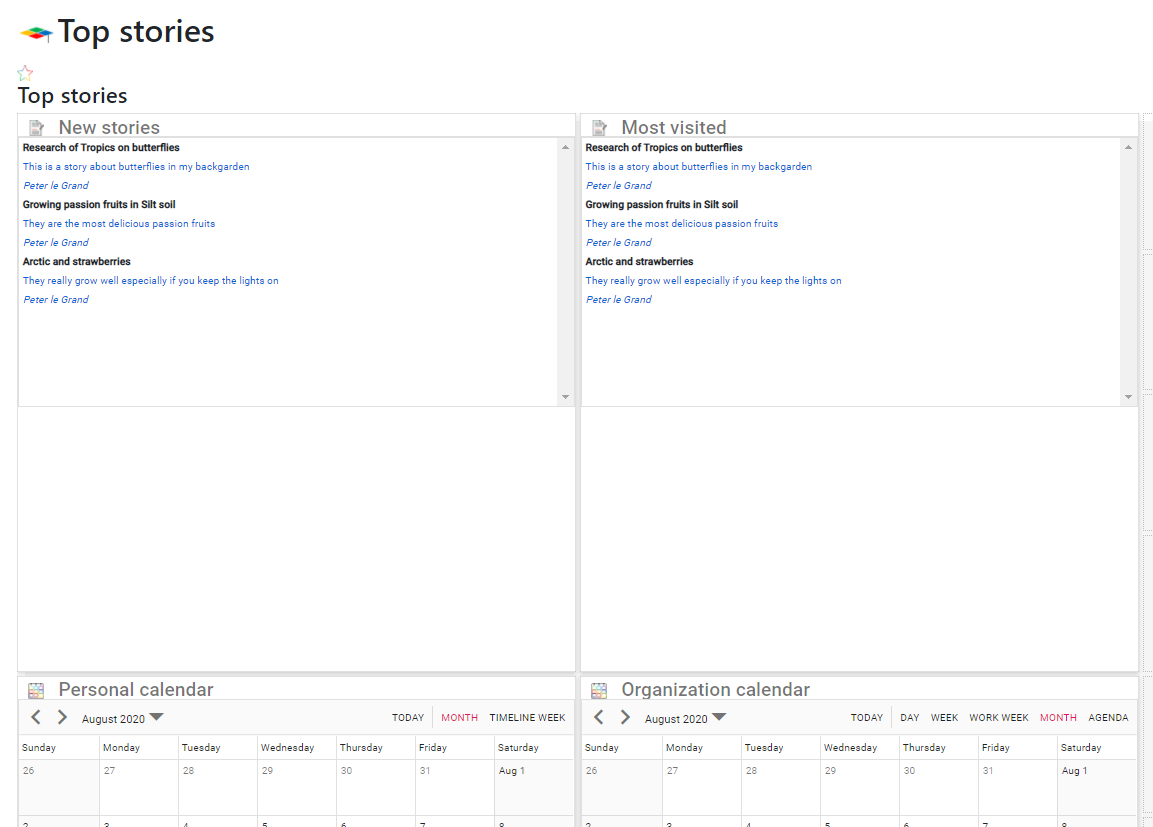
The page is a grid on which sections are placed. (dashboard and panels are terminologies used by Syncfusion. In the platform, they are called pages and sections. Even though in Syncfusion they mainly are used as reporting and indicators, in the platform there are for now three types of panels (section types):
- Lists
- Indexes
- Calendars
Further, there are data types (sectiondatatype):
- Classification values
- Persons
- Organization
- Projects
- Content
- Processes
Both the types and data types will be explained below:
Types
Lists
This shows a list of any of the data types. This should show in a google style. Or google news style. Preferable the actual content of the list items need to be configurable. An example is shown for each data type:
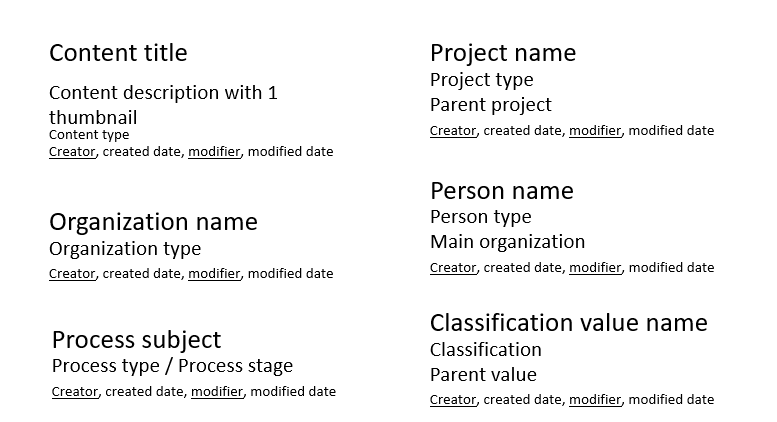
By clicking on the top line of the item in the list, it will show the full information of that item.
Indexes
Indexes apply only for classification values. To start with below is an example of an index:
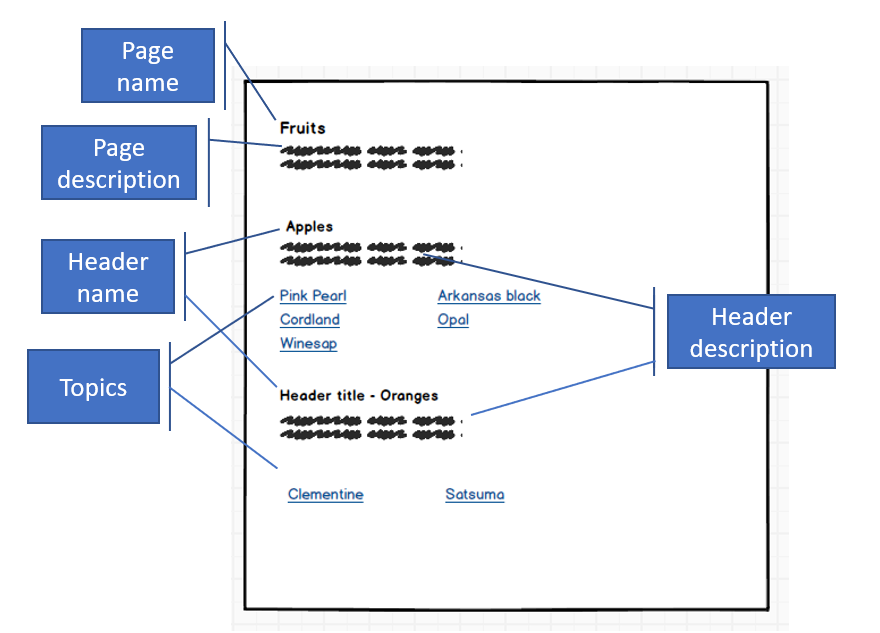
An index makes use of the hierarchical structure and data definitions for each value. Each value has a name and a description which can be displayed depending on the definition of the section. The Index has a page top, a header and topics (3 levels)
By clicking on the header or topic a new page will be shown. Depending on the setup another index will be shown where the clicked item is then the top of the page. Or it will show a dashboard (there is no equivalent of the dashboard in Syncfusion and it is different from what Syncfusion calls dashboard). Maybe we need some new terminology here ;-)
Calendar
A calendar can apply to 3 data types:
- Organization
- Person
- Project
The calendar shows processes that are marked in the process type if the process should be shown in a calendar. Next, depending on if it is linked to a project, person, or organization it will show in each of these calendars.
Data types
Within the data types, only classification values need some additional explanation.
Classification values
For classifications, there are mainly lists and indexes. Both will open a dashboard of that particular value or in case of the index, it will open a new index with the item clicked then showing up at the page top.
Persons
Organization
Projects
Content
Processes
Conditions
Per section, we can define besides the type and data type conditions. For example, we can define the type list and of the data type projects to show only certain projects of a certain project type. In this case, the condition is that only certain projects of that type are shown.
Per section multiple conditions can apply. To start with, we apply AND. That means data needs to comply with all conditions.