How to start the solution - peterlegrand/SIPx GitHub Wiki
There are a few steps to follow to start the solution. The reason for this is that the database needs to be generated. Once the database is generated, you can simplify the start of the solution. Steps to follow arE:
- Start Visual studio as Admin
As the connection string for the database is set to local and integrated security, nothing has to be changed for this. - Open the solution as downloaded from github
- Open the following screen:
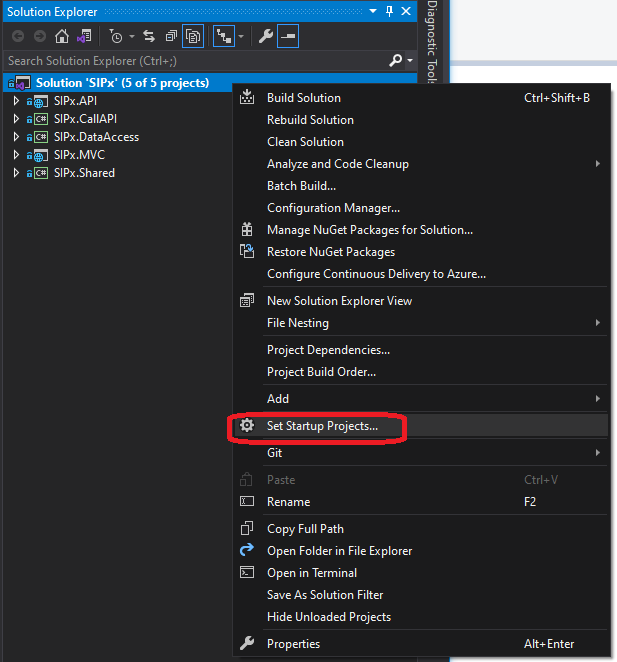
- From the following screen set the startup as shown:
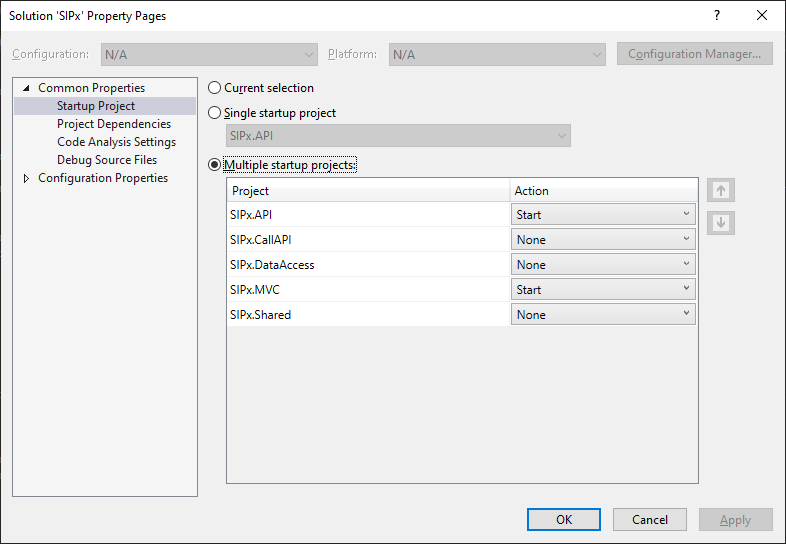
- Start the solution by the green start icon in the button bar.
- Once it is started, the browser will open with 2 tabs. One for the MVC application and one for Swagger for the API definition.
Open https://localhost:44393/CreateDB/ (which is the local address of the API server. The following page will be shown.
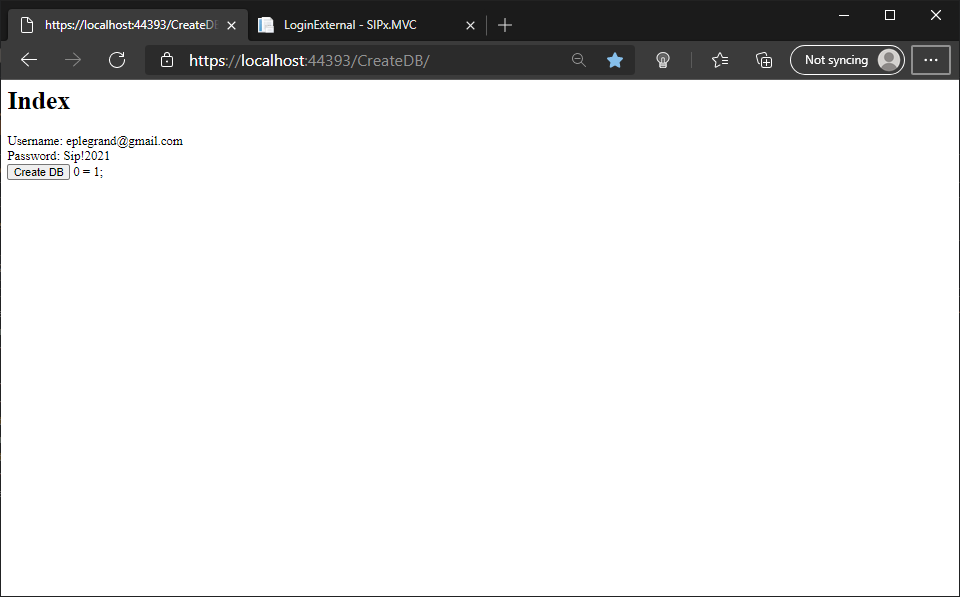
- Click the Create DB button. It looks like nothing is happening but once the throbber (the icon on the tab of the browser) is stopped, the database is created. Alternatively, you might get an error message. In that case, please let me know.