Front end functional design - peterlegrand/SIPx GitHub Wiki
The front end consists of 2 areas:
- Area of logged in user (front)
- Non registered user access (home)
The non-registered area is a scaled down version of the logged in user area. Basically the idea is that internally the non registered user is a anonymous user.
These screens would have the following structure:
Home
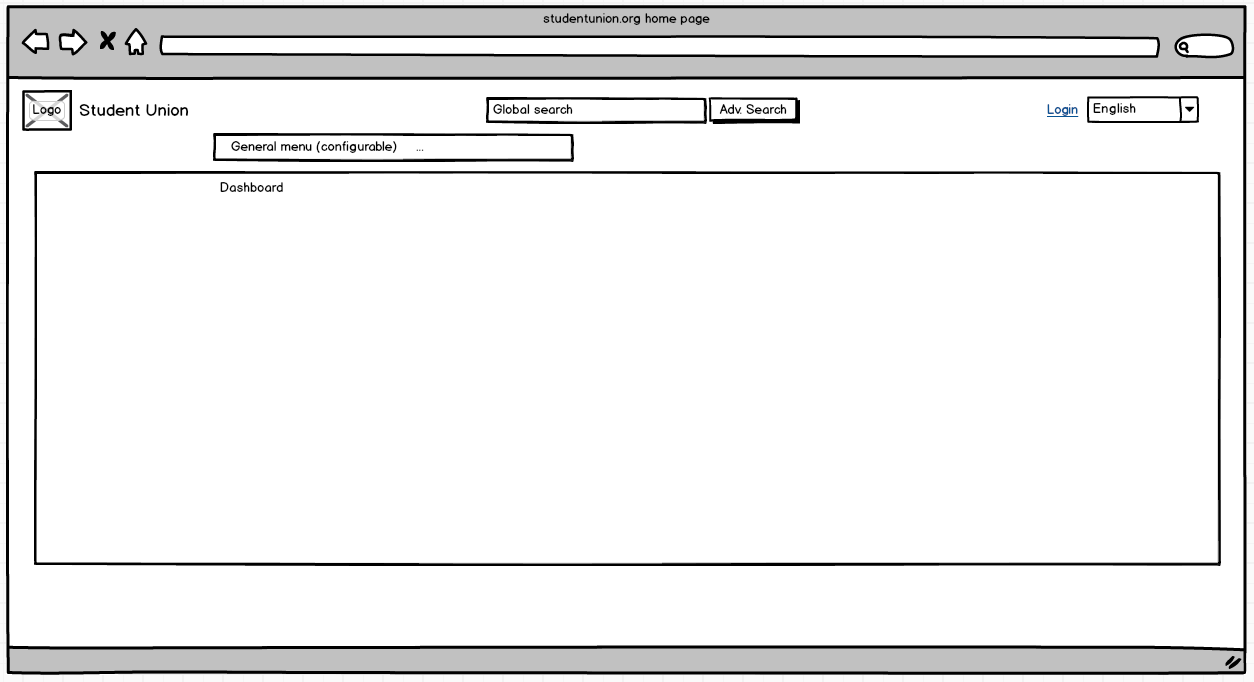
- Global search: will search anything in the system. For Home this is mainly content (knowledge)
- Advanced search will redirect to a page to advance search content.
- Login: Shows the page to login for an existing user
- English: the dropdown to select the language to show all the interface
- General Menu: this is configured and provided by API. Could be showing the different types of content as one menu option as an example. But also general things like contact.
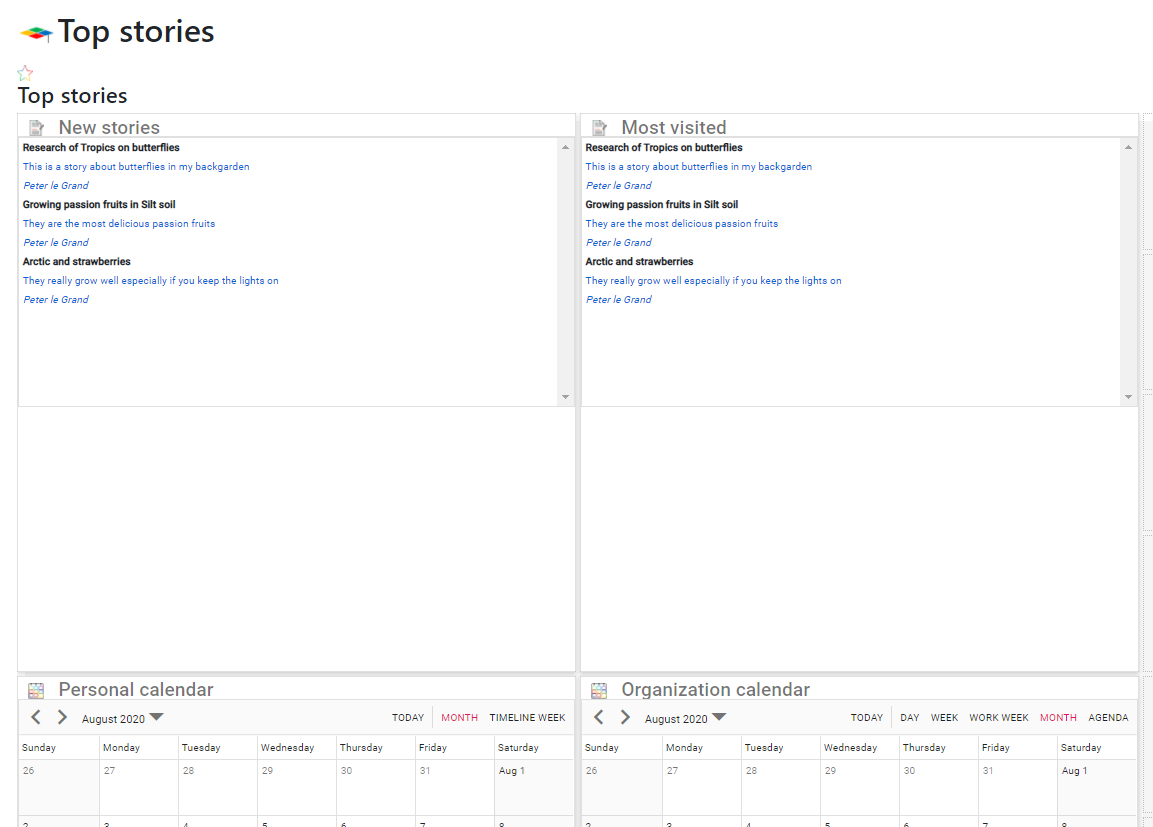
- Dashboard: provided fully by API including title, number of panels, size and content of panels.
Example of this is shown below.
Front
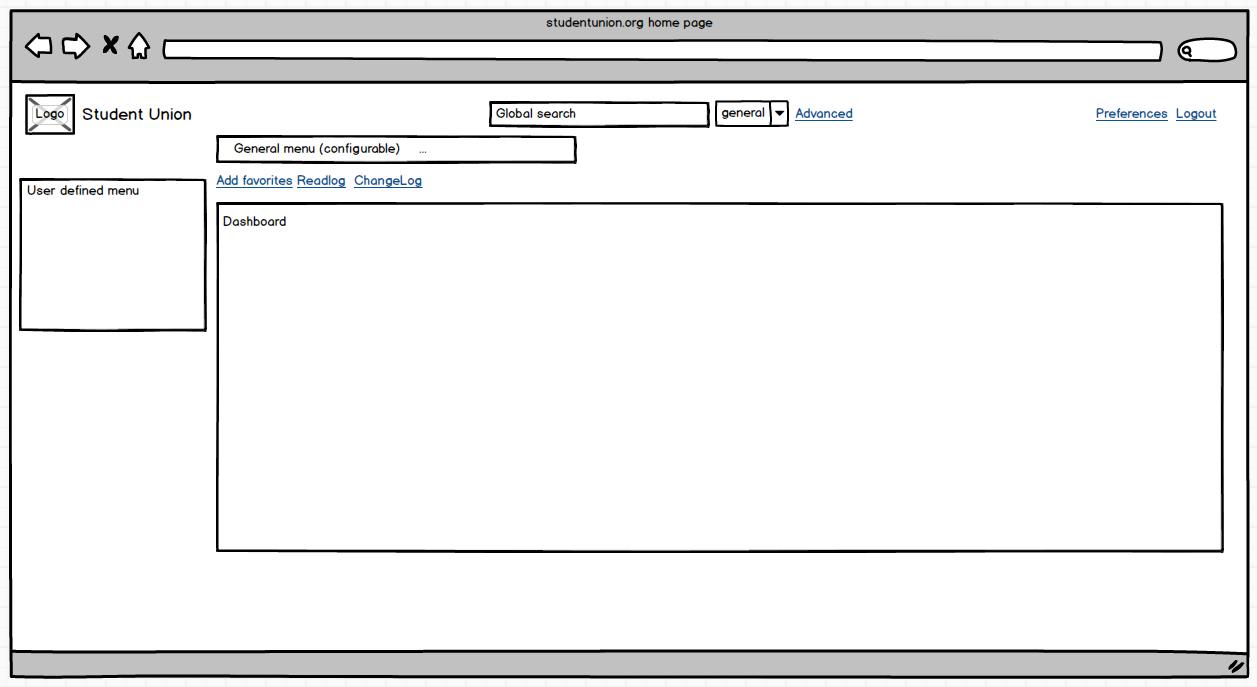
In addition to the home, below are the extra and different functions explained:
- Global search: Will include all entities such as content, people, workflows, .... Also, the information shown depends on the security level of the user. With the dropdown next to it, you can select global or specific search such as search for only people.
- Advanced search: Based on the selection in the dropdown, a different redirect will be executed. For example advanced search for content, workflows, people, organizations, ...
- Preferences: will redirect to a screen where settings such as user language can be set. Also, the personal dashboard can be created, and the personal menu can be adjusted.
- Logout
- General menu Will be different from the home general menu.
- Add favorites: basically, any page including for example specific content can be added you your favorites. Next, favorites can then be added to the user menu.
- Readlog: every page is logged when the user has seen it. With this hyperlink you can see who has seen it when. It will give a pop up.
- ChangeLog: any change in content, workflows, and other data is tracked. With this hyperlink a pop up will show the changes made to the data. It is not shown on every screen. Only on specific screens such as specific content, workflow, people, organization....
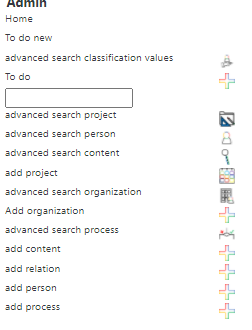
- User menu: this will have many options such as create (content, people, organizations, projects) calendars, todo lists, ... Most of these will redirect to other pages. Exception is the searchboxes which will not redirect but let you search directly the result instead will be shown in a new page.
- Dashboard: will show personalized dashboard only showing information based on the rights of the user.