DataTable - pai-plznw4me/django-initializer GitHub Wiki

1. css, js script 불러오기

<!DOCTYPE html>
<html lang="en">
<head>
    <meta charset="UTF-8">
    <title>Title</title>
    <link rel="stylesheet" type="text/css" href="http://cdn.datatables.net/1.13.1/css/jquery.dataTables.min.css">

</head>
<body>
    <script src="//cdn.datatables.net/1.13.1/js/jquery.dataTables.min.js"></script>

</body>
</html>
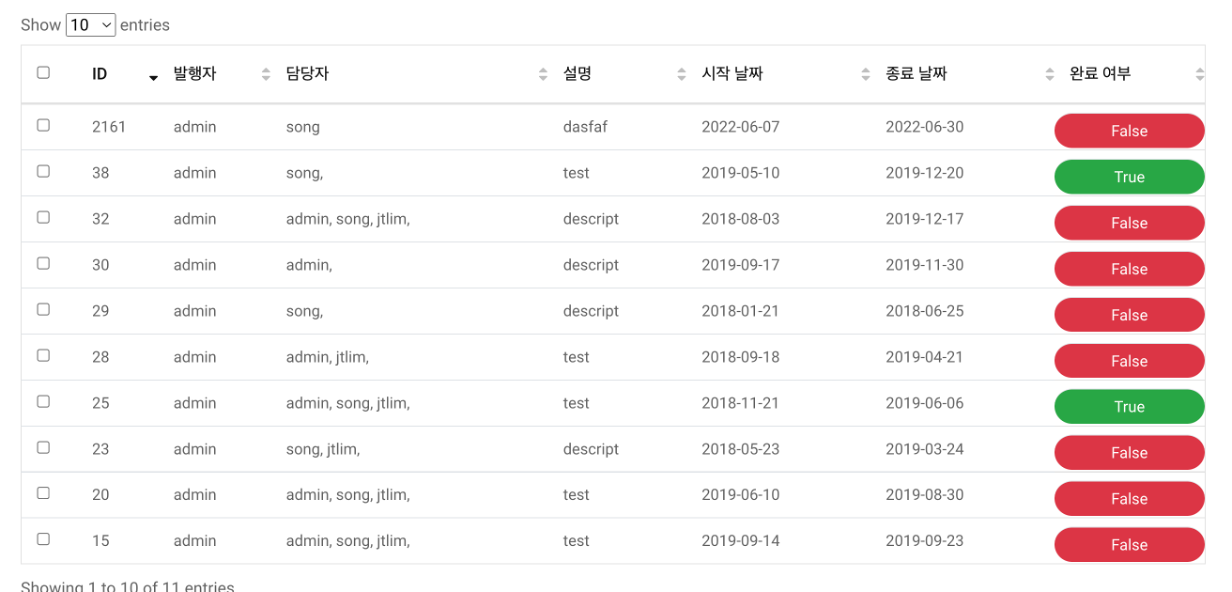
image

Table 객체 얻어 오는법

<table id="example" class="display" cellspacing="0" width="100%">
    <thead>
        <tr>
            <th>Column 1</th>
            <th>Column 2</th>
        </tr>
    </thead>
 
    <tfoot>
        <tr>
            <th>Column 1</th>
            <th>Column 2</th>
        </tr>
    </tfoot>
</table>

var t = $('#example').DataTable();

click event 등록

$('#example tbody').on('click', 'tr', function () {
  var data = table.row(this).data();
  alert('You clicked on ' + data[0] + "'s row");
})

click 한 row 의 데이터를 가져오는 법

$('#todo_table').DataTable().row(this).data()

click 한 cell 의 데이터를 가져오는 법

$('#todo_table').DataTable().cell(this)

click 한 cell 의 id 가져오는 법

let id = table.cell(this).node().id

click 한 cell 의 class을 변경하는 법

let id = table.cell(this).node().id
$('#' + id).prop('class', "your_class")

click 한 row 에 추가하는법

var t = $('#todo_table').DataTable()

//row 에 cell 을 추가합니다.
var row = t.row.add([
                '<input class="checkAll" type="checkbox" id="checkbox_' + response["id"] + '">',
                response["id"],
                response["publisher"],
                response["assignee"],
                response["desc"],
                response["start_date"],
                response["end_date"],
                response["complete"],
            ]).draw();

row 에 있는 모든 cell 에 접근해 속성 변경하기

var t = $('#todo_table').DataTable()

//row 에 cell 을 추가합니다.

var row = t.row.add([
                '<input class="checkAll" type="checkbox" id="checkbox_' + response["id"] + '">',
                response["id"],
                response["publisher"],
                response["assignee"],
                response["desc"],
                response["start_date"],
                response["end_date"],
                response["complete"],
            ]).draw();
row.node().id = "rowrow"
var cells = $("#"+"rowrow").children('td')
for (var ind = 1; ind <=cells.length; ind++) {
                let tmp_id = element_names[ind] + "_" + response["id"]
                cells[ind].setAttribute('id', tmp_id)
                cells[ind].setAttribute('id', tmp_id)}
⚠️ **GitHub.com Fallback** ⚠️