Input Output - mjcmatrix/qlcplus GitHub Wiki
Input/Output
The Input/Output view: patching plugins to universes and configuring them.
Nothing on this page has been merged upstream yet.
Features and improvements
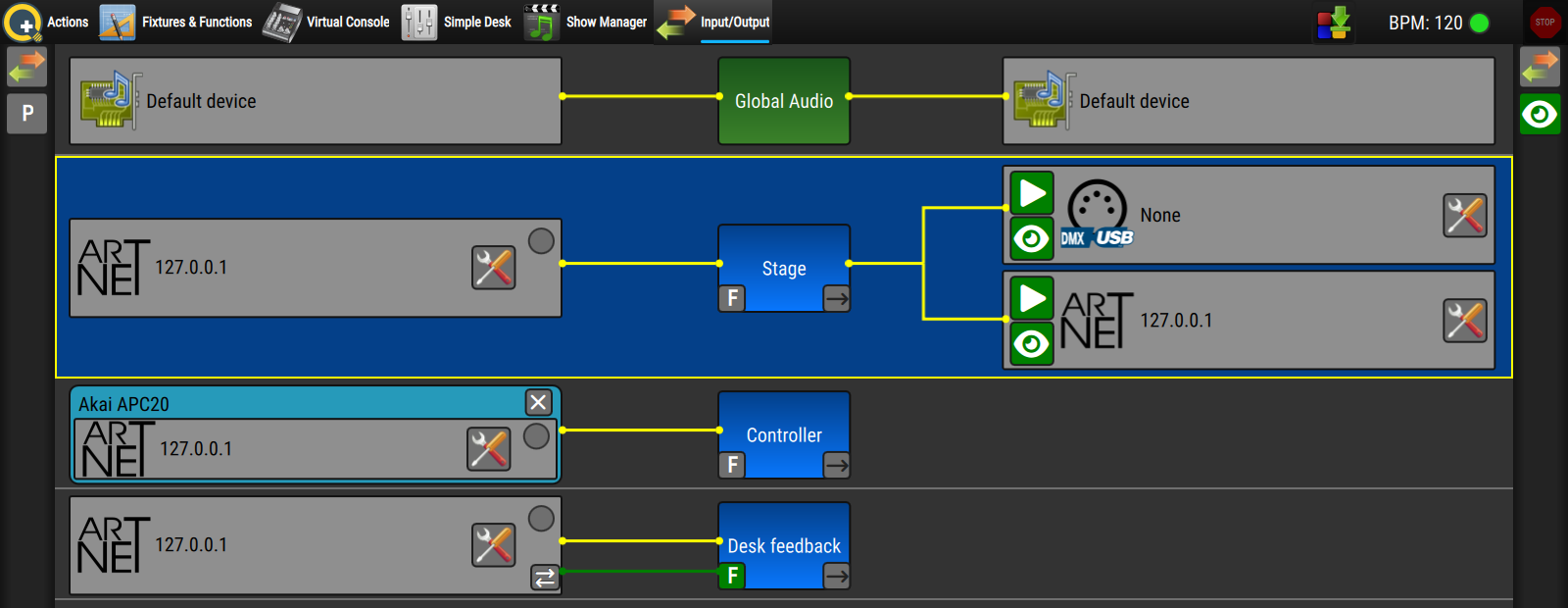
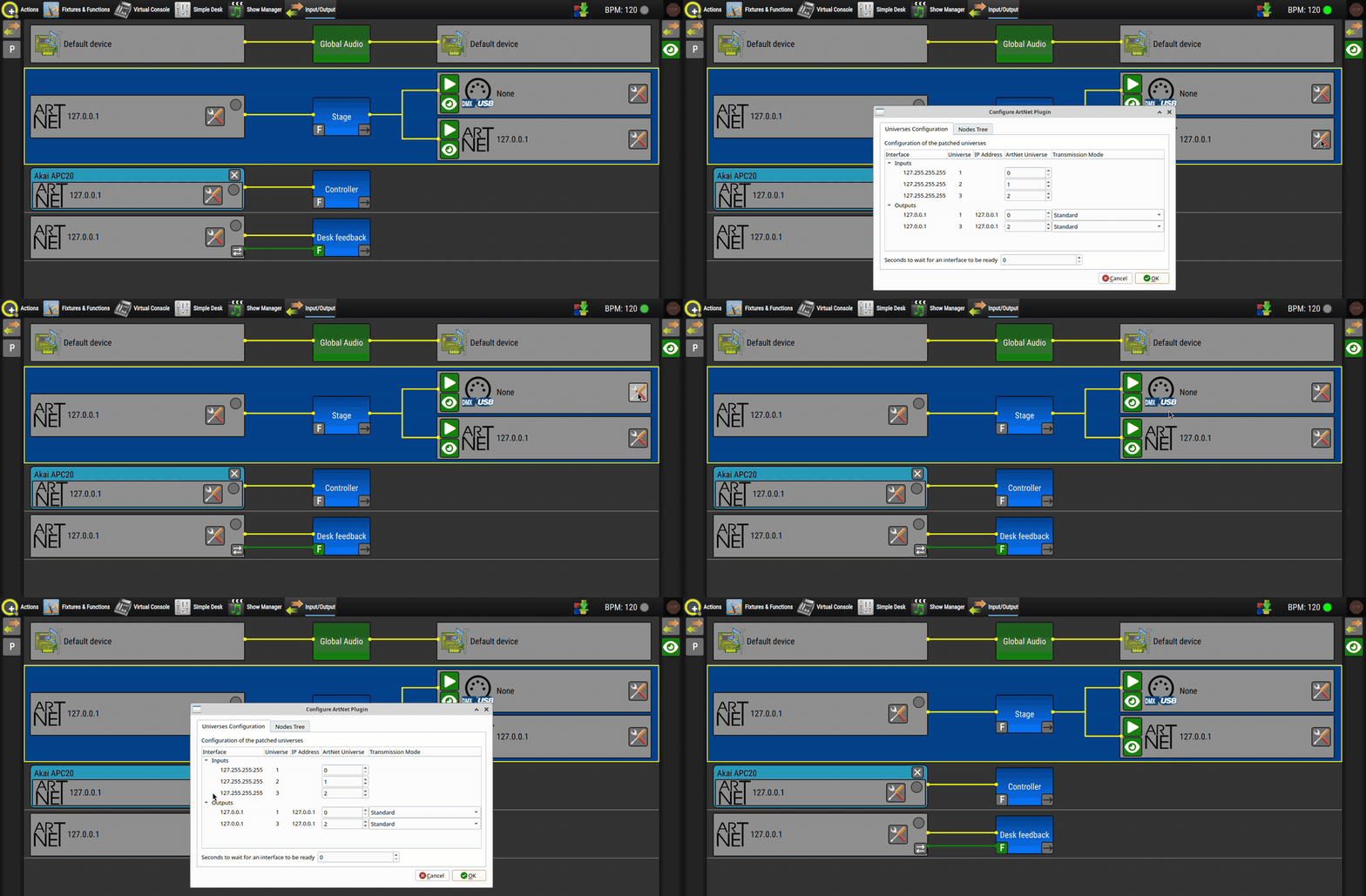
Configure button on every patch. (Fork #100) Each input and output patch whose plugin has settings now carries its own configure (tools) button, which opens that plugin's settings and nothing else. Plugin settings used to be reached from a single tools button in the side toolbars, which on a universe with more than one output couldn't target a particular output: it opened every output plugin's dialog one after another (see the fix below). The toolbar buttons are gone, so inputs and outputs now work the same way however many patches a universe has.
How to use it: in Input/Output, click the tools button at the right-hand end of the patch you want to change, such as an Art-Net output or a MIDI input. Only that plugin's settings window opens. Close it as usual and you're straight back to the patch view. Patches whose plugin has no settings don't show the button. The audio settings buttons in the toolbars are unchanged, since they open the audio panel rather than a plugin window.
Replace mode for universe passthrough. (Fork #104) Passthrough merges a universe's input with what QLC+ generates itself, highest value wins (HTP), on every channel. An input value could therefore never go below the universe's own value, and a universe with fixtures always has some, if only the channel defaults (Pan/Tilt often sit at 128). A second QLC+ mirroring a main one over Art-Net, say just to show its 3D preview, couldn't follow it: Pan sent at 40 came out at 128 and the beams pointed the wrong way. A universe can now be switched to Replace (input only), where it outputs its input values and ignores everything generated internally. Merge (HTP) stays the default, so existing projects behave as before. The output, the 2D/3D previews and the DMX dump all follow the chosen mode, and the mode is saved with the project.
How to use it: in Input/Output, enable passthrough on the universe as before. A lock button then appears in the top right corner of the universe box: click it to switch that universe to Replace, and again to go back to Merge. In the QLC+ 4 interface, pick the mode from the combo box next to the Passthrough checkbox. As with the passthrough toggle itself, changing the mode doesn't mark the project as modified, so save it to keep the change.
➖ Upstream: not yet sent individually
Bug fixes
- Fixed the app appearing to hang after configuring the outputs of a universe patched to two different plugins, for example a DMX USB adapter and Art-Net. Closing the first plugin's window immediately opened the second one, which could end up hidden behind the main window while still blocking it, so nothing responded. Each window now opens only from its own patch's button. (Fork #100)