OpenWRT Configuration Using GUI - micahgrinnell/CC-Capstone-Project GitHub Wiki
Overview
On this page, I will be demonstrating how to use the OpenWrt web GUI to configure basic hardening settings and install additional packages. For those with little command line or technical experience, I reccomend using the web interface due to it's simplicity. Everything is laid out in easy to understand sections with descriptions of each setting. The extensive and detailed documentation can also be found on the OpenWrt website. By default, OpenWrt hardens your system quite well with firewall rules. For example, these rules accept all LAN traffic, but block all incoming WAN traffic on ports not currently used for connections or NAT. While these default settings are quite nice, I think we can do better using the multitude of tools given to us.
This 'guide' will be split into two sections, changes one should make under the 'System' tab and the 'Netowrk' tab. On each of these pages are modifications I highly recommend doing, and some that are suggested but can be quite useful. All of these changes are technically optional, but they will make your networking QoL higher and increase security greatly. A few of the additional packages are more for fun and depend on the hardware you have available.
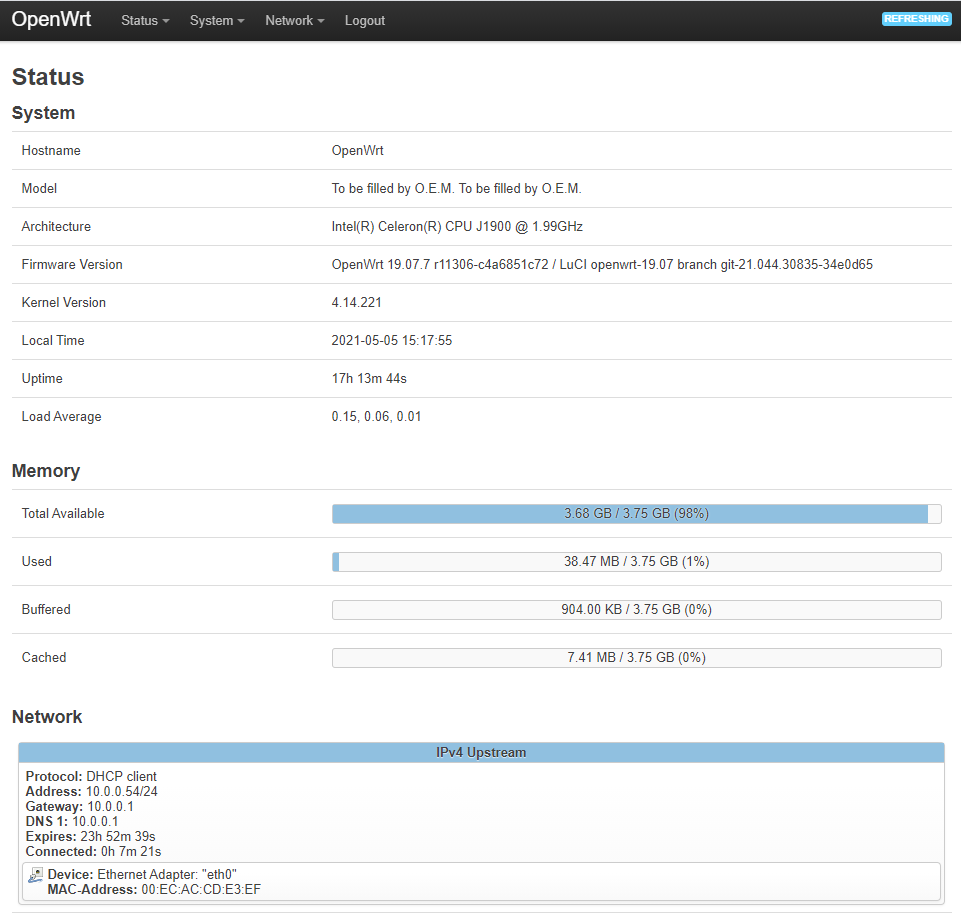
When you first login to the web interface you will be met with the dashboard page: