Open Text VIM Fiori Apps - kartikrajag/Fiori GitHub Wiki
System Landscape
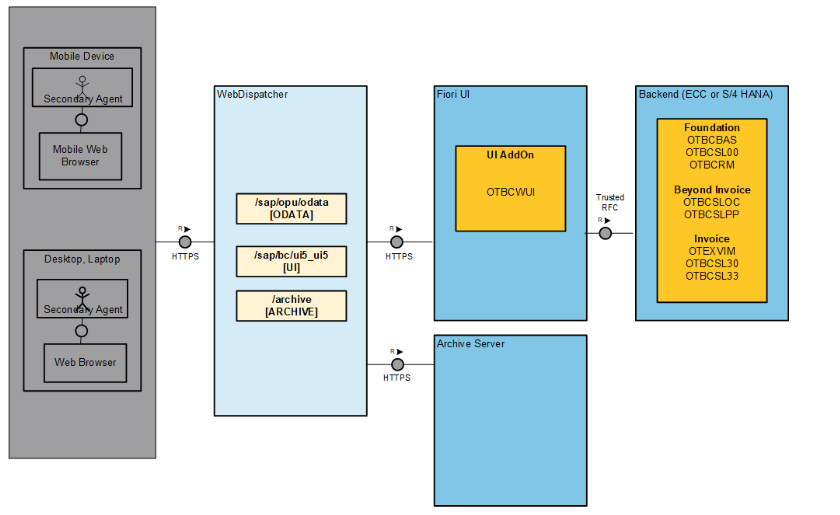 SAP ECC Backend
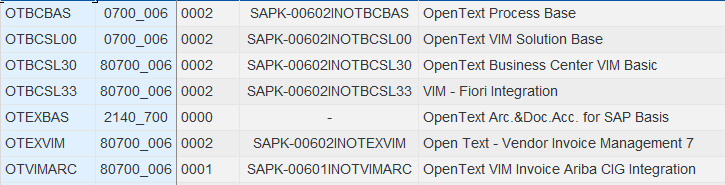 Fiori FES
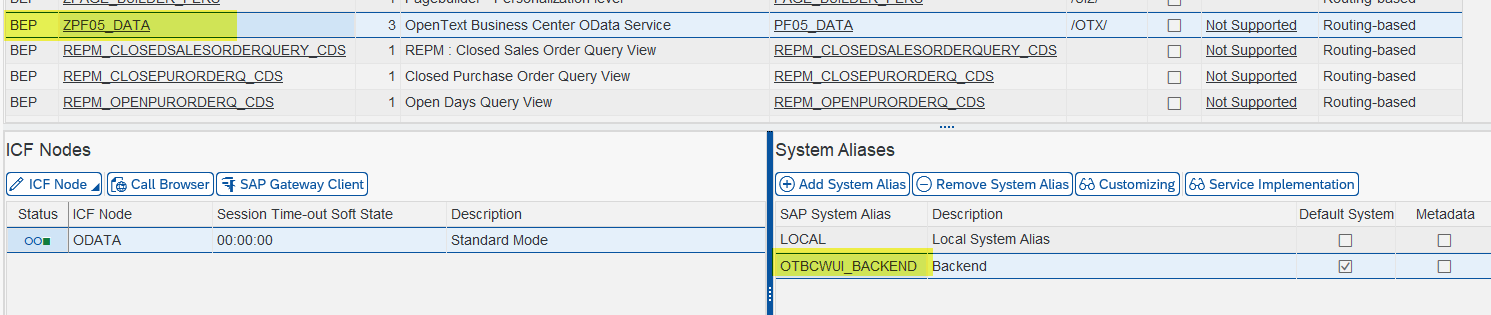
 The WebUI retrieves data from the technical service /OTX/PF05_DATA comes withthe OpenText Process Fiori Base (OTBCWUI add-on ). The activation of this service is
- Invoice Coding Approval Adv. :CostAssignmentAdvanced?nodeId=PS37_VIM_ECO_INV&wobjType=PS37_PRC_VIM_ECO&workplaceId=WP_INBOX&system=OTBCWUI_BACKEND&letterBox=false&appMode=FS
- MyProcessedInvoices : appMode=FS&workplaceId=WP_INBOX&wobjType=PS03_MY_APP&nodeId=PS03_VIM_APR_PROC_ME&system=OTBCWUI_BACKEND&letterBox=false
- Exceptions : nodeId=PS31_VIM_RG01&wobjType=PS31_VIM_WEB&workplaceId=WP_INBOX&system=OTBCWUI_BACKEND&letterBox=false
- ApproveInvoices : ?nodeId=PS03_VIM_APR_INV&wobjType=PS03_PRC_VIM_APR&workplaceId=WP_INBOX&system=OTBCWUI_BACKEND&letterBox=false
- VIM Analytics : flp#OTBCWUI_PF07_VIM_WEBGUI_VAN-display?sap-ui-tech-hint=GUI
- Invoice Management WebGUI Workplace : sap/bc/ui2/flp#otbcwuipf07bcvimgui-display?sap-ui-tech-hint=GUI
Front End Server Configuration for these apps:
- Check whether Backed system is active in FSE in tcode /IWFND/MAINT_SERVICE
- Import all the foreign transports( from Open Text): a). Adm: Lpd Content DA5K900613 b). 20.4 SPS2 - Lpd Content_D9XK900293 c). 21.4 Foundtion: LPad Contnt-Copy DA5K900788
- Import Semantic objects from view /UI2/V_SEMOBJC

Backend Server Configuration
- Activate service /OTX/PF05_DATA in Back-End in tcode /IWFND/MAINT_SERVICE
- Check the configuration in /OTX/PF00_IMG