Fiori FLP Build FMO - kartikrajag/Fiori GitHub Wiki
- Create RFC Connections 1. for communication between ECC & FSE, 2. A Trusted connection for Open Text Back-end and Front End 3. RFC ending HTTPS for
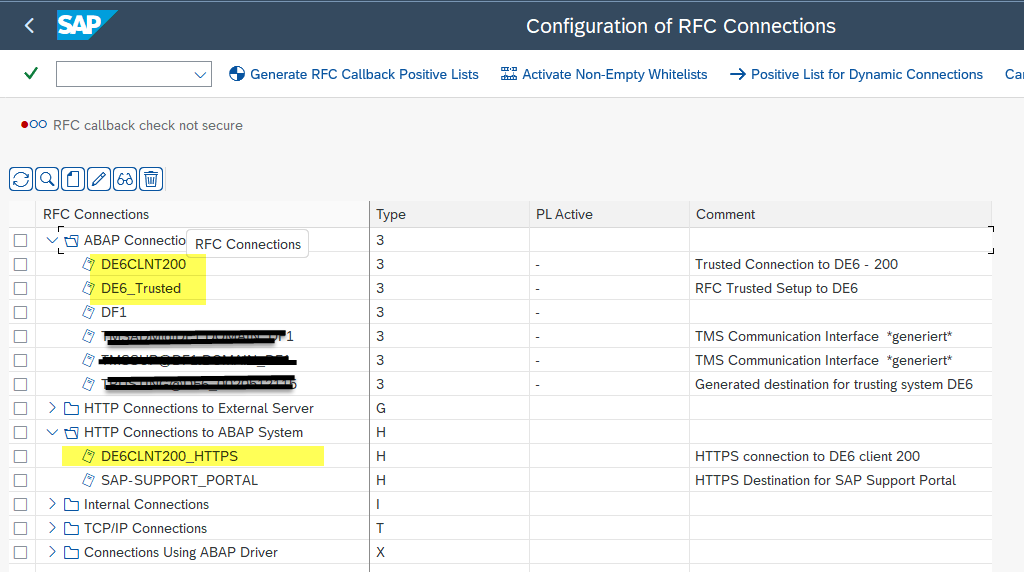
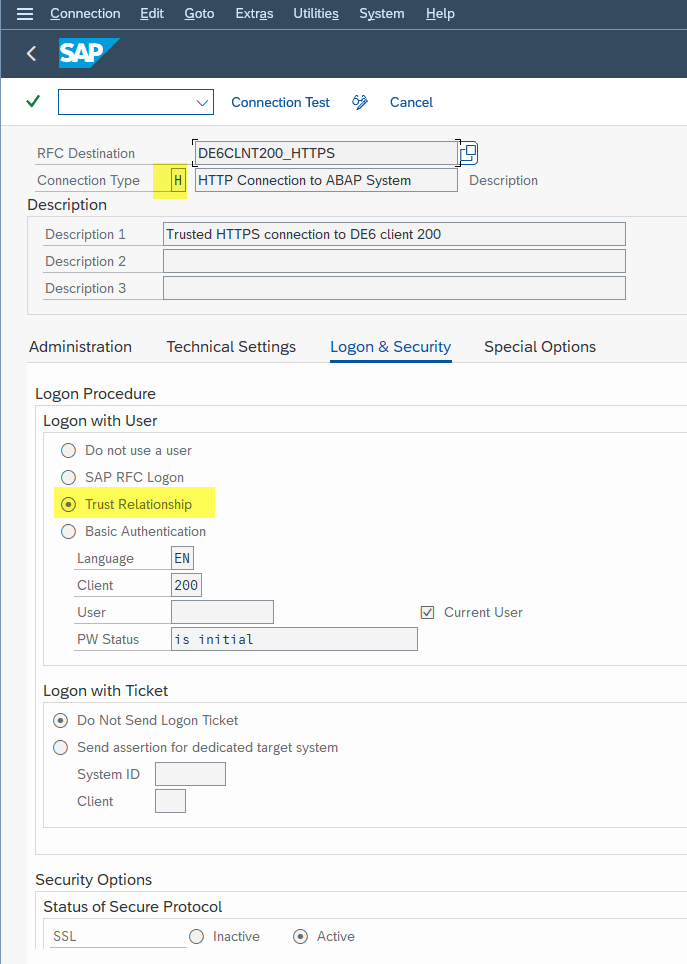
1.Maintain /IWFND/V_DFSYAL - "System Alias" for "Destination Finder"**
Latest: 20230131:

Old:
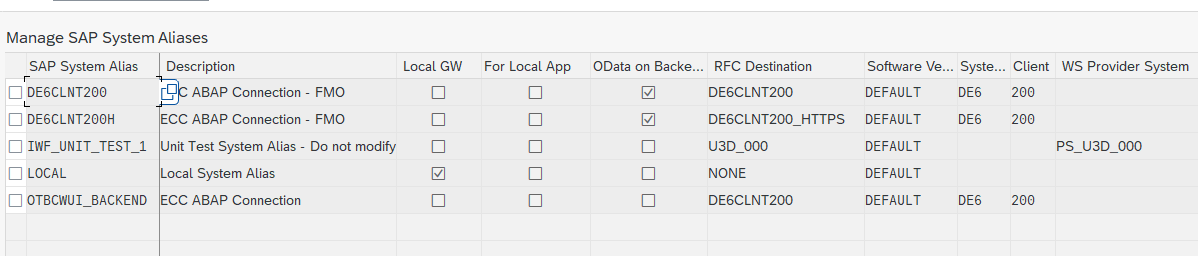
- Maintain : /UI2/V_SYSALIAS - FLP System Alias** New: ECCDE6SYSH
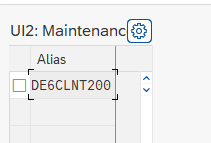
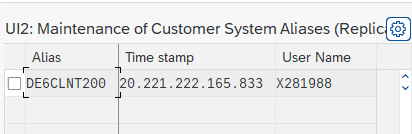
- Maintain /UI2/VC_SYSALIAS - UI2: Customer System Aliases New: ECCDE6SYSC
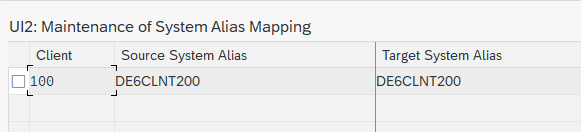
- Maintain : /UI2/V_ALIASMAP - UI2: Maintenance of System Alias Mapping
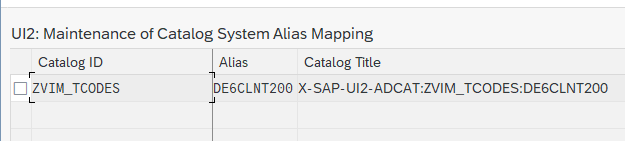
- Maintain : /UI2/V_ALIASCAT
-
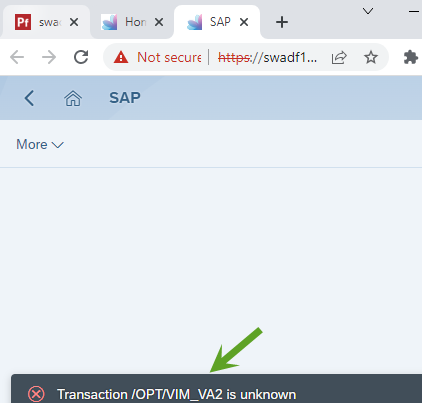
When launching a tcode from FLP, getting Tcode not found, it seems this is not connecting to backend system (ECC); its launching tcode /OPT/VIM_V2 in FSE itself
 a). Check whether FSE is connected
b). Errors in Trx. SLG1 NO Service found in name space
a). Check whether FSE is connected
b). Errors in Trx. SLG1 NO Service found in name space
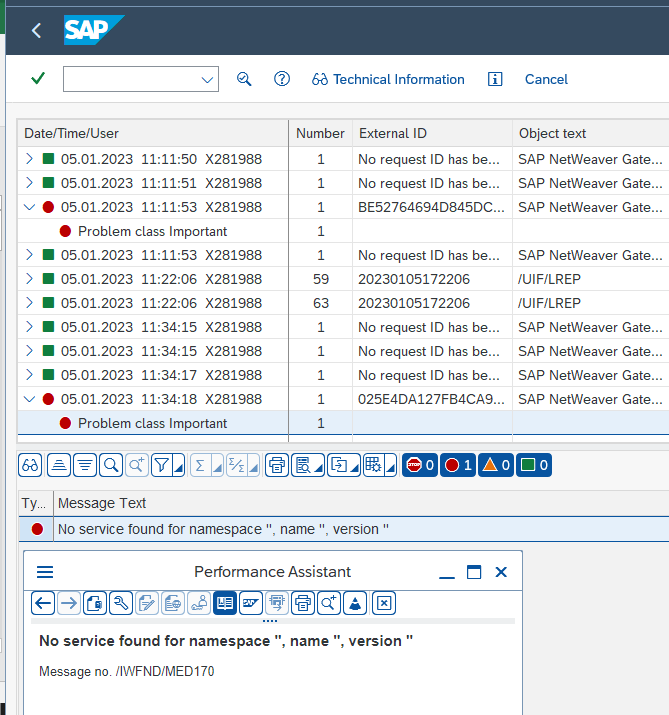 c). Check in the backend - No logs found in SLG1 in ECC, the call is not coming into Backend
d). Check Fiori Tile (Tcode) configuration ( On FSE Open Fiori Admin => find the Catalog where this Catalog is based in (ZVIM_BC) => Go to Target Mapping => Select the tile => goto configuration button at the bottom => check the value for System Alias
c). Check in the backend - No logs found in SLG1 in ECC, the call is not coming into Backend
d). Check Fiori Tile (Tcode) configuration ( On FSE Open Fiori Admin => find the Catalog where this Catalog is based in (ZVIM_BC) => Go to Target Mapping => Select the tile => goto configuration button at the bottom => check the value for System Alias
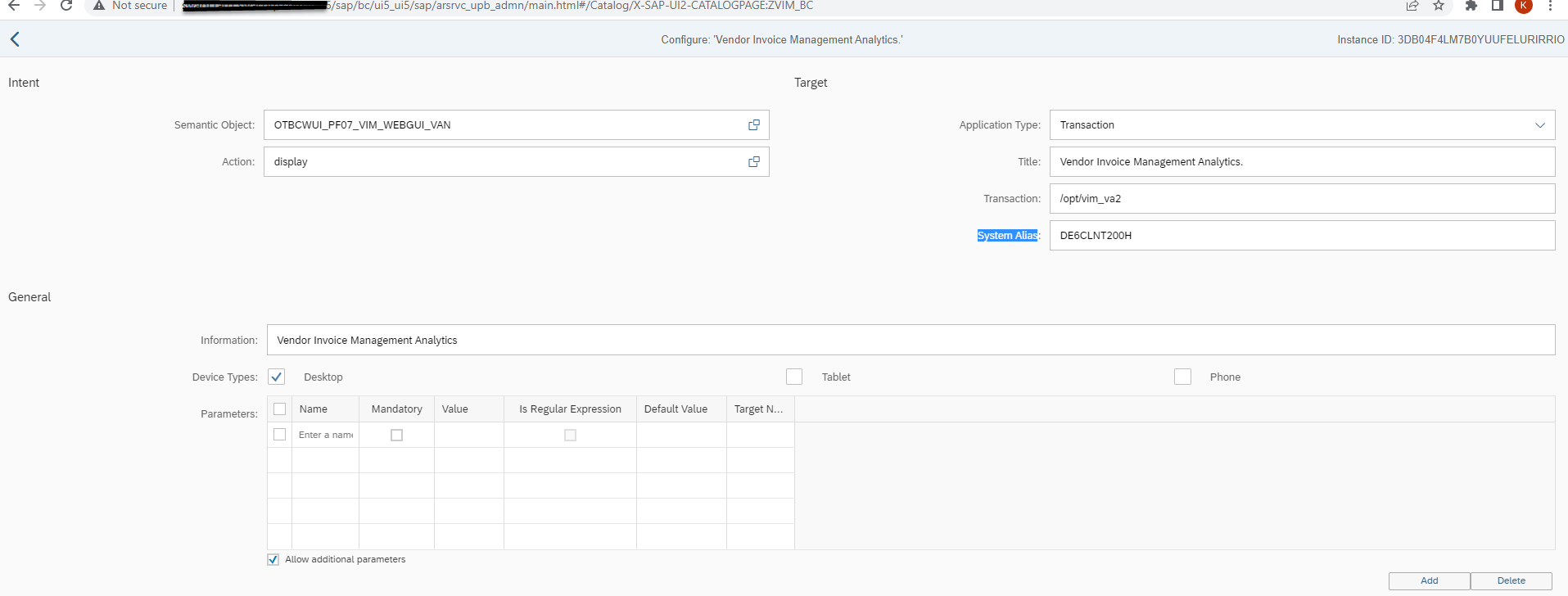
e). What is the System Alias used => then to what RFC that system Alias(table /IWFND/V_DFSYAL) is connected to (SM59 RFC - DE6CLNT200_HTTPS )
the https rfc connection throwing this error but its not accurate, check the port, system name,...etc are accurate?
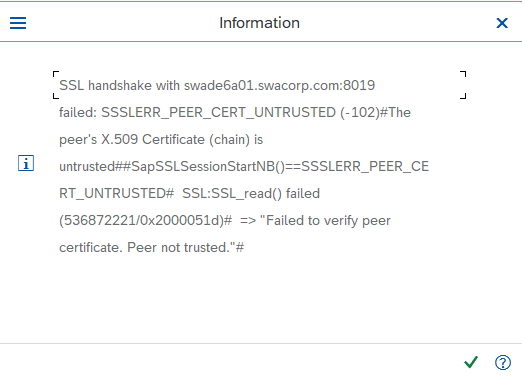 f). SAP Basis team has fixed RFC error above, and now we are getting 404 error, but its OK, we can assume the RFC is working OK.
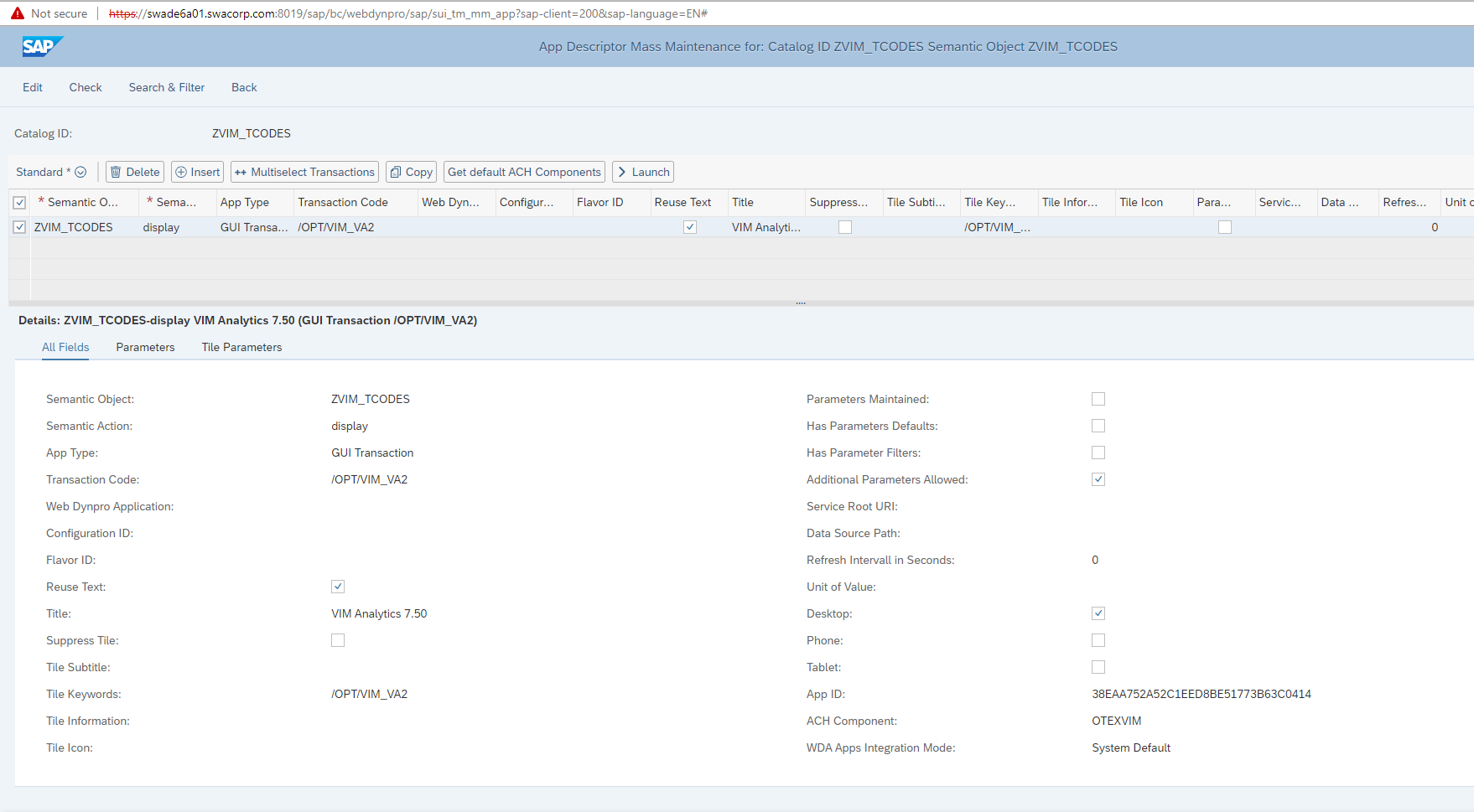
- Check whether the Technical Catalogs Maintained in Back-end referenced in FSE. check sap note 2700282 - How to create an SAP GUI for HTML(WebGUI) tile in Fiori Launchpad a). The preferred method for maintaing transaction applications is using Fiori App Manager (Mass Maintenance tool in earlier releases; transaction MM_APP), and replicating the catalogs b). Back-end system : Transaction MM_APP
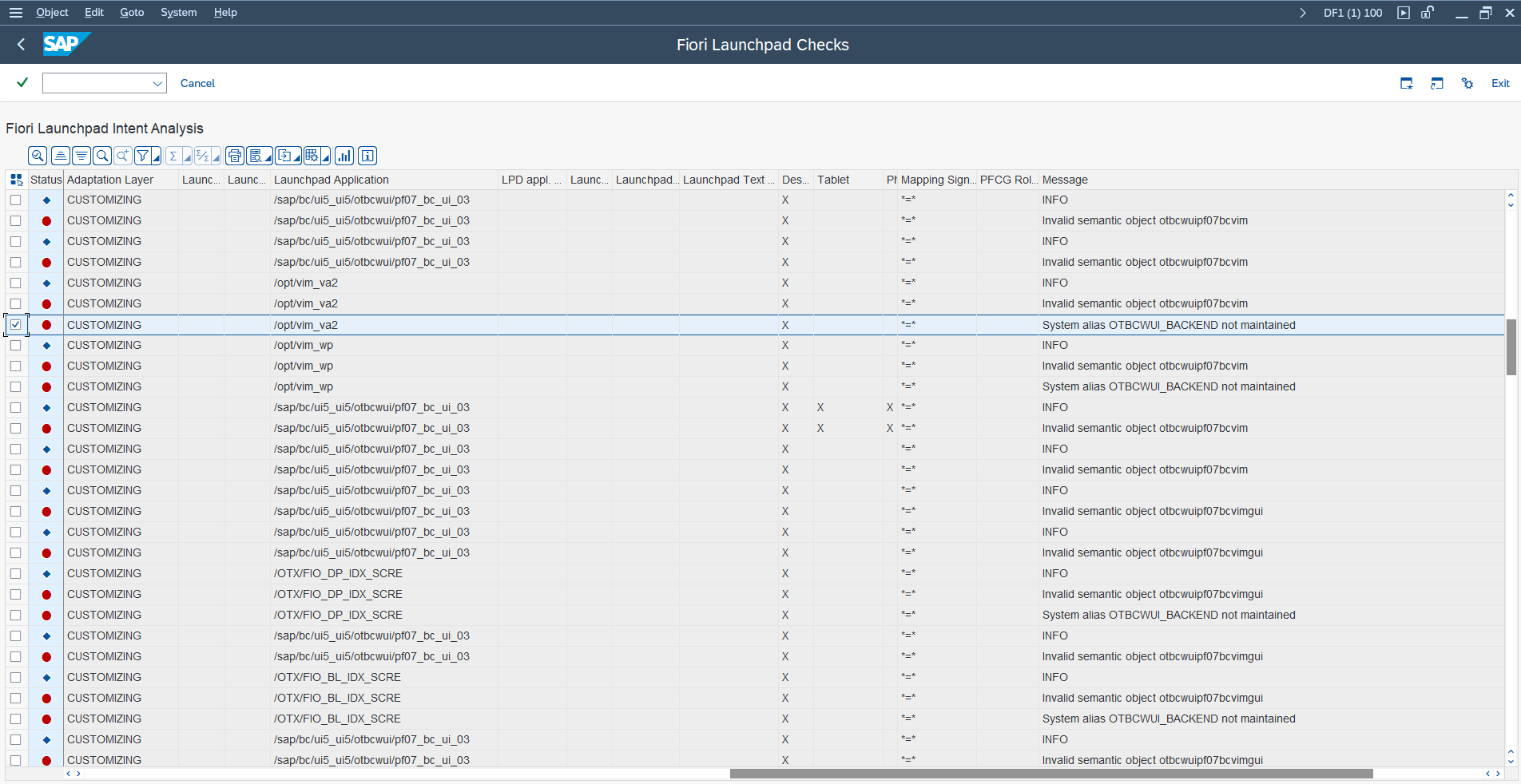
have you maintained in /UI2/V_ALIASMAP - enter the client, system alias from target mapping and RFC connection. SM59 RFC connection will then be the rfc connection with _HTTP. E.g. Target mapping as S4FIN so you would have the Client + S4FIN + SID in the table and then you would have SID_HTTPS as your RFC in SM59.
Semantic object can be tidied up via /UI2/SEMOBJ (customer semantic object transaction) but it won't be causing system alias issue. table : /ui2/semobj_sap
https://answers.sap.com/questions/711786/transaction-unknown-error-in-fiori.html SAP Notes:
Transaction <<<<>>> unknown
- SAP Note 2522968, 3088123 https://blogs.sap.com/2017/01/20/fiori-remote-content-in-backend-catalogs-technical-base/
sap fiori might be temporarily down or it may have moved permanently to a new web address. SAP Note: 2622053, 2510639