6. Adding Antagonists - johndempster/OBSIM GitHub Wiki
To add an antagonist drug to the organ bath or Krebs’ solution reservoir:
a) Select the Antagonists page.
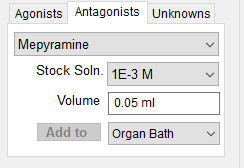
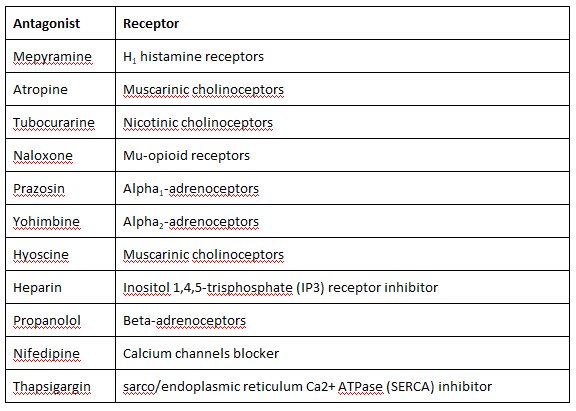
b) Select the type of antagonist to be applied from the list of available antagonists.
c) Select the concentration of the drug solution to be applied from the Stock Soln. list.
d) Enter the volume (between 0 and 1 ml) of the stock solution to be applied into the Volume box.
e) Select Organ Bath from the Add To list if the antagonist is to be applied directly to the organ bath. Select Reservoir if the drug is to be added to the Krebs solution reservoir.
f) Click the Add button to inject the volume of the selected stock solution agonist into the organ bath or reservoir.
Notes.
Antagonists are drugs which block the actions of agonists on tissue, reducing or preventing the tissue response. Application of an antagonist will thus have no apparent effect on the tissue in the organ bath unless an agonist is present (or the tissue is being stimulated). Antagonists are typically studied by observing the effects an antagonist has on different concentrations of a chosen agonist. To avoid the necessity of repeatedly applying the antagonist to the organ bath before each agonist, it is usually added to the Kreb’s solution reservoir of Krebs’ solution used to flush the organ bath between agonist applications.