5. Adding Agonists - johndempster/OBSIM GitHub Wiki
To add an agonist drug to the organ bath:
a) Select the Agonists page.
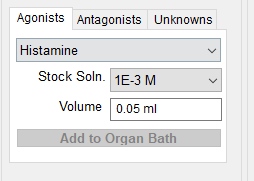
b) Select the type of agonist to be applied from the list of available agonists.
c) Select the concentration of the drug solution to be applied from the Stock Soln. list.
d) Enter the volume (between 0 and 1 ml) of the stock solution to be applied into the Volume box.
e) Click the Add to Organ Bath button to inject the selected volume of the select stock solution agonist into the organ.
f) When the tissue response on the chart recording reaches a steady state (or after 30 seconds if no response has occurred) click the Flush Reservoir to Bath button to wash out the agonist from the organ bath.
Notes.
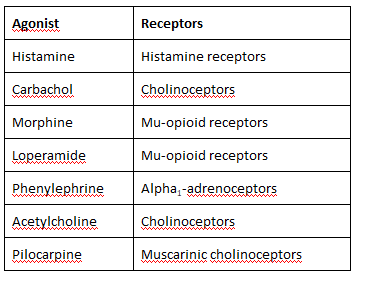
Agonists are drugs which, when applied to tissue, cause a response (contraction in the case of the tissues typically studied in organ baths) by binding to specific receptors on the surface of the cells within the tissue.