Basic install and configuration - jlazic/GlogSMS GitHub Wiki
Download code
You can either use git (http://git-scm.com/) or download code in zip archive.
git (right) way
First install git
sudo apt install git
than create dir where you will place code
mkdir -p ~/sites/sms
position yourself in that dir
cd ~/sites/
and finally, clone git repo
git clone https://github.com/jlazic/GlogSMS.git sms/
zip (wrong) way
Download repo from here (https://github.com/jlazic/GlogSMS) as .zip archive, unzip content from archive to ~/sites/sms.
Configuration
At this point you should have fully functional virtualenv, and downloaded glog project in ~/sites/sms. It's time to install all requirements with pip. Ensure that you are inside virtualenv (run workon sms), and that you are inside ~/sites/sms (run cd ~/sites/sms).
pip install -r requirements.txt
If everything goes OK, you will see message "Successfully installed Django-1.8 defusedxml-0.4.1 django-braces-1.4.0 django-cors-headers-1.0.0 django-extensions-1.5.2...".
This project is built using Django Web Framework (https://www.djangoproject.com/), people familiar with this framework will recognize next few commands. First is to copy example settings and edit them to your needs.
cp -v project/example_local_settings.py project/local_settings.py
You can view content of this file here: https://github.com/jlazic/GlogSMS/blob/master/project/example_local_settings.py.
Settings in local_settings.py override those set in settings.py, and if you need to change something you are encouraged to override it in local_settings.py. This way future updates will not overwrite your custom changes.
You can take a peek in settings.py to see what can be overridden. Like Gandalf said to cpt. Kirk: "Use the source, young Padawan".
One thing that you will want to change is DEBUG = True, you want to set this to False, or you will need to install development requirements with command pip install -r requirements-dev.txt.
By default sqlite (http://www.sqlite.org) database is being used. This database is valid option if you don't expect to send many messages, and have multiple servers sending messages at once. By many messages I mean more than 30 messages per minute in burst. If you think sqlite will not suffice, install MySQL, or PostgresSQL, create DB and DB user, and configure settings in local_settings.py as described in Django documentation (https://docs.djangoproject.com/en/1.8/ref/databases/).
When you finish editing local_settings.py you can run Django command
python manage.py makemigrations
and
python manage.py migrate
This will create tables inside database, and populate tables with initial data. Next step is to create initial user with superuser permissions. This user can access Admin interfate, and you can create him using manage.py command
python manage.py createsuperuser
More on this topic is covered in Django's documentation: https://docs.djangoproject.com/en/1.8/topics/auth/default/.
If you get error ImportError: No module named debug_toolbar I would take a guess and say that you have DEBUG = True in local_settings.py. Now you can either set DEBUG var to False, or install development dependencies using command
pip install -r requirements-dev.txt
Now you can run Django integrated development server
python manage.py runserver 0.0.0.0:8000
instead of 0.0.0.0:8000 you can use real IP or 127.0.0.1, even different port. Again, if you want to know more head for Django documentation https://docs.djangoproject.com/en/1.8/ref/django-admin/#runserver-port-or-address-port.
Now open http://your.ip.address:8000/ and you should be presented with login form, here you can login with superadmin user created few steps back.
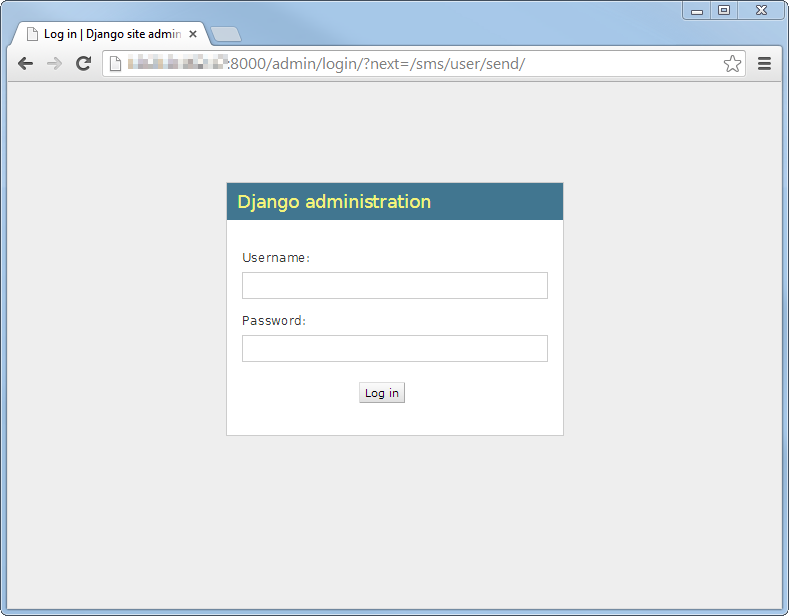
Although it seems like you have fully functional SMS gateway, you must proceed to step 3, and configure RabiitMQ.