Python Markdown - jcb91/IPython-notebook-extensions-wiki GitHub Wiki
The Python Markdown extension allows displaying Python output in markdown cells.
For example:
If you set variable a in Python
a = 1.23and write the following line in a markdown cell:
a = {{a}}It will be displayed as:
a = 1.23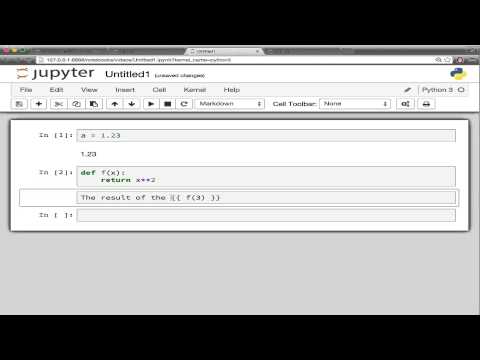
The notebook needs to be trusted in order to execute Python commands in markdown. This is indicated by the "trusted" check mark:

If you see the "untrusted" question mark, use File->Trust Notebook in the menu.
Caution: If you trust a notebook, you allow it to execute any Python code that is contained between the {{...}} curly braces on your PC.
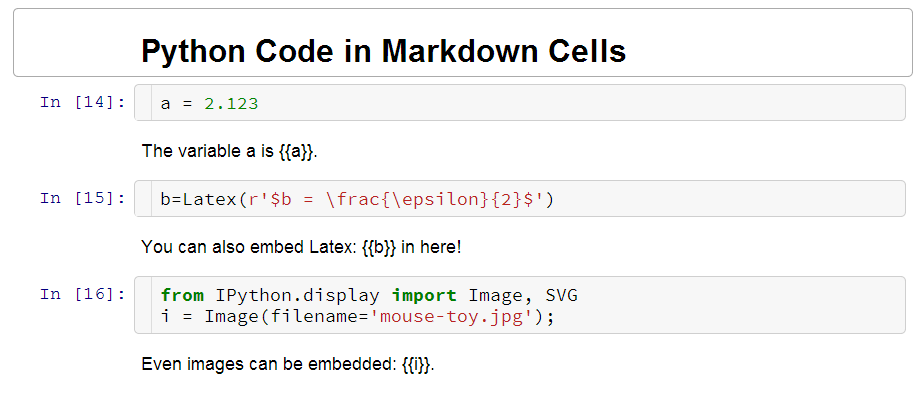
Before rendering the markdown cell:
After rendering the markdown cell:
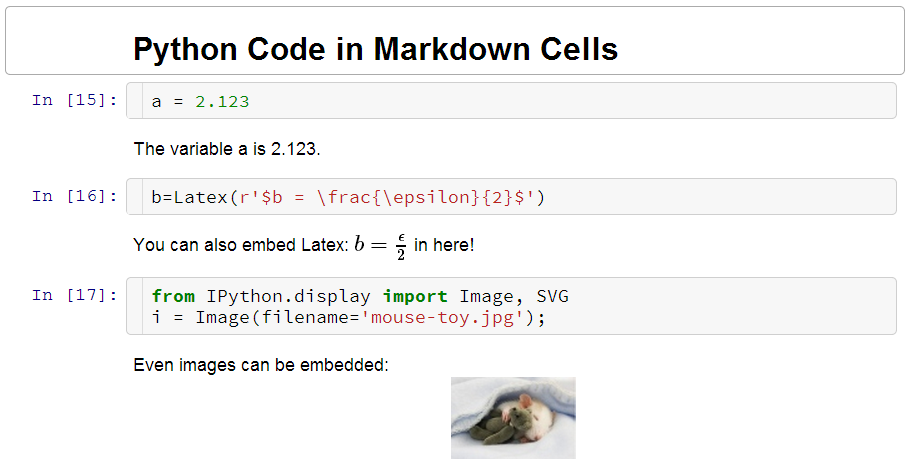
Python code is only executed when the notebook is trusted. So if your original Python code is still shown in rendered markdown output, please make sure your notebook is trusted.
Caution: There is no restriction in the expression you can embed in {{ }}. Be careful as you might crash your
browser if you return too large datasets.
In order to have nbconvert show the computed Python output when exporting to another format,
use the pre_pymarkdown.py preprocessor. If you used the python setup.py install command to install the
IPython-contrib extension package, this will already be installed.
For manual setup, you need to copy this file to a location within the Python path (or extend PYTHONPATH).
Additionally, you need to add these two lines to your jupyter_nbconvert_config.py configuration file:
c = get_config()
c.Exporter.preprocessors = ['pre_pymarkdown.PyMarkdownPreprocessor']The extension overrides the textcell.MarkdownCell.prototype.render function and searches for a Python expression enclosed in
double curly braced {{ <expr> }}. It then executes the expression and replaces it with the result returned from Python, embedded
in a <span> tag.
Additionally, the result is saved in the metadata of the markdown cell, i.e. cell.metadata.variables[varname].
This stored value is displayed when reloading the notebook and used for the nbconvert preprocessor.
The preprocessor pre_pymarkdown.PyMarkdownPreprocessor allows nbconvert to display the computed variables
when converting the notebook to an output file format.