SRS Student details - ita-social-projects/what-front GitHub Wiki
Student details
Process
- Admin, Secretaries, Mentors have access to this component from List of Students
- This component shows detailed information about a student by student ID
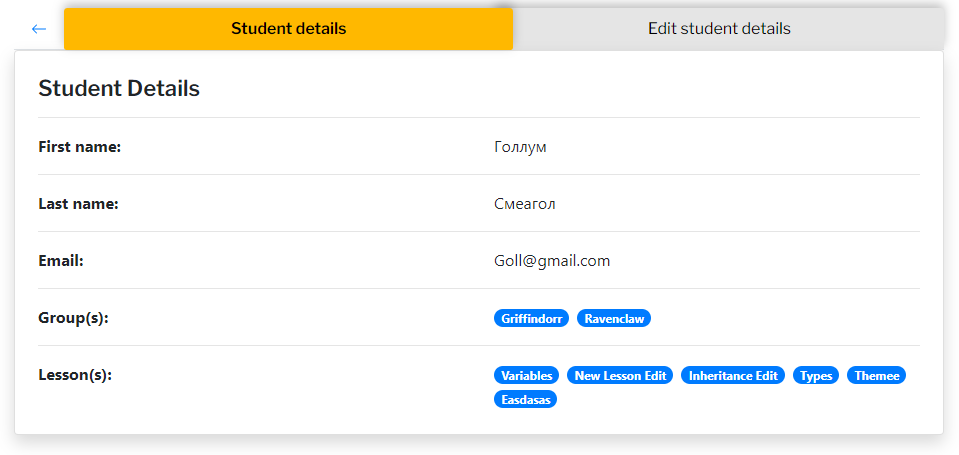
- After clicking on student card or button details - system will redirect user to Student Tabs component with active Tab(tab color: yellow) Student details and relevant content
- The system sends a request to the server and if the request is successfully loaded, it will show us Student Tabs
- Not Found component will be rendered if the student with current ID doesn't exist
Requirements
- User must be logged in as an Admin, Secretary, Mentor
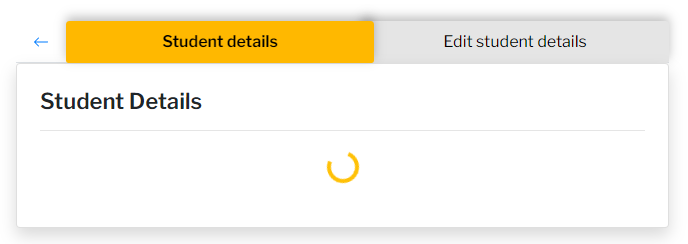
- Until the student by id is downloaded, inside "Student details" component the loader is being shown
- Until all groups are downloaded, inside "Student details" component the loader is being shown
- Until the groups by student id are downloaded, opposite the "Group(s)" the loader is being shown
- Until the lessons by student id are downloaded, opposite the "Lesson(s)" the loader is being shown
- The Button arrow, to the left of the first tab, is enabled and redirects us to the previous component(List of Students)
- Clicking on the Edit student details Tab - this tab becomes active and shows us relevant content
Errors
| Description | Result |
|---|---|
| Writing the wrong id in the URL address | redirect to Not Found component |
Back to content