SRS Forgot Password - ita-social-projects/what-front GitHub Wiki
Forgot Password
Process
- Any user has access to this component from the Authorization by clicking the 'Forgot Password' link
- This component allows the user to receive an email to reset an old password and create a new password
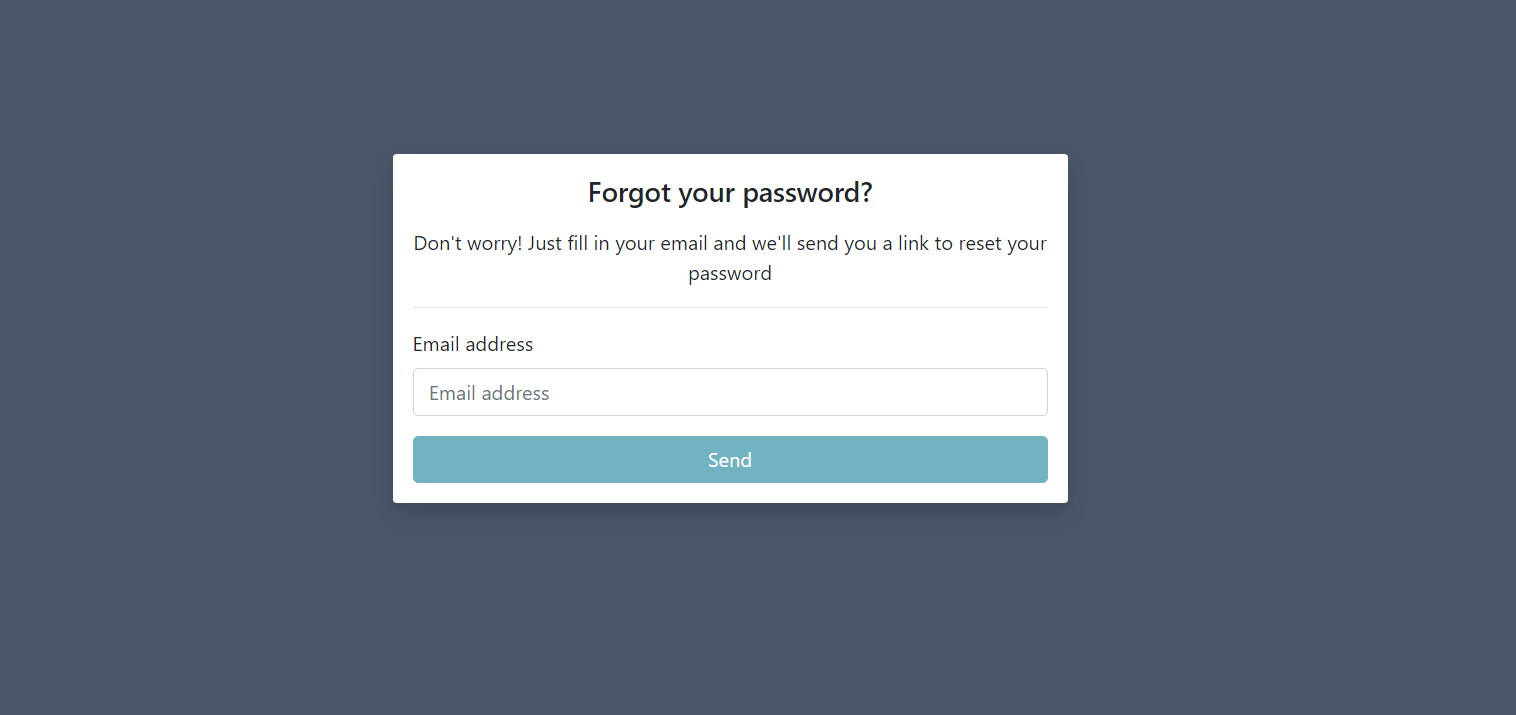
- After clicking on the 'Forgot Password' link the system redirects the user to the 'Forgot Password' page
Requirements
- The 'Email address' field is empty by default. The user must enter an existing email in WHAT app (format [email protected])
- 'Send' button is disabled if the user has been left the field empty or entered invalid email address. 'Send' button is active when the user enters a valid email.
- After entering an email and clicking 'Send' button the user can see the Loader while the request is sending
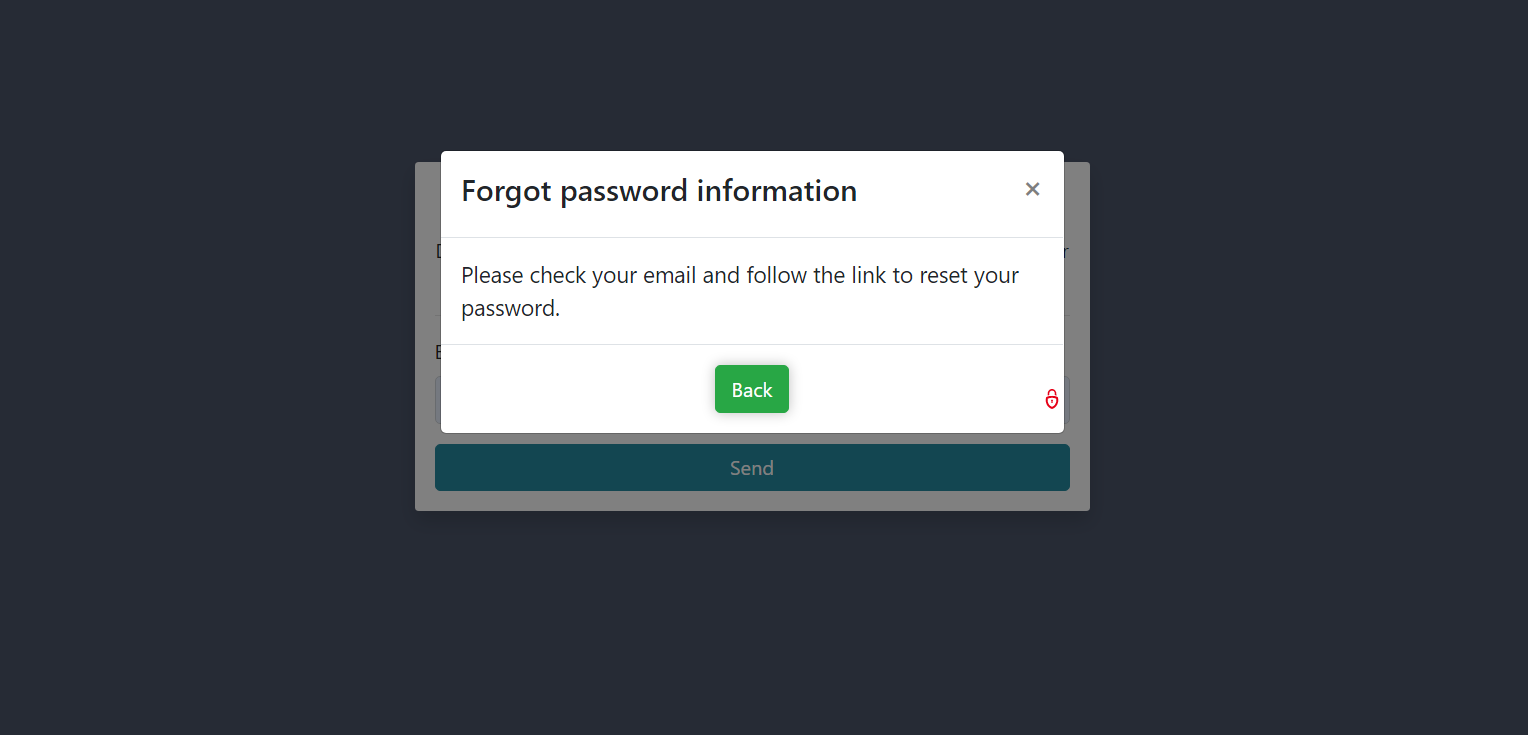
- If the request was successful, the user can see a Modal Window with additional instructions to reset the password
- Click the 'Back' button in Modal Window redirects the user to the 'Login' page
Errors
| Description | Result |
|---|---|
| The user clicked 'Email address' field and left it empty | The field is highlighted with red border and 'This field is required' red error message is displayed under 'Email address' field. |
| Entered not valid email to 'Email address' field | The field is highlighted with red border and 'Invalid email address' red error message is displayed under 'Email field' field. |
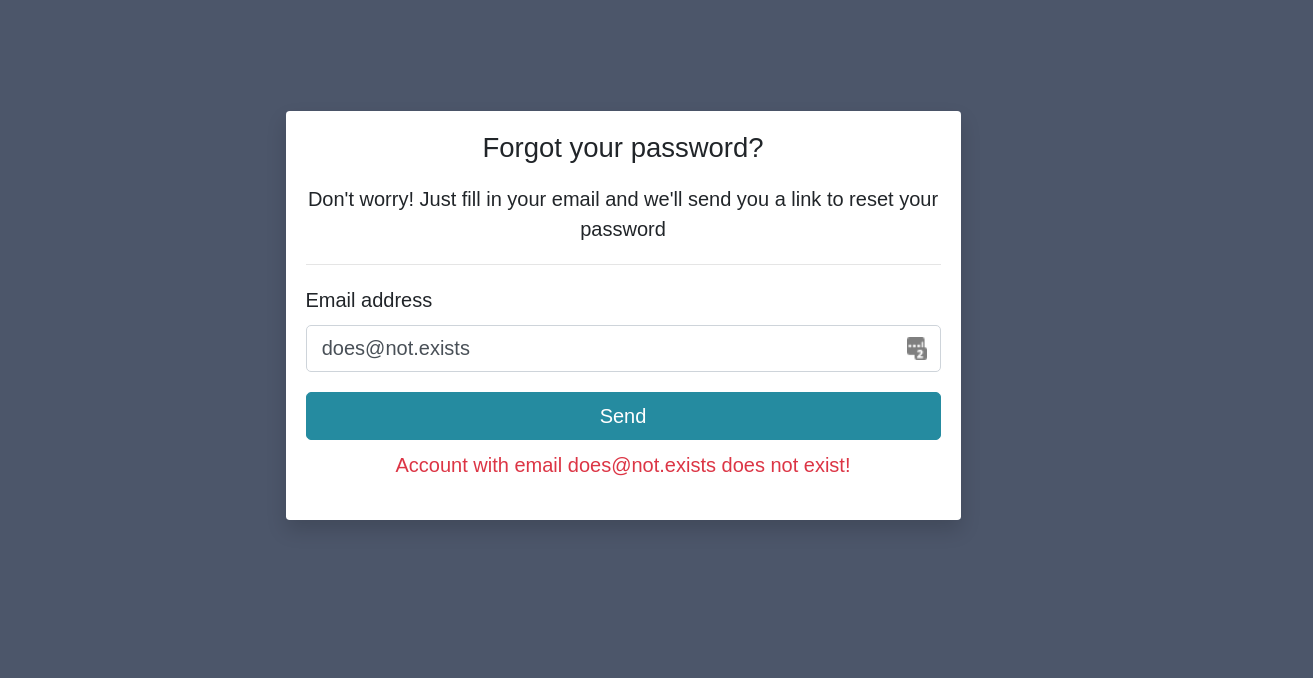
| 'Email address' field is filled by the wrong email and click on 'Send' button | The field is highlighted with red border and 'Account with email "entered email" does not exist!' red error message is displayed under 'Send' button. |
Back to content