Webcamoid getting started - iam-TJ/webcamoid GitHub Wiki
Webcamoid - Getting Started
As Webcamoid is built for thirteen combinations of operating systems, architectures, and platforms, the illustrations and screenshots shown here may well differ in style from what you see. Screenshots are kept as small as possible to improve readability of this guide - in normal use the application window will be much larger.
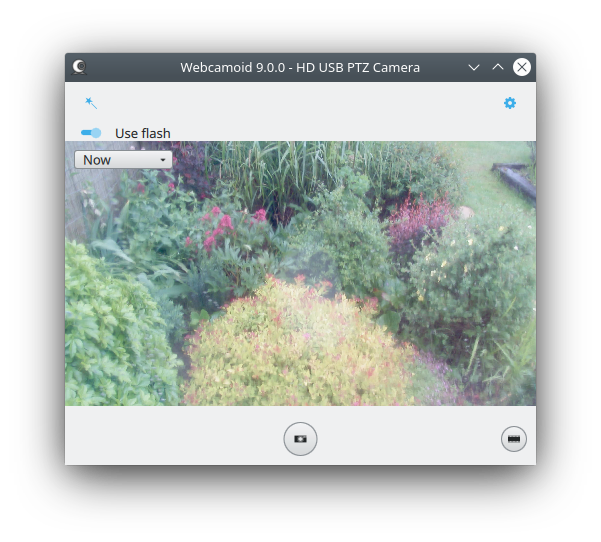 This guide was created using Debian 11 Bullseye on amd64 with KDE and its Breeze theme, with two monitors and a camera capable of 1920x1080 resolution at 30 frames per second (fps). Webcamoid was built locally as version 9.0.0 from source on 2022-05-30. Future changes may alter how the application displays some dialogs and elements.
Supported and Tested Platforms
The Webcamoid project builds and provides executable packages for the following platforms all of which can be found in the Releases section in the github project. These are Apple Mac, Android/Linux, Microsoft Windows (Build variations: Visual Studio, Msys (mingw)), and several GNU/Linux distributions (Debian, Ubuntu, Arch, Fedora, Mageia, OpenSuse, MingW) plus FlatPak.
Note: some GNU/Linux distributions may not have the latest version in their own repositories - that depends on their own maintainers keeping it up-to-date. In such cases please use the latest compatible version from Releases. Other distributions may also package Webcamoid.
Getting Started
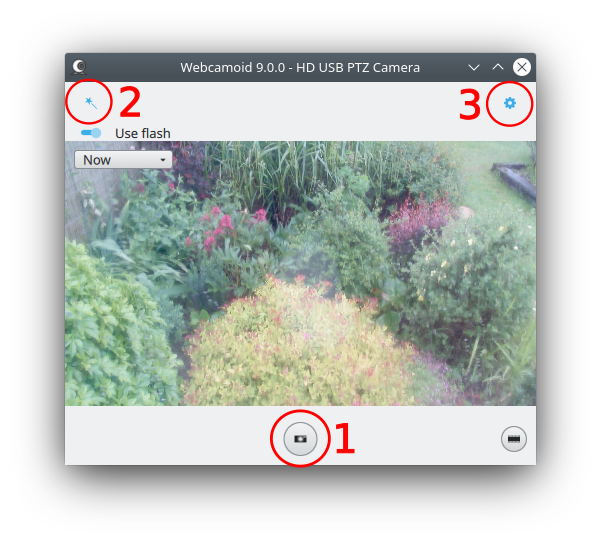
- Mode Selection icon is shown in the center-bottom of the window. In this case the current mode is Photo (snapshot)
 . To switch to Video mode one would press the roll-of-film button to the right
 .
. - Effects Selection and Settings button
 is shown top-left of the window.
 - Application, Sources, and Virtual Camera Configuration button
 is shown top-right of the window.
Mode Selection
TODO
Effects Selection and Settings
TODO
Application, Sources, and Virtual Camera Configuration
TODO