魔改版添加节点的几种方式说明 - iMeiji/ss-panel-v3-mod GitHub Wiki
如果您认为这个项目帮到了你,欢迎点击这里给我一些鼓励,谢谢您。
图片可以点击看大图。
首先是这个,目前支持九种。
0=SS
1=VPN
2=SSH
3=PAC
4=APN 描述文件外链
5=Anyconnect
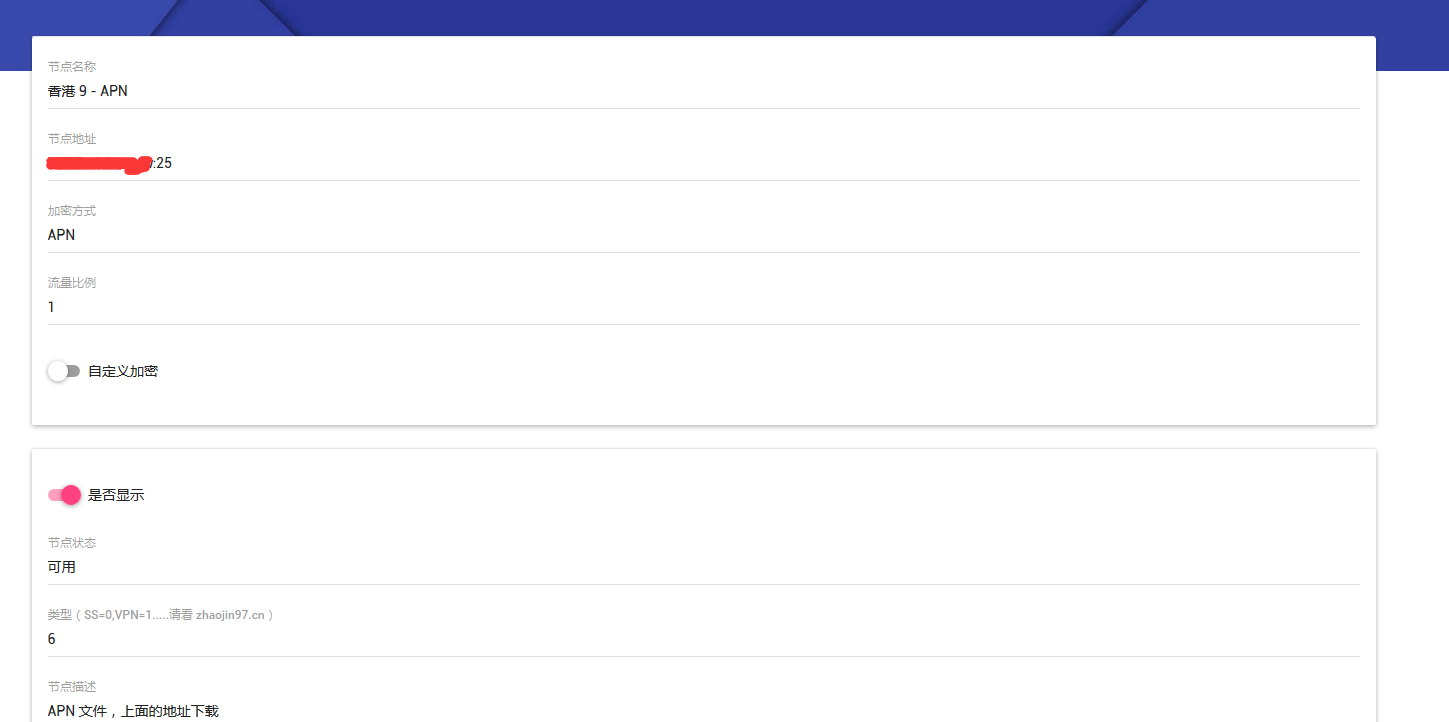
6=APN
7=PAC PLUS
8=PAC PLUS PLUS
一个个来讲。
注意:
1、在添加节点的时候,请遵守 "节点名 - 方式"的命名规则,以便于自动归类,特别注意 “ - ”,即 一个空格 一个横杠 一个空格。
2、radius secret 密钥的话 ,你先在 sspanel 魔改版的配置文件里配置好,再在子节点配置的时候进行设置。自己定义,但一定要对应。
3、PAC 类应用需要在主服务器运行一个 PAC 生成器 https://github.com/Leask/Flora_Pac
监听在 127.0.0.1:8974
运行命令如下
<del>cd ~/Flora_Pac
screen -dmS pac ./flora_pac -x "TIHUAN" -p 8974</del>
首先在面板里进行如下的节点添加。
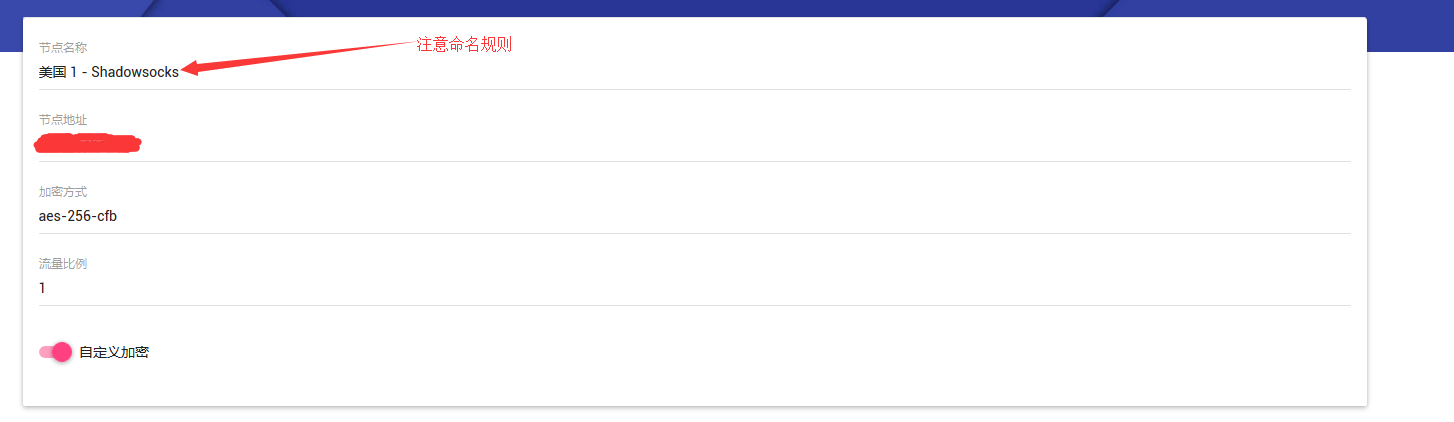
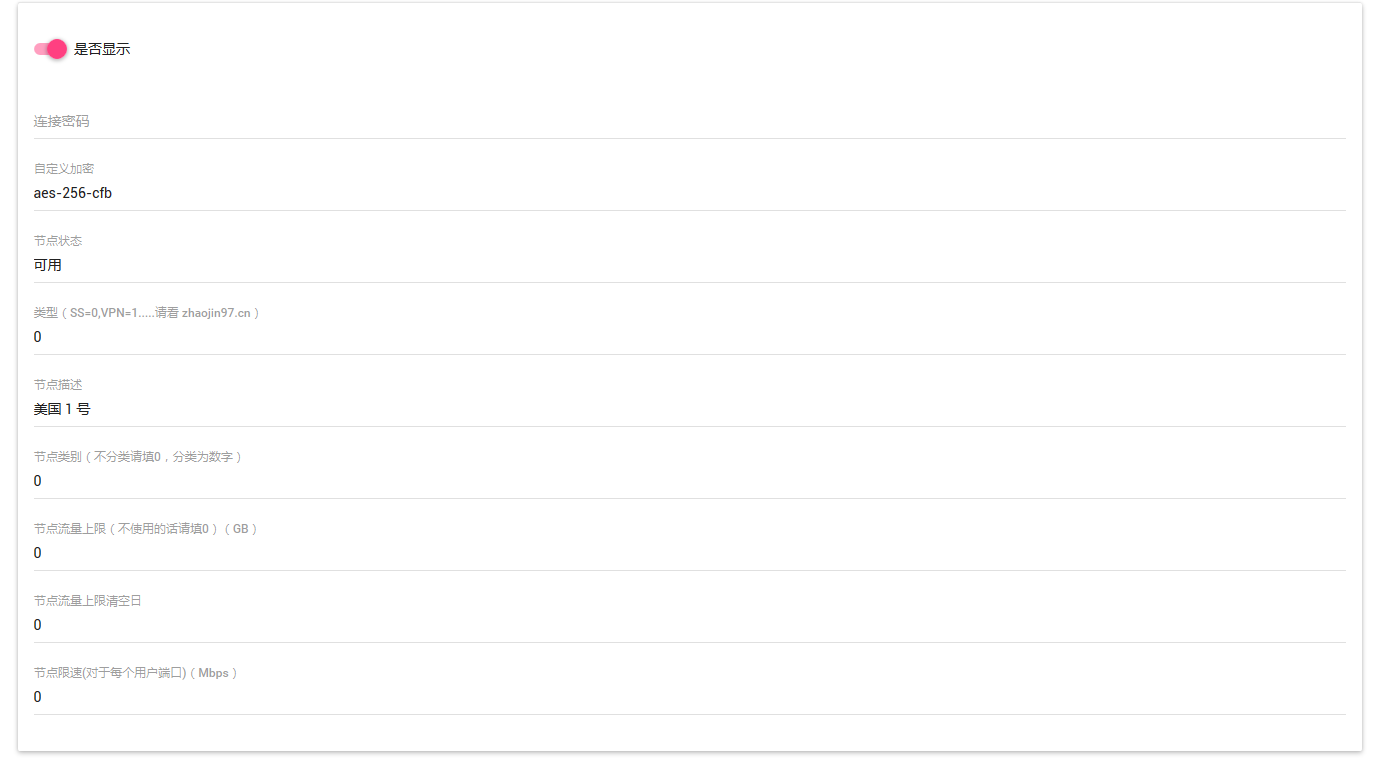
这个后端,此处不再赘述。记住 nodeid 要和
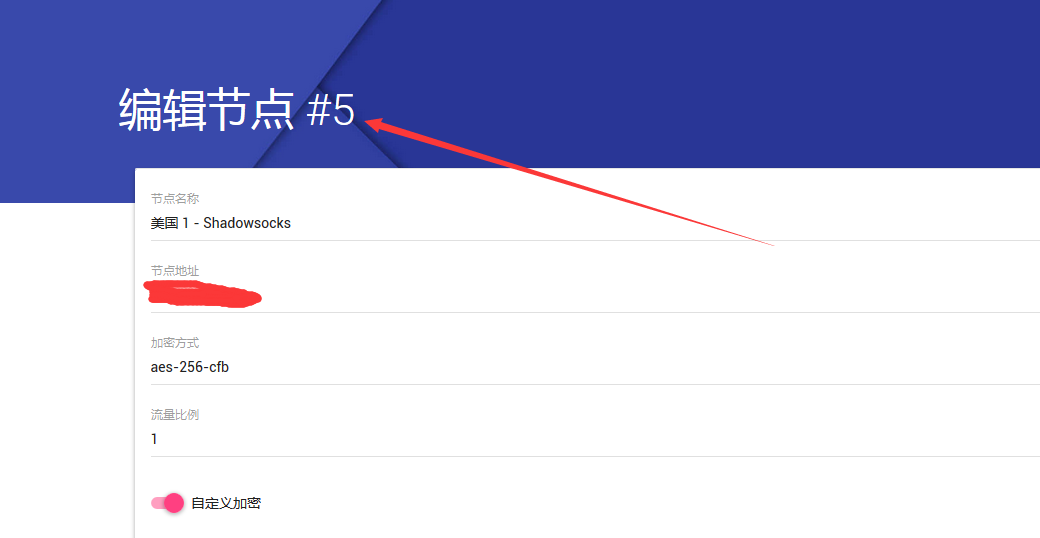
对应。
首先请确保你正确地按照 https://www.zhaoj.in/read-3289.html
这里的说明安装了 Radius ,并正确地在 ss-panel 里设置了数据库信息,并且正确地设置了计划任务.
然后是在面板里添加一个 VPN 节点,请注意,添加这个节点的同时也会向 Radius 数据库里 nas 表添加一个节点,如果你不使用VPN ,但遇到要使用 Radius 验证的方式的时候,也请添加一个 类型 1 ,即 VPN 节点,这样才能保证能向 Radius 数据库里 添加 NAS 信息。
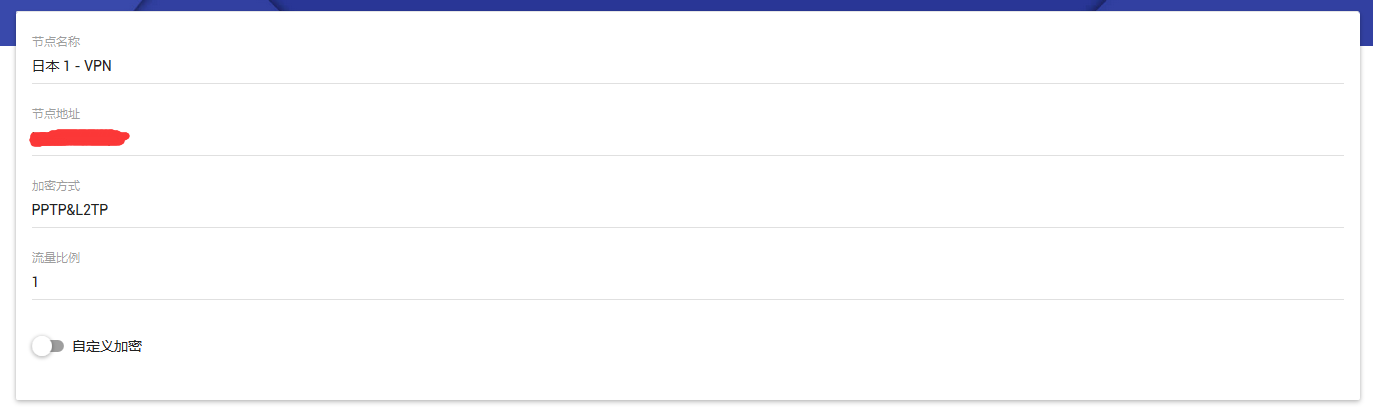
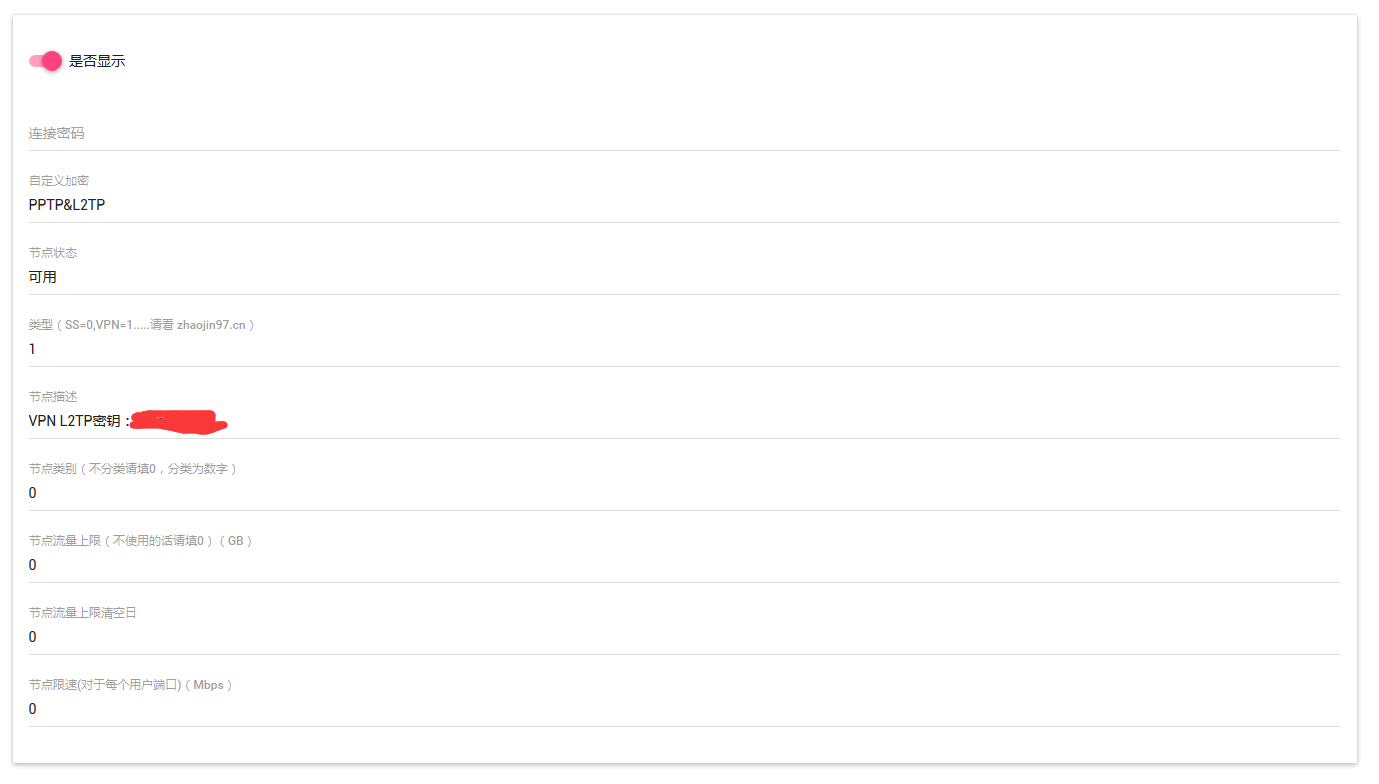
同时,要统计流量的话,请确保计划任务在正常运行,并且节点列表中有这两个东西

至于子节点的安装,用 http://www.yishanhome.com/archives/307 的一键包即可,在填写 Radius 服务器信息的时候请填主节点的信息,并确保主节点 Radius 服务在正常运行。
同 VPN ,也是 Radius 验证,首先要添加一个类型 1 VPN 节点,以便使用 Radius 验证,然后在面板里添加节点也和 VPN 差不多,就是类型要填 2。
子节点的搭建,请参考这篇东西 https://www.zhaoj.in/read-2547.html
不过有点过时了= =在 ss-panel v3 可能会有错误= =自己拿源码改改吧。。。主要是现在我也不用这个方式了。
通过连接 squid 监听 的 25 端口来进行连接。
同 VPN ,也是 Radius 验证,首先要添加一个类型 1 VPN 节点,以便使用 Radius 验证,然后在面板里添加节点也和 VPN 差不多,就是类型要填 3,同时地址要这样填 域名:端口。别看下面两张图,已经过期了。
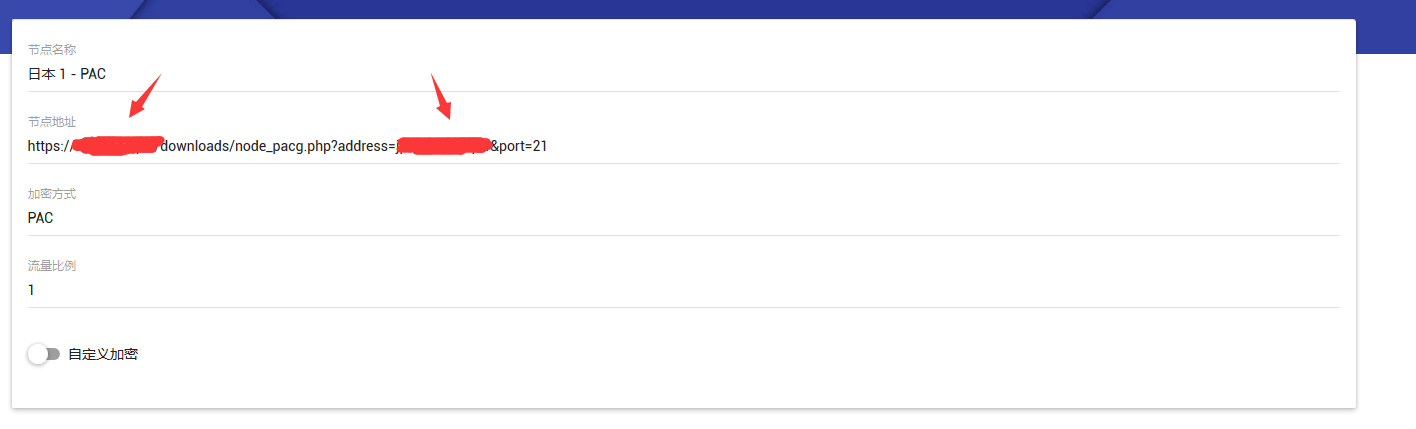
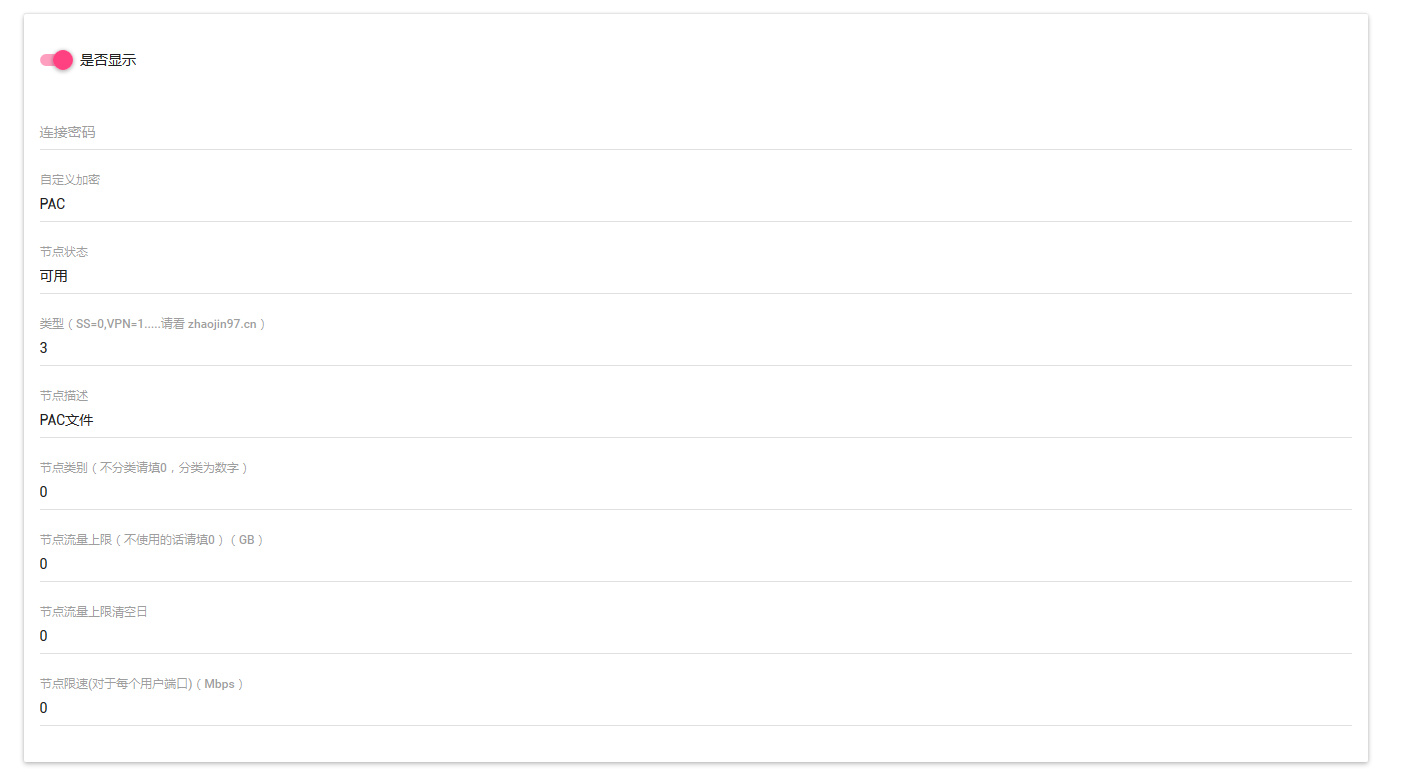
子节点的搭建的话
以 Centos 6 x64 为例
首先安装 squid
yum install squid -y
然后编辑一下 /etc/squid/squid.conf
编辑成如下
#  TAG: http_access
# Allow authorized users:
http_access allow radius-auth


#
# Recommended minimum configuration:
#
acl manager proto cache_object
acl localhost src 127.0.0.1/32 ::1
acl to_localhost dst 127.0.0.0/8 0.0.0.0/32 ::1

# Example rule allowing access from your local networks.
# Adapt to list your (internal) IP networks from where browsing
# should be allowed
acl localnet src 10.0.0.0/8     # RFC1918 possible internal network
acl localnet src 172.16.0.0/12  # RFC1918 possible internal network
acl localnet src 192.168.0.0/16 # RFC1918 possible internal network
acl localnet src fc00::/7       # RFC 4193 local private network range
acl localnet src fe80::/10      # RFC 4291 link-local (directly plugged) machines

#acl SSL_ports port 443
acl Safe_ports port 80          # http
acl Safe_ports port 21          # ftp
acl Safe_ports port 443         # https
acl Safe_ports port 70          # gopher
acl Safe_ports port 210         # wais
acl Safe_ports port 1025-65535  # unregistered ports
acl Safe_ports port 280         # http-mgmt
acl Safe_ports port 488         # gss-http
acl Safe_ports port 591         # filemaker
acl Safe_ports port 777         # multiling http
acl CONNECT method CONNECT

#
# Recommended minimum Access Permission configuration:
#
# Only allow cachemgr access from localhost
http_access allow manager localhost
http_access deny manager

# Deny requests to certain unsafe ports
http_access deny !Safe_ports

# Deny CONNECT to other than secure SSL ports
#http_access deny CONNECT !SSL_ports

# We strongly recommend the following be uncommented to protect innocent
# web applications running on the proxy server who think the only
# one who can access services on "localhost" is a local user
#http_access deny to_localhost

#
# INSERT YOUR OWN RULE(S) HERE TO ALLOW ACCESS FROM YOUR CLIENTS
#

# Example rule allowing access from your local networks.
# Adapt localnet in the ACL section to list your (internal) IP networks
# from where browsing should be allowed
http_access allow localnet
http_access allow localhost

# And finally deny all other access to this proxy
http_access deny all

# Squid normally listens to port 3128
http_port 25

# Uncomment and adjust the following to add a disk cache directory.
#cache_dir ufs /var/spool/squid 100 16 256

# Leave coredumps in the first cache dir
coredump_dir /var/spool/squid

# Add any of your own refresh_pattern entries above these.
refresh_pattern ^ftp:           1440    20%     10080
refresh_pattern ^gopher:        1440    0%      1440
refresh_pattern -i (/cgi-bin/|\?) 0     0%      0
refresh_pattern .               0       20%     4320
然后编辑 /etc/squid/squid_rad_auth.conf
server 《主服务器域名》 # Radius Server IP or Hostname
secret 《密钥》
然后启动即可
service squid start
chkconfig squid on
用得不多,就是链接到外部的 PAC 文件的。
同 VPN ,也是 Radius 验证,首先要添加一个类型 1 VPN 节点,以便使用 Radius 验证,然后在面板里添加节点也和 VPN 差不多,就是类型要填 3,同时地址要这样填 地址:端口。
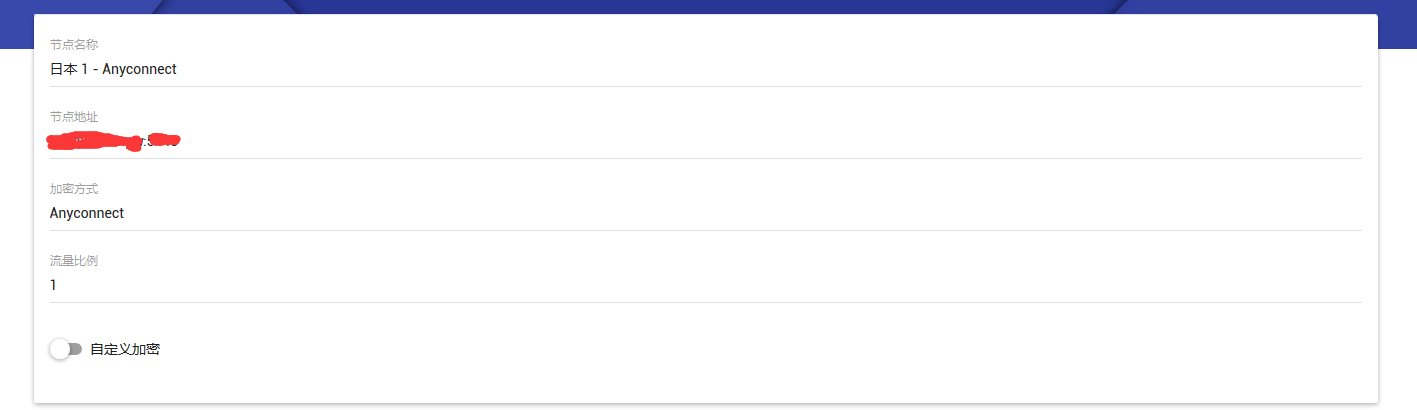
子节点搭建的话 参考这里 https://www.zhaoj.in/read-2904.html
统计流量的话 看 https://mengyang.wang/anyconnect-node-mb/
给苹果手机用的,
通过连接 squid 监听 的 25 端口来进行连接。
同 VPN ,也是 Radius 验证,首先要添加一个类型 1 VPN 节点,以便使用 Radius 验证,然后在面板里添加节点也和 VPN 差不多,就是类型要填 3,同时地址要这样填 节点域名:端口。
这个是国内中转套件的一部分,请捐赠用户们晚些看我另外一篇东西。
这个是国内中转套件的一部分,请捐赠用户们晚些看我另外一篇东西。