Admin Inpatient Room Categories Rooms Fees - hmislk/hmis GitHub Wiki
Admin — Room Categories, Rooms, and Room Fees
Room configuration is a three-level hierarchy: Room Category (facility type) → Room (physical room) → Room Fee (charge for occupying that room). All three must be configured for a room to be available during admission.
Pages: All under Admin → Manage Inpatient Services → Rooms
XHTML: /inward/inward_room_category.xhtml, /inward/inward_room.xhtml, /inward/inward_room_facility.xhtml
Controllers: RoomCategoryController, RoomController, RoomFacilityChargeController
Privilege: InwardAdministration
Level 1 — Room Categories (Facility Categories)
Room categories define the ward or facility type — for example, Single AC Room, Double Room, General Ward, ICU, HDU, Labour Room.
| Field | Notes |
|---|---|
| Name | Category name shown on admission and occupancy screens |
| Code | Short identifier |
| Description | Optional description |
Room categories group rooms for reporting (e.g., room income by category) and for filtering the room auto-complete on the admission form.
Level 2 — Rooms
Each room is a physical room or bed belonging to a room category.
| Field | Notes |
|---|---|
| Name | Room number or name (e.g., "Room 101", "Ward Bed 5") |
| Code | Short code |
| Room Category | The category this room belongs to |
| Floor / Ward | Location reference |
| Active | Toggle to deactivate a room temporarily (e.g., during renovation) |
Level 3 — Room Fees (Room Facility Charges)
Room fees define how much it costs to occupy a specific room per day. A room can have multiple fee records (e.g., different rates for different patient types or seasons).
| Field | Notes |
|---|---|
| Name | Fee description (e.g., "Single AC Room — Per Day") |
| Room | The room this fee applies to |
| Fee | Daily charge amount |
| Category | Links to room category for classification |
The Room Fee is what appears in the room auto-complete on the admission form. Staff select the room fee (not the room directly), so the fee is already known at admission.
How Room Fees Are Charged
Room fees are implemented as Timed Services — they accrue per unit of time (usually per day) that the patient occupies the room. The charge is calculated from admission time to discharge time, split correctly on room changes. See Admin — Inpatient Timed Services.
Duration-based Timed Item Charges (Additional Per-Room Charges)
In addition to the seven fixed flat-rate fields on a Room Fee, you can attach one or more Timed Items to a Room Fee. These items are automatically billed based on the patient's duration of stay using the same block/overshoot calculation engine as standard timed services.
Example: A "Service Charge" timed item configured at LKR 300 per 24-hour block — attached to Room 100's fee — will be automatically included in the patient's bill at LKR 300 per day of stay. If the stay runs over a block boundary by less than the configured overshoot hours, the partial block is ignored.
Configuring Timed Item Charges on a Room Fee
- Navigate to Admin → Manage Inpatient Services → Room Fees (
/inward/inward_room_facility.xhtml). - Select the Room Fee from the list on the left.
- Scroll down to the Duration-based Timed Item Charges panel.
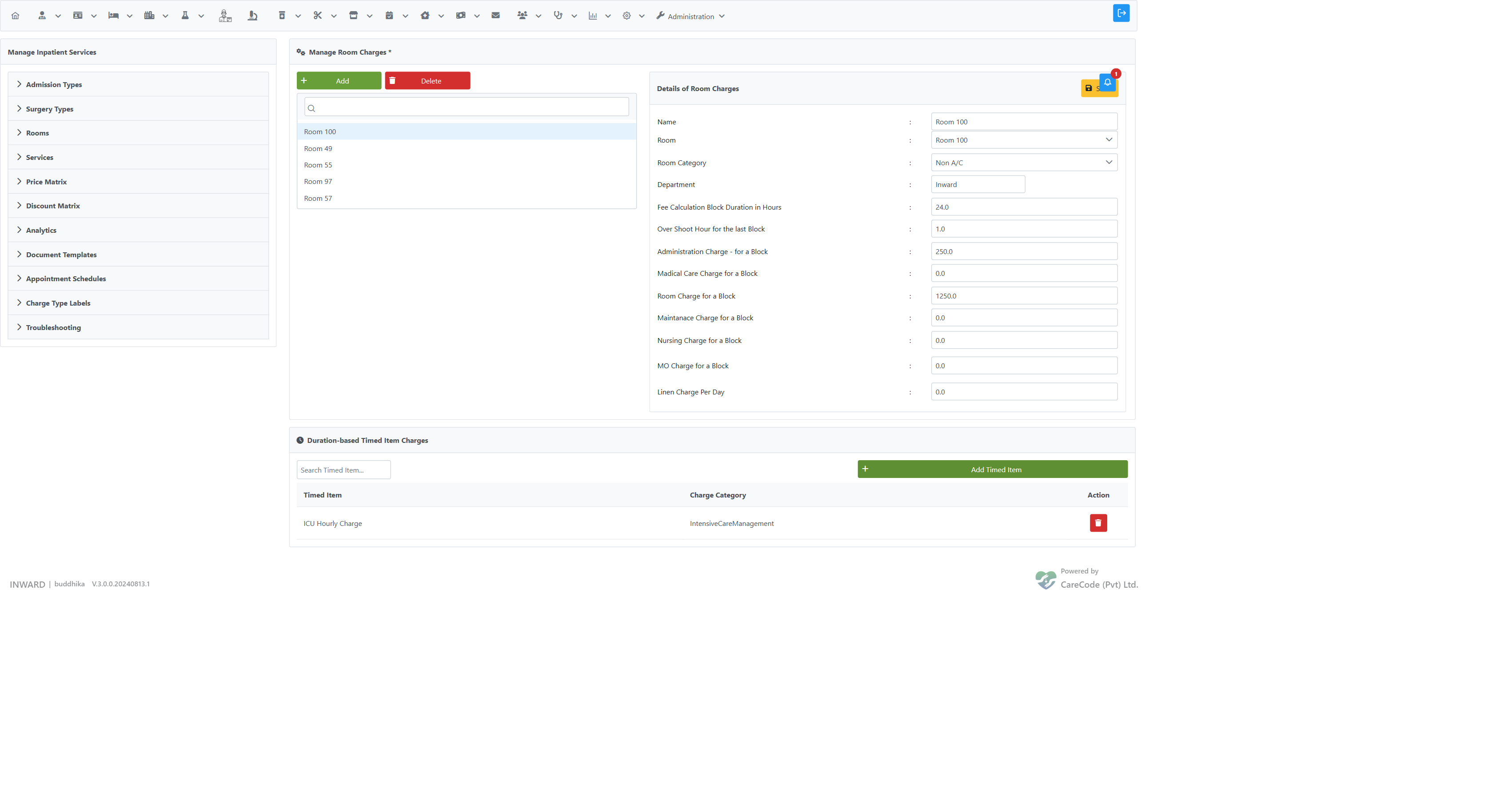
- In the Search Timed Item field, type the name of the timed item to attach (e.g., "Service Charge", "ICU Hourly Charge").
- Select the item from the autocomplete dropdown.
- Click Add Timed Item and confirm.
- The item appears in the table below with its name and charge category (InwardChargeType).
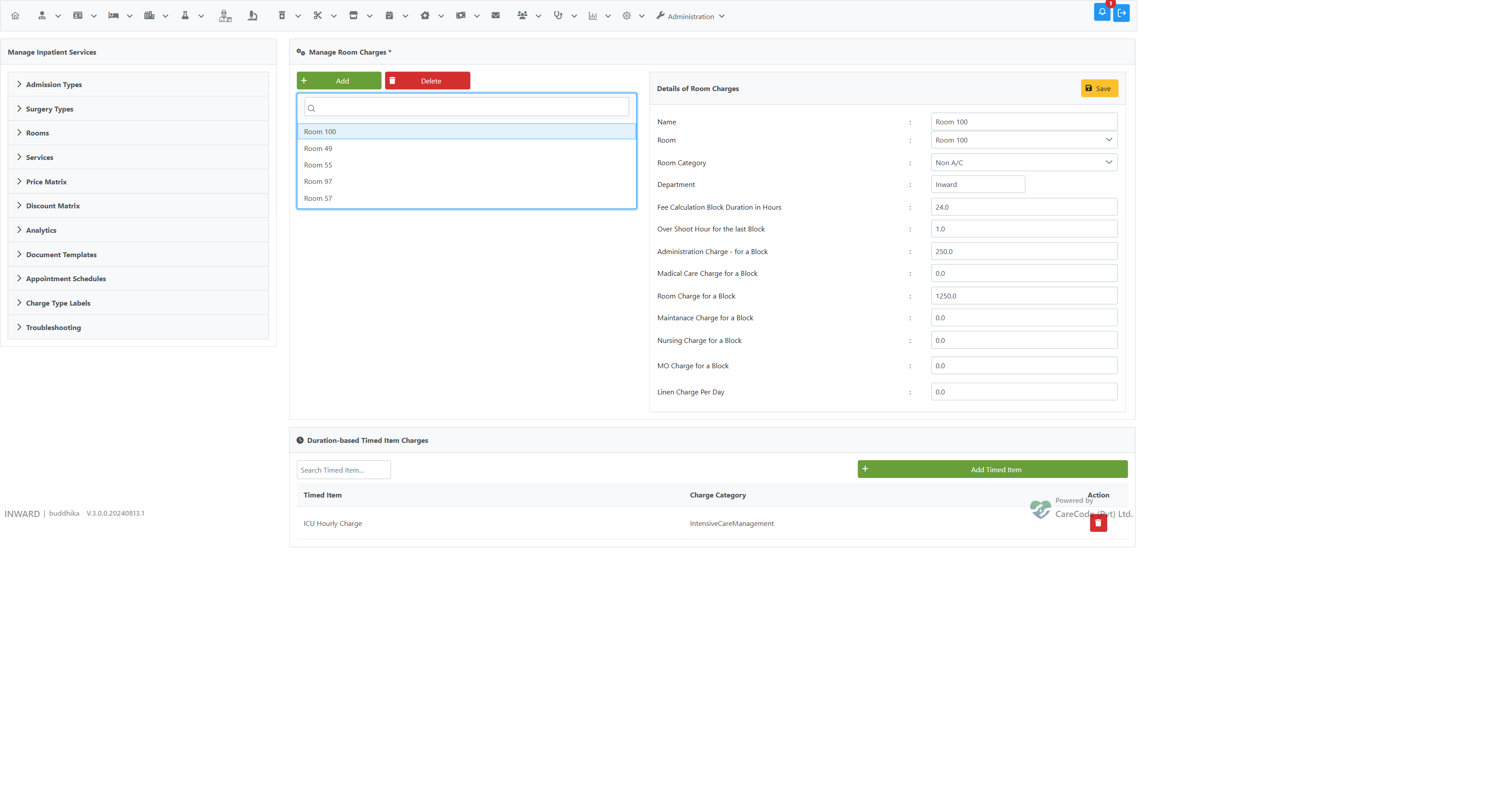
To remove an attached item, click the trash icon next to it and confirm.
How It Works at Admission
When a patient is admitted to a room, the system automatically creates a charge snapshot (PatientRoomTimedItemCharge) for each timed item attached to that room's fee. During billing calculation (discharge or BHT view), each snapshot is updated with the calculated charge using the block/overshoot engine. The resulting amounts are merged into the billing pipeline under the timed item's Inward Charge Type — the same category that appears in the itemized bill.
| Aspect | Detail |
|---|---|
| Block duration | Taken from the Timed Item Fee's Duration Hours |
| Overshoot tolerance | Taken from the Timed Item Fee's Overshoot Hours — partial blocks shorter than this are not billed |
| Charge category | Taken from the Timed Item's Inward Charge Type |
| Additive | These charges are in addition to the seven existing flat fields — no existing configuration is affected |
Prerequisites
- The timed item must already exist under Admin → Manage Inpatient Services → Services → Timed Items with a fee configured.
- The timed item's Inward Charge Type should be set correctly to ensure the charge appears under the right category in the bill.
See Admin — Inpatient Timed Services for how to create timed items and fees.
Related Articles
- Admin — Inpatient Timed Services — how room fees accrue over time
- Inpatient — Room Occupancy and Vacancy — using rooms in operation
- Inpatient — Room Change and Guardian Room Change — fee split on room change
- Admin — Inpatient Module Configuration Overview — navigation overview