Temp - hellcy/python-basic GitHub Wiki
set up personal name and email
$ git config --global user.name "hellcy" $ git config --global user.email "[email protected]"
initilize git folder
$ git init
look up all files in the current path
$ ls
look up all files, including hidden files
% ls -a
create an new file
$ touch "fileName"
look up git status
$ git status
look up git status, simplified
$ git status -s
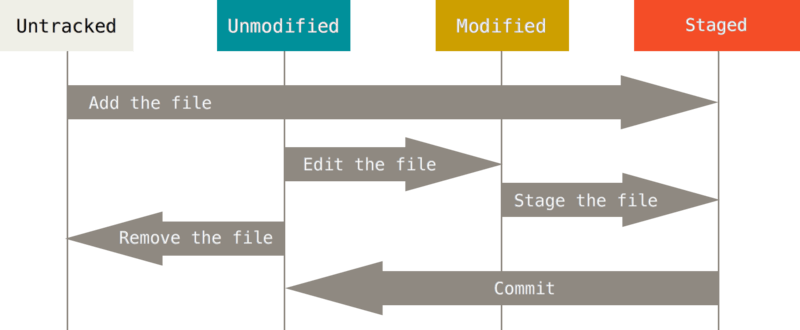
stage file
$ git add fileName
stage all unstaged files
$ git add .
commit staged files
$ git commit -m "message for this commit"
check git log
$ git log
如果想要查看这次还没 add (unstaged) 的修改部分 和上个已经 commit 的文件有何不同, 我们将使用
$ git diff
如果你已经 add 了这次修改, 文件变成了 “可提交状态” (staged), 我们可以在 diff 中添加参数 --cached 来查看修改:
$ git diff --cached